
Plugin Features Overview
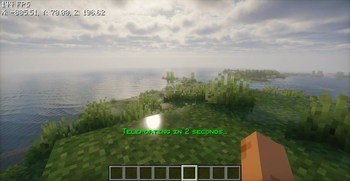
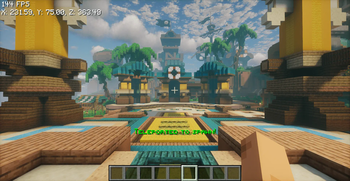
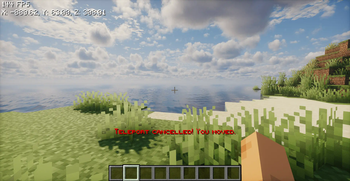
Teleport to Spawn from Anywhere: Players can use the /spawn command to instantly teleport to the server's spawn location, no matter where they are on the map.
Set Server Spawn Point: Moderators must set the server spawn location in advance using the /setspawn command.
Customizable Messages and Timer: Easily edit teleportation messages and the timer duration in the config.yml file to fit your server’s preferences.
HEX Color Code Support: All messages support HEX color codes, allowing for vibrant and personalized server messages.
Easy Plugin Reload: Apply changes made in the config.yml instantly using the /spawnreload command—no need to reload or restart the server
- Edition: Minecraft Java
- File type: .jar
- Minecraft versions listed: 1.21, 1.21.1, 1.21.2
- How to install: Install the matching mod loader (Forge, Fabric or NeoForge) for your Minecraft version. → Download the .jar. → Put it in the .minecraft/mods folder and launch that loader profile.
- Where to get it: Opens on Modrinth — not every file is mirrored on our own servers.
Install steps are the general flow for this file type — How to install Minecraft Java mods & modpacks walks through it step by step.
- Ships as Spawn-1.0-SNAPSHOT.jar — drop this file into the mods folder
- Download size: 13 KB
- Download link checked 11 Sept 2026 — working
These come from our own check of the pack file, not from the source page.