
SwearWordsOFF - Keep Your Minecraft Chat Clean and Friendly!
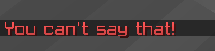
SwearWordsOFF is a powerful and easy-to-use Minecraft plugin designed to automatically detect and block offensive language in your server chat. Perfect for community server! and family friendly environments, this plugin helps maintain a positive and respectful chat by filtering out swear words and inappropriate language in real-time.
How to use:
Start By Downloading The Plugin from here then go to your plugins folder - then drag the plugin into the plugins folder.
Restart Your Minecraft Server
Go to the config.yml to change the blacklisted words people should not be able to type
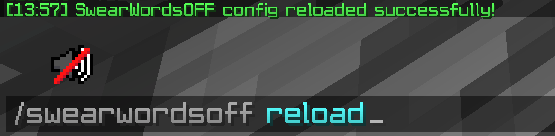
Type /swearwordsoff reload
AND NOW YOU ARE READY TO GO
Permissions: Config Reload: swearwordsoff.reload
Pictures:


- Edition: Minecraft Java
- File type: .jar
- Minecraft versions listed: 1.20, 1.20.1, 1.20.2
- How to install: Install the matching mod loader (Forge, Fabric or NeoForge) for your Minecraft version. → Download the .jar. → Put it in the .minecraft/mods folder and launch that loader profile.
- Where to get it: Opens on Modrinth — not every file is mirrored on our own servers.
Install steps are the general flow for this file type — How to install Minecraft Java mods & modpacks walks through it step by step.
- Ships as SwearWordOFF-1.0-SNAPSHOT.jar — drop this file into the mods folder
- Download size: 5 KB
- Download link checked 21 Aug 2026 — working
These come from our own check of the pack file, not from the source page.