
REQUIREMENTS Fabric API
RU:
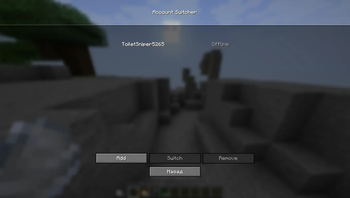
AccountSwitcher — это модификация, позволяющая переключаться между локальными (офлайн) учётными записями Minecraft непосредственно в главном меню игры, без необходимости перезапуска клиента или лаунчера.
Основные функции
- Быстрая смена профиля: Добавляет кнопку управления локальными аккаунтами в главное меню.
- Локальные профили: Поддерживает добавление и управление офлайн-аккаунтами (Offline/Crack) для удобного тестирования или игры.
- Безопасность данных: Мод работает полностью локально, не собирает данные и не взаимодействует со сторонними сервисами.
- Сохранение сессий: Мод запоминает созданные профили, исключая необходимость повторного ввода никнейма при каждом запуске.
Инструкция по использованию
- Нажмите на кнопку управления аккаунтами в главном меню игры.
- Выберите пункт «add» и введите нужный никнейм.
- Кликните по созданному профилю в списке для моментального переключения.
Техническая информация
- Платформа: Fabric
- Поддерживаемые версии: 1.21.x
EN:
AccountSwitcher is a modification that allows players to switch between local (offline) Minecraft accounts directly from the main menu without restarting the client or the launcher.
Features
- Quick Account Switching: Adds a local account management button to the game's main menu.
- Offline Profiles: Supports adding and managing offline accounts, making it convenient for testing or multi-profile usage.
- Data Security: Works completely locally, does not collect any data, and has no third-party connections.
- Session Persistence: Remembers created profiles, eliminating the need to re-enter nicknames upon every launch.
How to Use
- Click the account management button in the main menu.
- Click "add" and enter the desired nickname.
- Select the created profile from the list to switch instantly.
Technical Information
- Platform: Fabric
- Supported Versions: 1.21.x
Quick facts
- Edition: Minecraft Java
- File type: .jar
- Minecraft version listed: 1.21.4
- How to install: Install the matching mod loader (Forge, Fabric or NeoForge) for your Minecraft version. → Download the .jar. → Put it in the .minecraft/mods folder and launch that loader profile.
- Where to get it: Opens on Modrinth — not every file is mirrored on our own servers.
Install steps are the general flow for this file type — How to install Minecraft Java mods & modpacks walks through it step by step.
Verified by MCModsHub
- Ships as AccountSwitcher-1.0.jar — drop this file into the mods folder
- Download size: 22 KB
- Download link checked 14 Sept 2026 — working
These come from our own check of the pack file, not from the source page.