
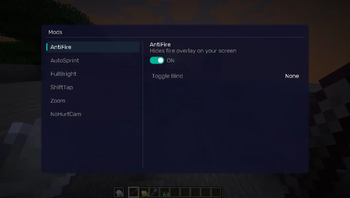
REQUIREMENTS NightVisuals GUI
EN:
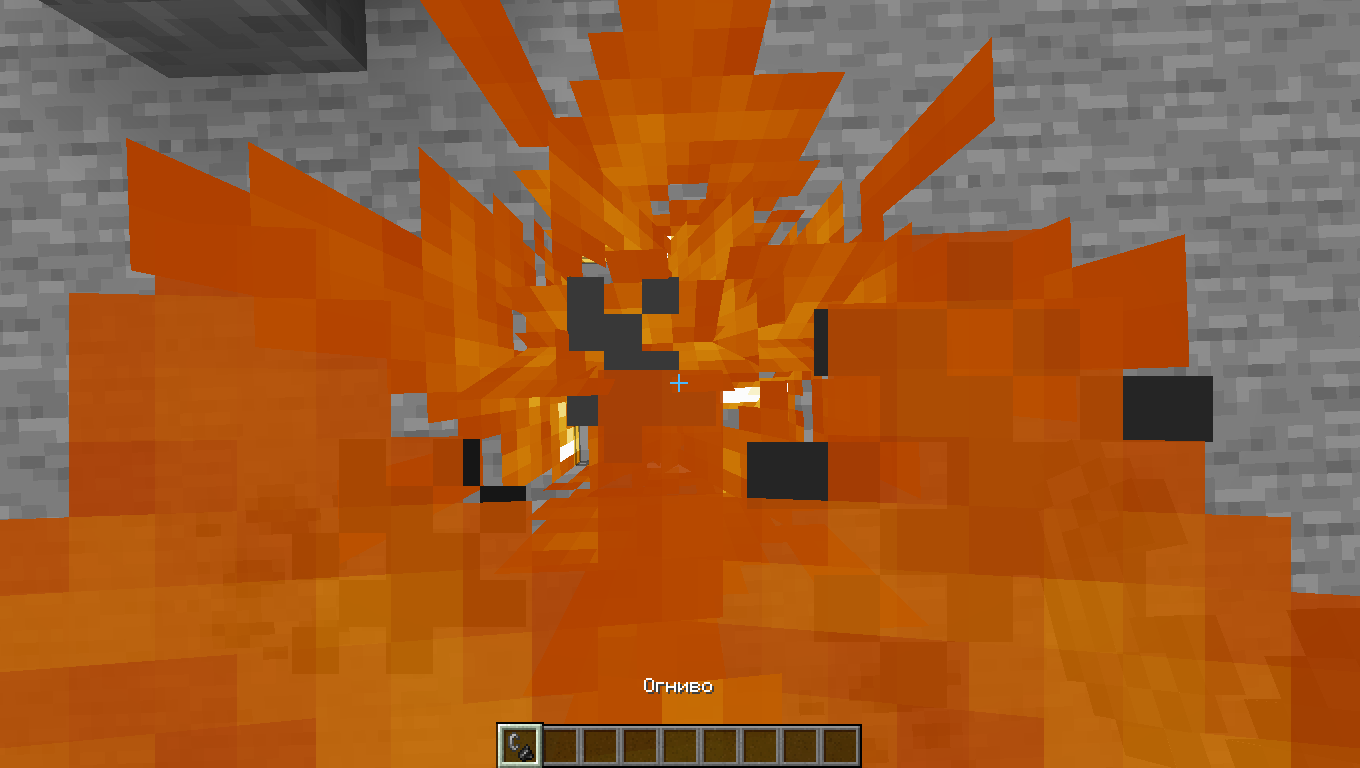
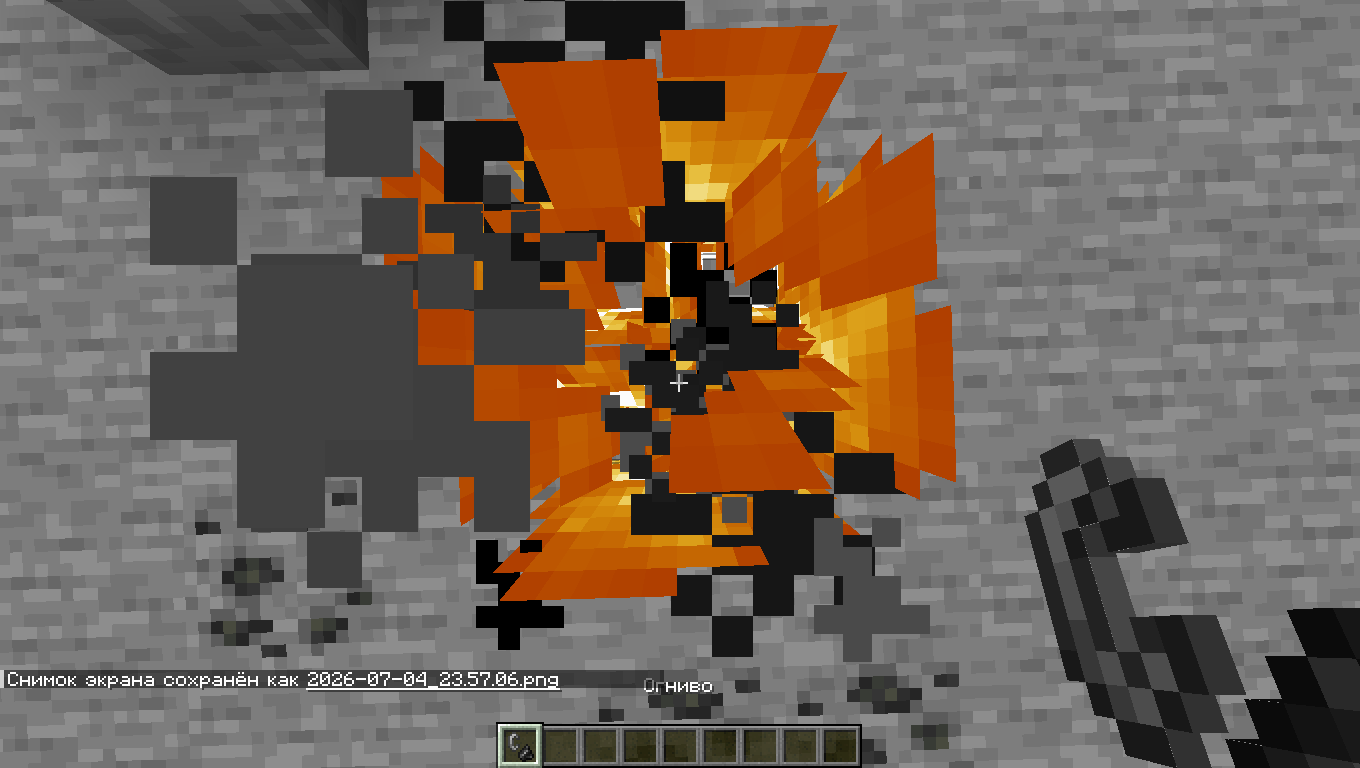
NightVisuals NoFireOverlay is a visual utility modification that completely removes the screen-blocking fire overlay when your player is burning, restoring full visibility during combat or dimension exploration.
Core Features
- Remove Fire Overlay: Disables the vanilla first-person burning animation that clutters the screen.
- Toggle On/Off: Easily enable or disable the clean view through the NightVisuals in-game GUI menu.
- Purely Visual: Modifies only the client-side rendering engine, keeping the modification 100% safe for any multiplayer environment.
- Zero Performance Impact: Prevents the overlay rendering pass directly, resulting in a lightweight, lag-free execution.
Before:
After:
Configuration
NightVisuals NoFireOverlay toggles via the NightVisuals GUI (default key: RShift). No separate config files required.
Installation
- Install Fabric Loader and Fabric API.
- Install NightVisuals GUI (required dependency).
- Place the downloaded NightVisuals NoFireOverlay mod
.jarfile into yourmodsfolder. - Launch the game.
RU:
NightVisuals NoFireOverlay — это визуальная утилитарная модификация, которая полностью убирает перекрывающую обзор текстуру огня на экране, когда ваш персонаж горит, возвращая полную видимость в бою или при исследовании Незера.
Основной функционал
- Отключение оверлея огня: Блокирует ванильную анимацию горения от первого лица, которая мешает обзору.
- Включение/Выключение: Удобное управление отображением через внутрииговое меню NightVisuals GUI.
- Исключительно визуальный мод: Изменяет только отрисовку на стороне клиента, что делает его абсолютно безопасным для игры на любых серверах.
- Нулевое влияние на FPS: Отменяет проход рендеринга оверлея напрямую, не создавая лишней нагрузки на систему.
До:
После:
Настройка
NightVisuals NoFireOverlay переключается через NightVisuals GUI (клавиша по умолчанию: RShift). Дополнительных конфигов нет.
Установка
- Установите Fabric Loader и Fabric API.
- Установите NightVisuals GUI (обязательная зависимость).
- Поместите скачанный файл мода NightVisuals NoFireOverlay в папку
mods. - Запустите игру.
- Edition: Minecraft Java
- File type: .jar
- Minecraft version listed: 1.21.4
- How to install: Install the matching mod loader (Forge, Fabric or NeoForge) for your Minecraft version. → Download the .jar. → Put it in the .minecraft/mods folder and launch that loader profile.
- Where to get it: Opens on Modrinth — not every file is mirrored on our own servers.
Install steps are the general flow for this file type — How to install Minecraft Java mods & modpacks walks through it step by step.
- Ships as NightVisuals NoFireOverlay-1.0.0.jar — drop this file into the mods folder
- Download size: 7 KB
- Download link checked 14 Sept 2026 — working
These come from our own check of the pack file, not from the source page.