
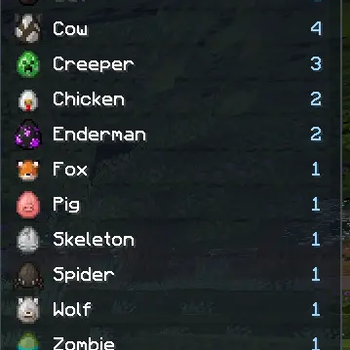
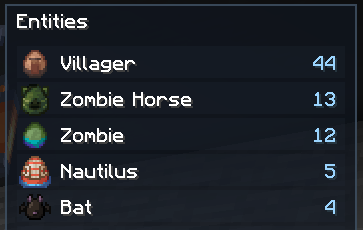
 Entity Tracker gives you a clean HUD showing which loaded entities are currently around you and how many of each are present.
Features
- Compact in-game HUD with entity icons and live counts
- Tracks currently loaded client-side entities near you
- Shows mobs, animals, and other entity types individually
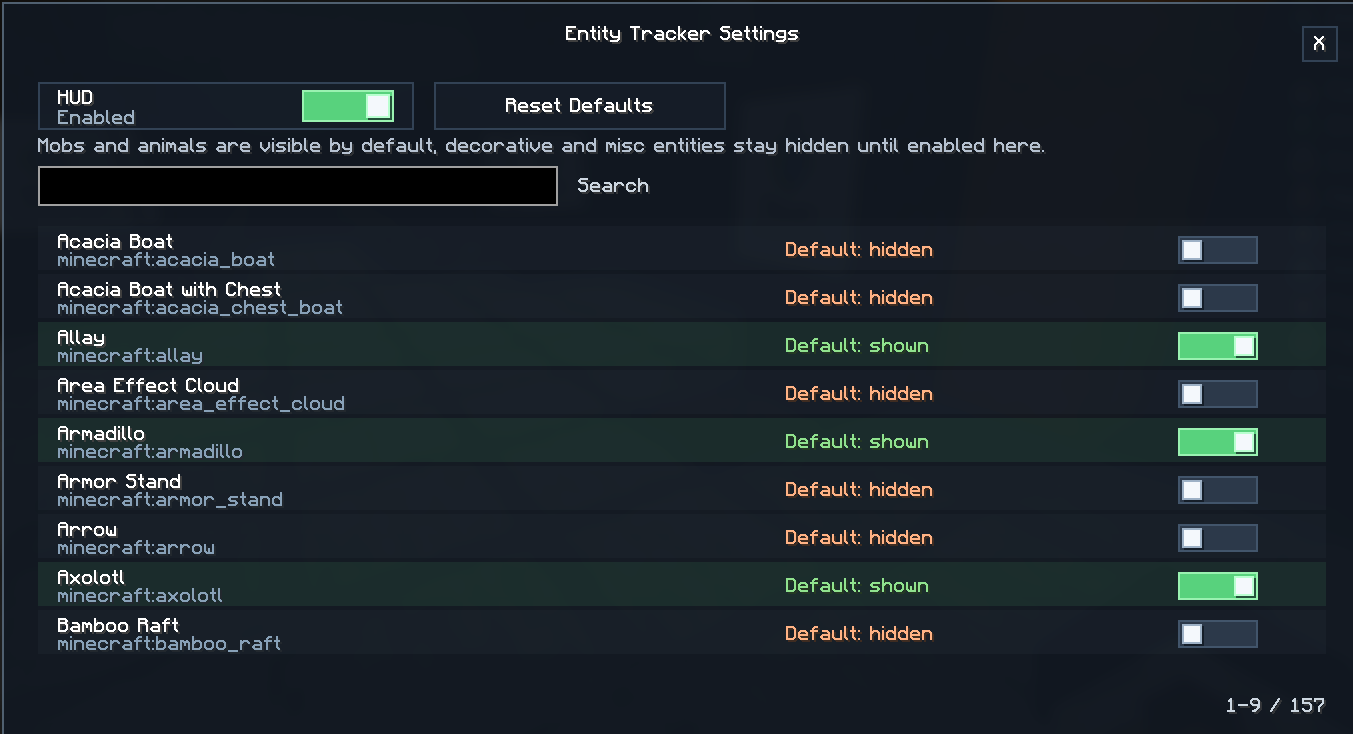
- Per-entity visibility settings
- Searchable settings screen
- Quick HUD toggle keybind
- Optional Mod Menu integration
- Fully client-side
Default Behavior
By default, mobs and animals are shown in the HUD.
Decorative, misc, vehicle, projectile, and other non-living entity types stay hidden until you enable them in the settings.
Controls
H- Toggle Entity HUDOpen Entity Tracker Settings- Not bound by default
Check out my other mods




Quick facts
- Edition: Minecraft Java
- File type: .jar
- Minecraft version listed: 1.21.11
- How to install: Install the matching mod loader (Forge, Fabric or NeoForge) for your Minecraft version. → Download the .jar. → Put it in the .minecraft/mods folder and launch that loader profile.
- Where to get it: Opens on Modrinth — not every file is mirrored on our own servers.
Install steps are the general flow for this file type — How to install Minecraft Java mods & modpacks walks through it step by step.
Verified by MCModsHub
- Ships as entity-tracker-1.0.1+1.21.11.jar — drop this file into the mods folder
- Download size: 65 KB
- Download link checked 14 Sept 2026 — working
These come from our own check of the pack file, not from the source page.