
ModsJava
Keybind Coords
Java mod listed for Minecraft 1.21. Downloads from the MC Java Mods app on Android.
⬇ Download on Modrinth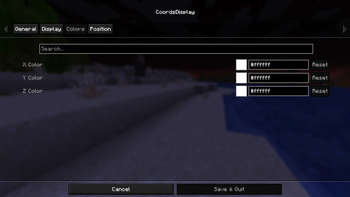
Keybind Coords Display
Overview
Keybind Coords Display is a configurable Minecraft mod that displays the player's coordinates on a press of a keybind.
Features
General
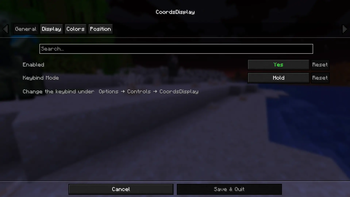
Enable or disable the coordinate HUD.
Two keybind modes:
- Hold – Coordinates are only visible while the key is held.
- Toggle – Press the key once to show coordinates and again to hide them.
Keybind can be configured through Minecraft's Controls menu.
Display
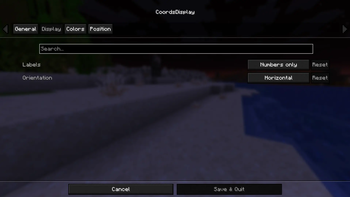
Label styles:
- Numbers Only – Displays only coordinate values.
- XYZ Labels – Prefixes coordinates with X, Y, and Z.
Orientation options:
- Horizontal – Displays all coordinates on a single line.
- Vertical – Displays each coordinate on its own line.
Colors
Individual color customization for:
- X coordinate
- Y coordinate
- Z coordinate
Positioning
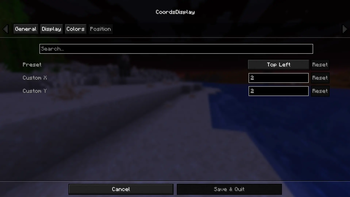
Built-in presets:
- Top Left
- Top Right
- Bottom Left
- Bottom Right
Custom positioning with configurable X and Y.
Quick facts
- Edition: Minecraft Java
- File type: .jar
- Minecraft version listed: 1.21.11
- How to install: Install the matching mod loader (Forge, Fabric or NeoForge) for your Minecraft version. → Download the .jar. → Put it in the .minecraft/mods folder and launch that loader profile.
- Where to get it: Opens on Modrinth — not every file is mirrored on our own servers.
Install steps are the general flow for this file type — How to install Minecraft Java mods & modpacks walks through it step by step.
File checked by MCModsHub
- Ships as coordsmod-1.0.0.jar — drop this file into the mods folder
- Download size: 55 KB
- Download link checked 25 Oct 2026 — working
These come from our own check of the pack file, not from the source page.