
Create: Fluid Burner
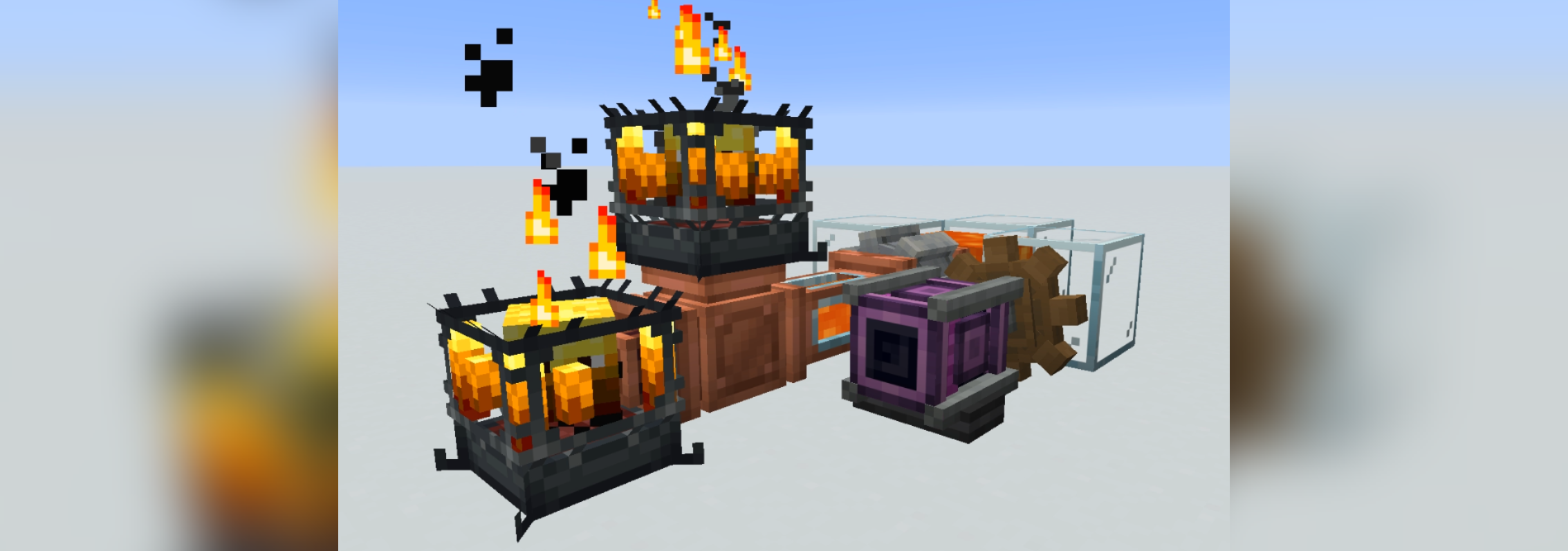
Create Fluid Burner allows Blaze Burners to natively accept fluid fuels via standard fluid transfer systems, such as pipes or mechanical pumps. It integrates directly with Create's internal behaviors, automatically consuming valid fluids and adjusting heat levels without requiring mechanical arms or solid items. Blaze burner will also accept fuels through most modded pipes.
Configuration
The mod is configured via a JSON file generated at config/create_fluid_burner.json.
Each entry uses the fluid's registry name as the key and contains three parameters:
burntime: The duration (in ticks) the burner remains in the standard "Heated" state (20 ticks = 1 second).superheattime: The duration (in ticks) the burner remains in the "Superheated" state. Set to0for standard fuels.amountRequired: The amount of fluid consumed per cycle (e.g.,81000droplets for one standard Fabric bucket i.e1000 mBof fluid).
Example Config
Below is an example config using Lava for standard heat, and an example modded fluid for superheating.
{
  "minecraft:lava": {
    "burntime": 5000,
    "superheattime": 0,
    "amountRequired": 81000
  },
  "tconstruct:blazing_blood": {
    "burntime": 1000,
    "superheattime": 6400,
    "amountRequired": 81000
  }
}
- Edition: Minecraft Java
- File type: .jar
- Minecraft versions listed: 26.1.2, 26.2
- How to install: Install the matching mod loader (Forge, Fabric or NeoForge) for your Minecraft version. → Download the .jar. → Put it in the .minecraft/mods folder and launch that loader profile.
- Where to get it: Opens on Modrinth — not every file is mirrored on our own servers.
Install steps are the general flow for this file type — How to install Minecraft Java mods & modpacks walks through it step by step.
- Ships as createfluidburner-fabric-26.1.2-1.26.6.2.jar — drop this file into the mods folder
- Download size: 32 KB
- Download link checked 20 Aug 2026 — working
These come from our own check of the pack file, not from the source page.