
a Totally Normal Vanilla+ Modpack
Java modpack listed for Minecraft 26.x. Downloads from the MC Java Mods app on Android.
a Totally Normal Vanilla+ Modpack that focuses on improving and adding features instead of adding random content, based on exploration and QoL.
⬇ Download on Modrinth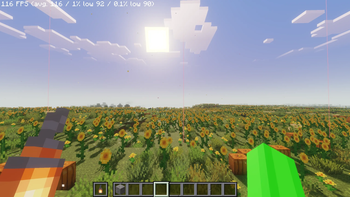
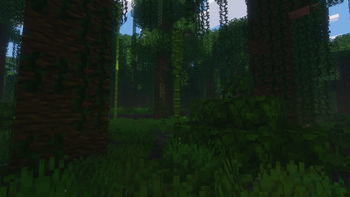
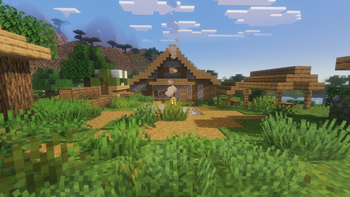
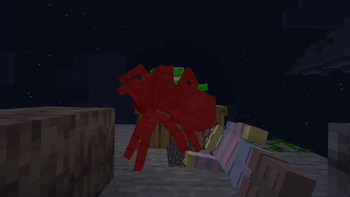
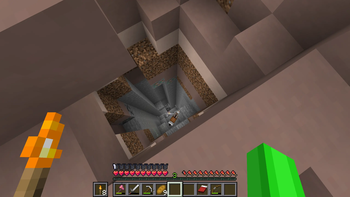
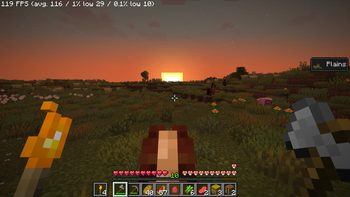
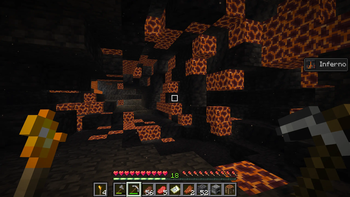
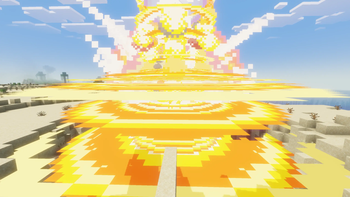
a Totally Normal Vanilla+ Modpack
a Totally Normal Vanilla+ Modpack is, as its name suggests, a Totally Normal Vanilla+ Modpack.
Information
Originally created for me and my friends, I wanted to share it with others looking for the same Vanilla+ style I tried to create.
This Modpack aims to "upgrade" the vanilla experience. It focuses on immersion, QoL and a global overhaul of the game. I tried to add as few items and mobs as possible (with some exception, check the note section to see what is added). There are optimization mods installed, but they mostly compensate for the performance impact of the other mods, you will probably not see a huge performance increase (or any performance increase at all).
It also come with 11 resource packs (not counting the mods ones) that you can use.
Which version to use?
The modpack come in 2 versions, so choosing the right one is always a plus!
The Classic Version: The classic version (named aTNV+M Vx.x) use Vulkan since V1.0 and Rust + OpenCL since V1.3, this version is not compatible with every computer. Use this version if your PC is compatible and Beryl shader is good enough for you.
The Sodium Version: The sodium version (named aTNV+M Vx.x-Sodium) use Sodium instead of Vulkan and does not use Rust or OpenCL, this version is the most compatible one. Use this version if your PC is not compatible or if you want more shader and DH support.
The Server Version: The server version (named aTNV+M Vx.x-Server) is made to work on an hosted server (server host or self-hosting), not for solo/client-host/multiplayer. Use this version only if you're hosting via a server host or self-hosting.
(The latest posted version is the V1.4, idk if there any delay :P)
More versions will (probably) come in the future.
Q&A
Why should I use this modpack?
You can use this modpack for having a better Vanilla experience without finishing in the thousands of modded items and mobs. You can also use this modpack as a base for your personal or published modpack (just please mark that you used this modpack as a base in your description if you're publishing it) since it almost doesn't add any items or mobs.
How can I play with my friends?
You can play with your friends by hosting (if you're the host) or joining your friend World/Server.
The host is hosting on a Minecraft instance: What the host need to do is create a SinglePlayer World, once in the World press Open to LAN, the host will receive a server address and the port (not important except if the host is blocking port for unblocking it), then the host can share it to their friends. Now they can play together!
The host is hosting with a server host or on a dedicated server/PC: If your looking to host with a server host or on a dedicated server/pc, you should watch a tutorial for what you wanna do and what you're using.
Who should Host the World?
The Host should be the one who have the strongest PC. If you all have good PC, then the one with the most stable connection should Host.
How do I (the creator) test the Modpack?
I test the classic version on my personal PC (for more details, check the Note section below). I test every mod I add (since V1.3, I know, it's a little late and I test it in creative mode) before deciding to put it or not in the Modpack. When done, I test the Sodium Version to check if everything works, and finally I test the Server Version
Did I (the creator) have inspiration from others source (eg. modpack)?
Yes, you can check it in the Note section below (also you should try the modpack!).
What mod and resource pack this modpack contains?
You can check it in the Note section below
Why are there deactivated mods?
The deactivated mods are optional. For example, Controllable is a deactivated mod because not everyone play Minecraft on a controller, so instead of making everyone have this mod activated, the ones who want to play Minecraft on a controller can activate this mod (don't forget Framework tho). Also if idk if i add the mod or not it's deactivated.
What resources packs order should I use?
For the resources packs order, you can use this one (from bottom to top): Minecraft, True Ending: Ender Dragon Music, Default Connected Textures, Glass Pane Culling Fix, Sparkles, Fresh Animations, FA+All Extensions, Animated Items, GUIRetextures, Os' Colorful Grasses, Simple Grass Flowers, Cursors Extended.
How much RAM should I Allocate (Solo)?
Allocating 4GB of RAM for Minecraft should be enough, the modpack consume ~1-2GB of RAM (at 12 render distance and simulation, also in multiplayers).
Why do I get random lag spike (even without exploring)?
The lag spike is likely caused by the Garbage Collection (GC) which I can't fix, you need to set the best JVM arguments for your computer (don't put random generic arguments found online).
Note
Added content (items/mobs)Trailier Tales (Items + Mobs add)
- Pottery Sherds
- Armor Trims
- Rebrush & Reaping enchantment
- Music Disc
- Expanded & Finished building block sets
- Surveyor
- Coffin
- A new mysterious mob
End Remastered + End Remastered Additions (Items only add)
- 20 new Ender Eyes
- Witch Pupil
- Undead Soul
Better Tridents (Items only add)
- trident fragment
Horseman (Items only add)
- Copper Horn
Soul Fire'd (Items only add)
- Soul Fire Aspect & Soul Flame enchantment
Simplified:
- OS: CachyOS
- Motherboard: B550M Phantom Gaming 4
- CPU: AMD Ryzen 5 5500
- GPU: GTX 1060 6GB
- Allocated RAM: 6GiB
- Disk: SSD
- Launcher: PrismLauncher
- Java: Eclipse Temurin JRE 25
Advanced:
- OS: CachyOS x86_64
- Motherboard: B550M Phantom Gaming 4
- Kernel: linux-cachyos-bore-lto
- Display: 2560x1440, 120 Hz
- DE: KDE Plasma
- WM: KWin (X11)
- CPU: AMD Ryzen 5 5500 (12) @ 4.46 GHz
- PBO: +200MHz
- Core Undervolt: -10mV
- GPU: NVIDIA GeForce GTX 1060 6GB
- GPU Driver: nvidia-580xx-dkms nvidia-580xx-settings nvidia-580xx-utils opencl-nvidia-580xx
- Memory: 31.21 GiB
- Swap: 33.21 GiB
- Minimum Allocated RAM: 1GiB
- Maximum Allocated RAM: 6GiB
- Disk (/): 110.00 GiB - btrfs
- Compression: ZSTD level 3
- Launcher: PrismLauncher
- Java: eclipse_temurin_jre25.0.3+9
- JVM Arguments: -XX:+UseG1GC -XX:+UnlockExperimentalVMOptions -XX:+UnlockDiagnosticVMOptions -XX:G1NewSizePercent=20 -XX:G1ReservePercent=20 -XX:G1HeapRegionSize=16M -XX:+ParallelRefProcEnabled -XX:+DisableExplicitGC -XX:+UseStringDeduplication -Dfile.encoding=UTF-8 -XX:ReservedCodeCacheSize=400M -XX:-DontCompileHugeMethods -XX:+UseVectorCmov -XX:+UseCompactObjectHeaders --enable-preview --enable-native-access=ALL-UNNAMED
Minecraft
Minecraft Legacy (Xbox 360, Xbox One, Wii U editions) Minecraft Bedrock
Modpack
- Vanilla Bloom by Galaxy_Noxus
- Chocolate by GOATEDMINECRAFT
- Sensible MC by Stackelyy
Mod
- 3d-Skin-Layers by tr7zw
- Accurate Block Placement by Clayborn, Flourick, KadTheHunter
- Advancement Progress by 2Bad4Mods
- Almanac by frikinjay
- Alternate Current by Space Walker
- AmbientEnvironment by Jaredlll08
- AmbientSounds by CreativeMD, AriaFreeze
- AppleSkin by squeek502
- Aquarius Libs by aquariusplayz!
- Architectury by shedaniel
- Armor Trim Item Fix by MincraftEinstein
- Arrow In The Knee by RazorPlay01
- Async by AxalotL, Alchemy, Bliss, FurryMileon, Grider, jediminer543
- Async Logger by decce
- AsyncParticles by Harvey_Husky
- Atmosfera by Haven King
- BadOptimizations by Thosea
- Balm by BlayTheNinth
- Barebones McQoy by Sisby folk
- Bars and Ladders
- Beautified Chat Client by Rick South
- Beautiful Enchanted Books by CerbonXD
- Beryl by Collateral
- Better Bats by Dasik (Rifaditya)
- Better Biome Blend by FionaTheMortal
- Better Climbing by artemis
- Better Nether Map by Jummit
- Better Statistics Screen by TheCSDev
- Better Tridents by Fuzs
- Better loading screen by HuaMouRen
- BetterF3 by cominixo, TreyRuffy
- BetterRenderDistance by Warma
- BetterThanMending by Legobmw99
- Blasting Plus by greenclaw
- Blur+ by Motschen, amiralimollaei, tterrag1098, Pyrofab
- Boat Item View by 50ap5ud5
- ButterBee by Konci
- Camp Fires Cook Mobs by supersaiyansubtlety
- Cave Dust by LizIsTired
- Chat Heads by dzwdz, Fourmisain
- ChatAnimation by Ezzenix
- Cherished Worlds by Illusive Soulworks
- Chunky by pop4959
- ClickThrough Plus by cassiancc
- Client Tweaks by BlayTheNinth
- ClientSort by NotRyken
- CliffTree by Konci
- Cloth Config v26.1 by shedaniel
- Cobweb by Crystal Spider
- Collective by Rick South
- Command Optimiser by Barnaby
- Compresso by mudkip
- Concurrent Chunk Management Engine by RelativityMC, ishland
- Concurrent Chunk Management Engine (Optimizations/Acceleration/OpenCL) by RelativityMC, ishland
- Configured Defaults by Fuzs
- ContainerItemFinder by Jeb Feng
- Continuity by PepperCode1
- Controllable by MrCrayfish
- Controlling by Jaredlll08
- CoolRain by Jaiz, Config Coding Help: trashoflevillage, NeoForge Port and Coding Help: Leclowndu93150
- Cozy Tips by JustErikSK, With Rage Studios
- Crash Assistant by KostromDan
- CreativeCore by CreativeMD, AriaFreeze
- Crops Love Rain by ThePoultryMan
- CuGO by Nullcoil
- Cursors Extended by fishstiz
- Cut Through by Fuzs
- Dark Loading Screen by A5b84
- Dasik Library by Dasik, Rifaditya
- Debugify by isXander
- Disable Narrator by fmg1925
- Dungeons and Taverns by Konci, NovaWostra, Whity, MiziraGamez
- Dungeons and Taverns Ancient City Overhaul by NovaWostra, Konci, MiziraGamez
- Dungeons and Taverns Desert Temple Overhaul by NovaWostra, Konci, MiziraGamez
- Dungeons and Taverns Jungle Temple Overhaul by NovaWostra, Konci, MiziraGamez
- Dungeons and Taverns Mineshaft Overhaul by NovaWostra
- Dungeons and Taverns Nether Fortress Overhaul by NovaWostra, Konci, MiziraGamez, Whity
- Dungeons and Taverns Ocean Monument Overhaul by NovaWostra, Konci, MiziraGamez
- Dungeons and Taverns Pillager Outpost Overhaul by NovaWostra, Konci, MiziraGamez
- Dungeons and Taverns Stronghold Overhaul by NovaWostra, Konci, MiziraGamez
- Dungeons and Taverns Swamp Hut Overhaul by NovaWostra, Konci, MiziraGamez
- Dungeons and Taverns Woodland Mansion Overhaul by Konci, MiziraGamez, NovaWostra
- Dynamic Crosshair by Crendgrim
- Easy Anvils by Fuzs
- Easy Elytra Takeoff by Rick South
- Easy Magic by Fuzs
- Easy Shulker Boxes by Fuzs
- Eating Animation Fork by theone_ss, spusik_, PinkGoosik, DoctorNight1, Fring
- Eelytra Slot
- Efficient Raw Ore Blocks Smelting by Syhmac
- Elytra physics by ImJoshh
- End Remastered by Jack Bagel
- End Remastered Additions by Yori3o
- Ender Trails by cintlex
- Enhanced Biomes Music by LevsidorovI
- Enhanced Cats by IslandAggravated
- Entity Model Features by Traben
- Entity Sound Features by Traben
- Entity Texture Features by Traben
- Explosive Enhancement by Superkat32
- Fabric API by FabricMC
- Fabric Language Kotlin by FabricMC
- Falling Leaves by Fourmisain, BrekiTomasson, RandomMcSomethin
- FancyToasts by Bivrik
- Fast Noise by ZenXArch
- Faster Boats by medicalwhiskey
- FerriteCore by malte0811
- Fishing rod fix by andrewchik
- FishingReal by PricelessKoala
- Forge Config API Port by Fuzs
- Framework by MrCrayfish
- FrozenLib by Treetrain1, Luna
- Fzzy Config by fzzyhmstrs
- GUI Effect Timer by Rick South
- GeckoLib 5 by Tslat
- Grind Enchantments by mschae23
- Hide Experimental Warning by Rick South
- Horseman by mortuusars
- Immersive Horse Riding by Leclowndu93150
- Immersive Hotbar by DerpDerpling
- Immersive Overlays by cassiancc, noelledotjpg
- Immersive Sounds by Diesse
- ImmersiveThunder: Reforged by AREKKUZZERA
- Incendium by Starmute, catter1, TheKingWhale, Rei_the_Goat
- IncrementalPlayerSave by ExtraJuiceMan
- Ixeris by decce
- Jasione by decce
- Jukebox Looping by Pneumono
- Just Enough Backups by frandm16
- Kiwi Library by Snownee
- KleeSlabs by BlayTheNinth
- Ksyxis by VidTu
- LambDynamicLights by LambdAurora
- Lawrence's Ambient Fireflies by Lawrence360
- Leaves Be Gone by Fuzs
- Let Me Sleep by Fuzs
- LetMeDespawn by frikinjay
- LibJF by JFronny
- Lithium by JellySquid, 2No2Name
- Lithostitched by Apollo
- Log Cleaner by altrisi, noramibu
- MRU by cassiancc, IMB11
- Main Menu Credits by isXander
- Make Bubbles Pop by Tschipcraft
- MapDistanceFix by mrerenk
- Math in chat by Eselfins
- MenuGames by DontiMonti
- Mod Menu by Prospector, haykam821, gniftygnome, TerraformersMC
- Moog's Structure Lib by FinnDog
- MoogsEndStructures by FinnDog
- MoogsMissingVillages by FinnDog, Phantax
- More Chat History by JackFred
- More Culling by FX - PR0CESS, 1Foxy2
- More Smeltable Items by daenvil
- Mouse Tweaks by Ivan Molodetskikh (YaLTeR)
- Name Tag Upgrade by Fuzs
- Naturally Trimmed by majo24
- NetherPortalFix by BlayTheNinth
- Nitroito Tooltips by Nitroito
- No Crop Trample by Kestalkayden
- No Resource Pack Warnings by Space Walker
- NoRealmsFix by Kasperoid
- Not Enough Vulkan by FlashyReese, amiralimollaei
- NotEnoughAnimations by tr7zw
- Nullscape by Stardust Labs
- Open Together by Fuzs
- Oxidizium Panama
- Packed Packs by fishstiz
- Packet Fixer by TonimatasDEV
- Paginated Advancements by DaFuqs
- Particle Effects by LopyMine, KlashRaick
- Particle Interactions by Enchanted_Games
- Particle Rain by pigcart
- Pick Up Notifier by Fuzs
- Ping View by karlsson1000
- Placeholder API by Patbox
- Polymer by Patbox
- Potion Cauldron by Maxoduke
- Potion Stacking by Proxi
- Presence Footsteps by Hurricaaane (Ha3), Sollace
- Prometheus by Crystal Spider
- PulseNet
- Puzzles Lib by Fuzs
- RailOptimization by noramibu, FX - PROCESS, EasterGhost
- Raise Sound Limit Simplified by ishland
- Realistic Bees by Rick South
- Remove Stardust Labs Intro Message by catter1
- Replay Mod by CrushedPixel, johni0702
- Replay Voice Chat by Max Henkel, BreadLoaf
- Resourcefulconfig by ThatGravyBoat
- Right Click Chest Boat by Killarexe
- Ripple by Noslow
- ScalableLux by Spottedleaf, ishland
- Screenshot Compression by Rick South
- Screenshot Viewer by LGatodu47
- Searchables by Jaredlll08
- ServerCore by Wesley1808
- SignFaster
- Simple Menu by Rick South
- Simple Voice Chat by Max Henkel
- SkinShuffle by IMB11 (mineblock11), enjarai
- Smoking Plus by greenclaw
- Smooth Swapping by Schauweg, Riflusso
- SmoothGui by Ezzenix
- Snow Under Trees by IMB11 (mineblock11), DeadlyMC, bl4ckscor3, cassiancc
- Snow! Real Magic! by Snownee
- Soul Fire'd by Crystal Spider
- Sound Physics Remastered by Sonic Ether, vlad2305m, Max Henkel, Saint
- Sounds by IMB11, cassiancc
- Spawn Animations by Tschipcraft
- SplashChanger by MrSam7K
- SplashFox by AmberFrost
- Stack Refill by Rick South
- Stackable Trims by Golem
- Stalker Creepers Fabric by acewins
- StateStream
- Stormie's Spiders by Halfstorm
- Structure Layout Optimizer by TelepathicGrunt
- Subtle Effects by MincraftEinstein
- Symbol Chat by replaceitem
- TCDCommons API by TheCSDev
- TT20 by JX_Snack, Lemonnik
- Tectonic by Apollo
- Trailier Tales by Luna, wigglewoggle
- True Ending: Ender Dragon Overhaul by limesplatus
- TwinSession by (The)MisterFish
- Typewriter Daycounter by limesplatus
- Underlay by Dooji
- Universal Bone Meal by Fuzs
- Universal Ores by Hugman
- Vanilla Outsider: Better Dogs by DasikIgaijin
- Village Bell Recipe by Rick South
- Villager Converting by Roundaround
- Villager Names by Rick South
- VisualJukebox by tomalbrc
- Visuality by PinkGoosik
- Voice Chat Interaction by Max Henkel
- Void Totem by o-Peepo
- VulkanMod by Collateral
- WCIFS by orb1n
- Wakes by Goby56
- Windy by BonfireMC
- Wither turns Skeletons by DaFuqs
- Wither's Wrath
- YUNG's API by YUNGNICKYOUNG
- YUNG's Better End Island by YUNGNICKYOUNG, Acarii
- YetAnotherConfigLib by isXander
- e4mc by skyevg
- faun by rosebud
- kennytv's epic force close loading screen mod for Fabric by kennytv
- spark by Luck
- sweetescape by aleni26
Resource Pack
- 3D Ladders by Nico4play
- 3D Rail by GRgabrix
- Animated Items by Palette
- Fresh Animations by FreshXL
- Fresh Animations: Extensions by FreshXL
- GUI Retextures by frugbug
- Os' Colorful Grasses by Oslypsis
- Simple Grass Flowers by 2DWisp
- Sparkles: Stardust Labs Resourcepack by Stardust Labs
- True Ending: Ender Dragon Music by limesplatus
- ButterBee Resources by Konci, Evergreene
- Edition: Minecraft Java
- File type: .jar
- Minecraft version listed: 26.1.2
- How to install: Install the matching mod loader (Forge, Fabric or NeoForge) for your Minecraft version. → Download the .jar. → Put it in the .minecraft/mods folder and launch that loader profile.
- Where to get it: Opens on Modrinth — not every file is mirrored on our own servers.
Install steps are the general flow for this file type — How to install Minecraft Java mods & modpacks walks through it step by step.
- Downloads as a Totally Normal Vanilla+ Modpack V1.4.1.mrpack
- Download size: 8.5 MB
- Download link checked 25 Oct 2026 — working
These come from our own check of the pack file, not from the source page.