
Iron Block's texture to Bedrock's Texture
A simple, lightweight resource pack that transforms the texture of Iron Blocks into Bedrock. Exclusively made for Minecraft 1.21.11.
⬇ Download on Modrinth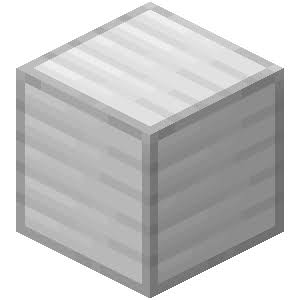

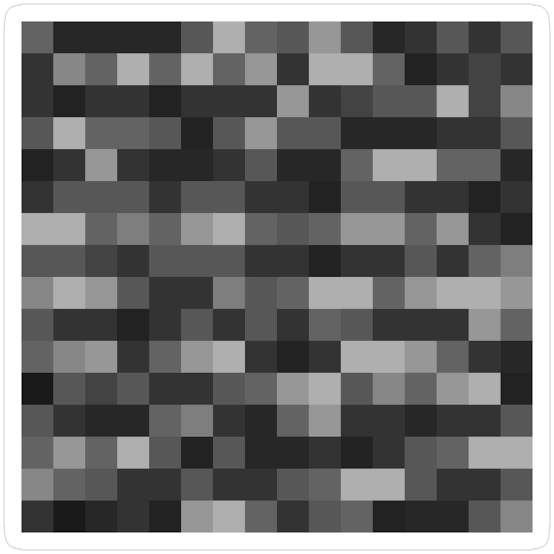
🪨 Iron Block to Bedrock (1.21.11)
Have you ever wanted your Iron Blocks to look absolutely indestructible? This simple, lightweight resource pack changes the default Iron Block texture to the classic, unyielding Bedrock texture!
Perfect for building pranks, secure-looking vaults, or just customizing your world's aesthetic.
✨ Features
- Texture Swap: Replaces the standard Iron Block texture with the 16x16 pixel Bedrock texture.
- Highly Optimized: Contains only the modified texture file, making it extremely lightweight and lag-free.
- No OptiFine Needed: Works completely fine in pure vanilla Minecraft!
🎮 Compatibility
- Minecraft Version: 1.21.11 (Optimized and tested for this specific version).
- Format: Uses the latest
pack_formatto ensure a green, compatible status in your resource pack menu.
🛠️ Installation
- Download the resource pack folder or
.zipfile. - Open Minecraft (Version 1.21.11) and go to Options > Resource Packs > Open Pack Folder.
- Drag and drop the downloaded file into the folder.
- Activate the pack in-game and enjoy your new indestructible-looking blocks!
Note: This only changes the visual appearance (texture) of the Iron Block. It does NOT alter its actual blast resistance, mining speed, or item properties.
- Edition: Minecraft Java
- File type: .zip (resource pack)
- Minecraft versions listed: 1.21.9, 1.21.10, 1.21.11
- How to install: Download the .zip resource pack — do not unzip it. → Put it in .minecraft/resourcepacks. → Enable it in Options → Resource Packs.
- Where to get it: Opens on Modrinth — not every file is mirrored on our own servers.
Install steps are the general flow for this file type — How to install Minecraft Java resource packs walks through it step by step.
- Downloads as IronBlockToBedrock.zip
- Download size: 69 KB
- Download link checked 14 Sept 2026 — working
These come from our own check of the pack file, not from the source page.