
CordFriends
Java mod listed for Minecraft 1.21–26.x. Downloads from the MC Java Mods app on Android.
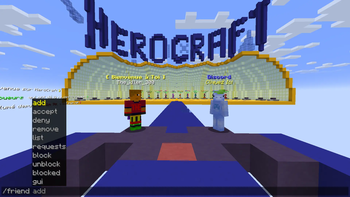
Plugin that add /friend add command with a GUI for Bungeecord/Velocity server compatible with chestcommand and /msg to send to friend in any server and…
I don't know my version or loader
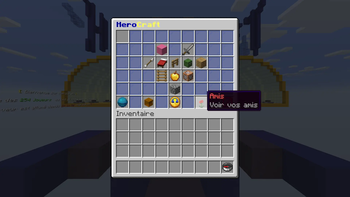
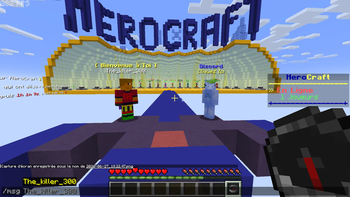
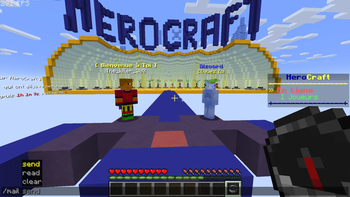
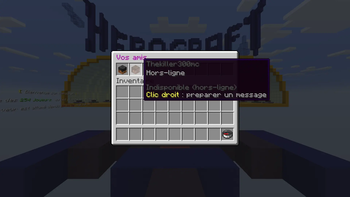
🤝 Friend System - BungeeCord/Velocity
Transform your BungeeCord/Velocity network with a complete friend system, cross-server private messaging, and an intuitive graphical interface! 🚀
📦 Installation
Installation is simple:
1️⃣ BungeeCord
📂 Place the plugin in the following folder:
/plugins
Then restart your BungeeCord/Velocity proxy.
2️⃣ Spigot / Paper
Also install the Spigot/Paper version of the plugin on every server in your network.
After installation, restart each server to ensure all features are fully operational.
⚠️ Both parts (BungeeCord/Velocity + Spigot/Paper) are required for the plugin to function properly.
✅ Compatibility
🖥️ Compatible with ChestCommands
To open the GUI directly, use the following command:
op: execute as @s run friend gui 👥 Friend System
Easily manage your friends with:
/ friend add /friend accept /friend deny /friend remove /friend list /friend requests
✨ When a player sends you a friend request, clickable buttons appear in chat, allowing you to instantly accept or deny the request.
🚫 Block System
Prevent specific players from contacting you:
/friend block /friend unblock /friend blocked
Blocked players will no longer be able to:
❌ Send you a friend request ❌ Send you a private message ❌ Send you offline mail 💬 Cross-Server Private Messaging
Communicate with any player across your network using:
/msg /r
⚡ Messages are delivered instantly, even if the recipient is connected to another server.
📬 If the recipient is offline, the message is automatically stored as offline mail.
✉️ Offline Mail
Send messages even when a player is offline:
/mail send /mail read /mail clear
By default, every player can send offline mail, whether they are friends or not.
⚙️ This behavior is fully configurable.
🎯 Smart Tab Completion
All commands include intelligent TAB completion:
✅ Subcommands ✅ Relevant player names
Making command usage much faster and easier.
🖥️ Graphical User Interface
Open the menu with:
/friend gui
From the GUI, you can:
👥 View your friends list 🎮 Join a friend's server with one click 💬 Send a private message directly 🌐 Network-Wide Synchronization
The entire plugin logic is handled directly by BungeeCord/Velocity, which centralizes all network data.
This allows every feature to work seamlessly across all servers on your network.
✨ A single installation on your BungeeCord/Velocity proxy is all that's needed to synchronize friends, private messages, and offline mail across your entire network.
- Edition: Minecraft Java
- File type: .jar
- Minecraft versions listed: 1.21, 1.21.1, 1.21.2
- How to install: Install the matching mod loader (Forge, Fabric or NeoForge) for your Minecraft version. → Download the .jar. → Put it in the .minecraft/mods folder and launch that loader profile.
- Where to get it: Opens on Modrinth — not every file is mirrored on our own servers.
Install steps are the general flow for this file type — How to install Minecraft Java mods & modpacks walks through it step by step.
- Ships as CordFriends-Velocity-1.1.2.jar — drop this file into the mods folder
- Download size: 42 KB
- Download link checked 25 Oct 2026 — working
These come from our own check of the pack file, not from the source page.