
ApDrillPickaxe
⛏️ Custom Drill Pickaxe 🧱 Mines a 3×3 area based on the player's facing direction 🌍 World Blacklist support 🚫 Block Blacklist support
⬇ Download on Modrinth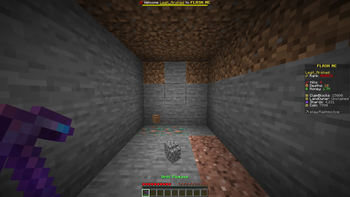
ApDrill
ApDrill is a lightweight and high-performance Paper plugin that introduces a powerful 3×3 Drill Pickaxe to your Minecraft server. Mine larger areas effortlessly while keeping full control through configurable world and block blacklists.
Designed for survival servers, ApDrill focuses on simplicity, performance, and reliability—without unnecessary features or complicated setup.
Features
- ⛏️ Custom 3×3 Drill Pickaxe
- 🧭 Direction-based 3×3 mining
- 🌍 World blacklist support
- 🚫 Block blacklist support
- ⚙️ Easy-to-configure
config.yml - 💬 Customizable
messages.yml - 🔑 Permission-based access
- ⚡ Lightweight and optimized for maximum performance
- 📦 Built for Paper 1.21.11+
- ☕ Java 21 compatible
Commands
/apdrill give <player>— Give a Drill Pickaxe./apdrill reload— Reload the plugin configuration.
Permissions
apdrill.useapdrill.giveapdrill.reload
Whether you're running a survival, prison, or SMP server, ApDrill provides fast and efficient mining while remaining easy to configure and resource-friendly.
Developed by Arshad
- Edition: Minecraft Java
- File type: .jar
- Minecraft versions listed: 1.17, 1.17.1, 1.18
- How to install: Install the matching mod loader (Forge, Fabric or NeoForge) for your Minecraft version. → Download the .jar. → Put it in the .minecraft/mods folder and launch that loader profile.
- Where to get it: Opens on Modrinth — not every file is mirrored on our own servers.
Install steps are the general flow for this file type — How to install Minecraft Java mods & modpacks walks through it step by step.
- Ships as ApDrill-1.0.jar — drop this file into the mods folder
- Download size: 14 KB
- Download link checked 24 Aug 2026 — working
These come from our own check of the pack file, not from the source page.