
Vertex-Shop
Java mod listed for Minecraft 1.21. Downloads from the MC Java Mods app on Android.
A modern and lightweight chest shop plugin with floating holograms that appear above shops whenever a sale is made.
⬇ Download on Modrinth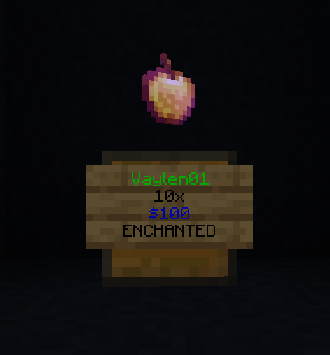
Vertex ShopChest
A lightweight and easy-to-use chest shop plugin for Minecraft servers.
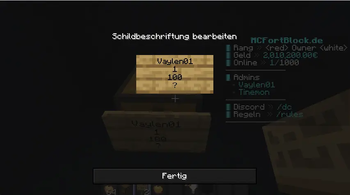
Vertex ShopChest allows players to create and manage chest shops with a simple and intuitive system. Built with performance, stability, and ease of use in mind, it integrates seamlessly with popular server plugins. Floating holograms appear above chest shops whenever a sale is made, giving players instant visual feedback.
✨ Features
- 📦 Easy player-owned chest shops
- 💰 Vault economy integration
- 🌍 Multiverse support
- 👥 LuckPerms permission support
- 🏷️ Floating sale holograms
- 📜 Purchase history
- 📍 Clickable teleport links to shops
- 🗂️ Admin GUI for managing all shops
- 🔒 Automatic shop protection
- ⚡ Lightweight and optimized for modern servers
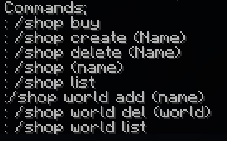
📋 Commands
| Command | Description |
|---|---|
/shop |
Create, manage, teleport to, or list your shops |
/shophistory |
View your purchase history |
/cb best |
Claim the one-time starter bonus |
/shoptruhe (/st) |
Admin commands |
/stgui |
Open the Shop Management GUI |
🔑 Permissions
shoptruhe.shop– Access player shop commandsshoptruhe.create– Create chest shopsshoptruhe.remove.own– Remove your own shopsshoptruhe.remove.other– Remove shops owned by other playersshoptruhe.admin– Access all administrative featuresshoptruhe.bypass– Bypass shop protections
🔌 Soft Dependencies
- Vault
- LuckPerms
- Multiverse-Core
The plugin works without these plugins, but installing them unlocks additional integrations and features.
✅ Supported Versions
- Minecraft 1.21+
❤️ Support the Project
If you enjoy using Vertex ShopChest and would like to support future development, you can buy us a coffee:
☕ https://ko-fi.com/vertexplugins
Every donation helps us maintain existing plugins and create new ones. Thank you for your support!
- Edition: Minecraft Java
- File type: .jar
- Minecraft versions listed: 1.21, 1.21.1, 1.21.2
- How to install: Install the matching mod loader (Forge, Fabric or NeoForge) for your Minecraft version. → Download the .jar. → Put it in the .minecraft/mods folder and launch that loader profile.
- Where to get it: Opens on Modrinth — not every file is mirrored on our own servers.
Install steps are the general flow for this file type — How to install Minecraft Java mods & modpacks walks through it step by step.
- Ships as ShopTruhe-Plugin.jar — drop this file into the mods folder
- Download size: 70 KB
- Download link checked 4 Oct 2026 — working
These come from our own check of the pack file, not from the source page.