
AL-TeamChat + Mod
Java mod listed for Minecraft 1.21. Downloads from the MC Java Mods app on Android.
⬇ Download on Modrinth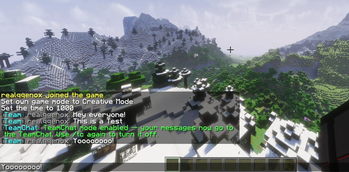
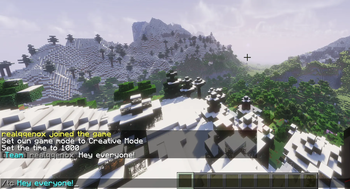
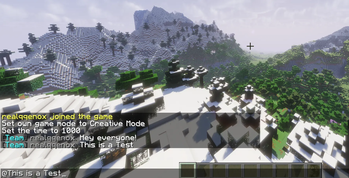
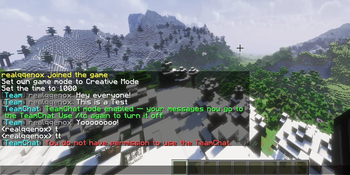
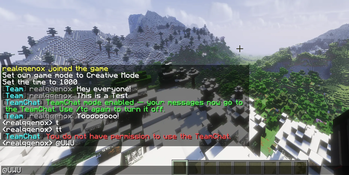
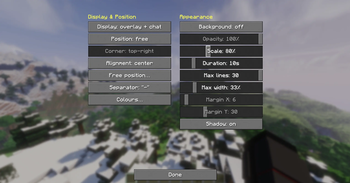
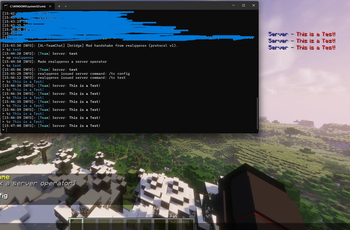
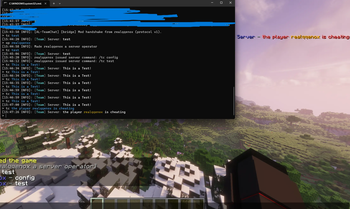
A clean and lightweight team chat plugin for your Minecraft server with an optional Fabric mod for a stylish ingame chat overlay.
💡 Optional Mod Integration: TeamChat works fully on its own. For an enhanced experience, an optional Fabric client mod displays the team chat in a custom overlay on the side of your screen. Players without the mod still use TeamChat normally through the regular chat — nothing required.
You find the Mod for the Plugin here
✨ Features
Private team chat — a separate chat channel only your staff can read and write in
Three ways to chat:
- Send a single message with a command
- Toggle team chat mode (everything you type goes to the team)
- Quick prefix to send a one-off message
Username highlighting — online players' names are automatically highlighted in color
Optional mention ping — notify a player with a sound when their name is mentioned (configurable)
Fully configurable — colors, formats, and behavior via a simple config.yml
Language system — all messages live in language files (en included), easily switch or add languages
Permission-based access — only players with the right permission join the team chat
Optional Fabric mod — displays the team chat in a sleek custom overlay (configurable position, size, colors)
🎮 Commands
- /tc | Send a message to the TeamChat
- /tc | Toggle the TeamChat (on or off)
- /tc reload | Reload the config and language
🔑 Permissions
- teamchat.use | Allow to read and write in the TeamChat
- teamchat.reload | Allow to reload the settings
⚙️ Setup
- Drop the plugin .jar into your server's plugins/ folder
- Start the server once to generate the config and language files
- Adjust config.yml and the language file to your liking
- Give your team the teamchat.use permission
- (Optional) Install the Fabric mod on your client for the chat overlay
🌐 Language
All messages are stored in language files. The default language is English (en). You can switch the language in the config or add your own — more languages may be added in future updates.
📦 Compatibility
- Server: Paper / Spigot (Minecraft 1.21.x)
- Mod (optional): Fabric (Minecraft 1.21.x)
config.yml:
#####################################################################
#                     TeamChat by AddonLab
# Disocrd: https://discord.gg/RJC6zSmru3
#####################################################################

# Language file from the lang/ folder (falls back to en).
language: en

# Character to send a single message to the TeamChat (e.g. @hi). Empty = off.
prefix-char: "@"

highlight:
  # Highlight online player names in messages.
  enabled: true
  # Named colour, <tag> or #RRGGBB.
  color: gold

ping:
  # Play a sound for mentioned players.
  enabled: true
  sound: "minecraft:block.note_block.pling"
  volume: 1.0
  pitch: 1.2

bridge:
  # Link to the optional client mod (does nothing without it).
  enabled: true
  # Mod users see the TeamChat in their overlay only, not the normal chat.
  suppress-chat-for-mod-users: true
  # Log bridge activity to the console.
  debug-log: false
If you find bugs or have suggestions, you can find our Discord here:
- Edition: Minecraft Java
- File type: .jar
- Minecraft versions listed: 1.21, 1.21.1, 1.21.2
- How to install: Install the matching mod loader (Forge, Fabric or NeoForge) for your Minecraft version. → Download the .jar. → Put it in the .minecraft/mods folder and launch that loader profile.
- Where to get it: Opens on Modrinth — not every file is mirrored on our own servers.
Install steps are the general flow for this file type — How to install Minecraft Java mods & modpacks walks through it step by step.
- Ships as AL-TeamChat-1.0-SNAPSHOT.jar — drop this file into the mods folder
- Download size: 24 KB
- Download link checked 4 Oct 2026 — working
These come from our own check of the pack file, not from the source page.