Calmo's Bazooka
Java mod listed for Minecraft 1.21. Downloads from the MC Java Mods app on Android.
⬇ Download on Modrinth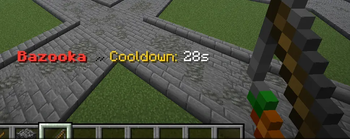
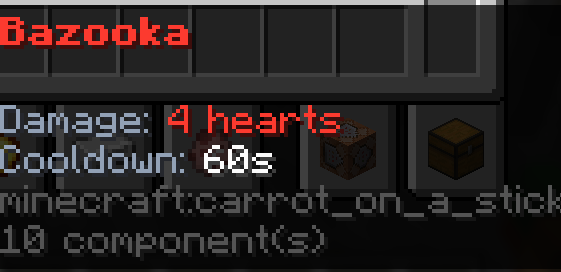

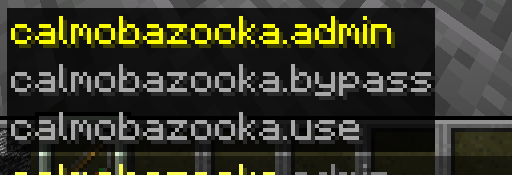
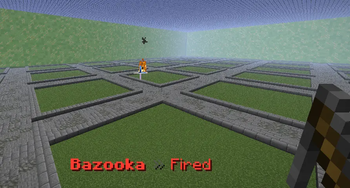
CalmoBazooka is a lightweight PvP plugin that adds a custom bazooka item to your Minecraft server. Players can use the bazooka to shoot powerful fireballs that deal a fixed amount of damage, making it perfect for balanced PvP gameplay where armor should not fully decide the fight. The plugin is made for fast-paced servers like QuickBox, ElytraPvP, BoxPvP, and PvP arenas. It includes configurable cooldowns, custom sounds, actionbar feedback, hex color support, editable item name and lore, admin commands, and WorldGuard support to disable the bazooka in protected regions such as spawn or safe zones. CalmoBazooka is simple to use, easy to configure, and designed to add a fun, clean, and premium-feeling combat feature to your server.
- Edition: Minecraft Java
- File type: .jar
- Minecraft versions listed: 1.21, 1.21.1, 1.21.2
- How to install: Install the matching mod loader (Forge, Fabric or NeoForge) for your Minecraft version. → Download the .jar. → Put it in the .minecraft/mods folder and launch that loader profile.
- Where to get it: Opens on Modrinth — not every file is mirrored on our own servers.
Install steps are the general flow for this file type — How to install Minecraft Java mods & modpacks walks through it step by step.
- Ships as CalmoBazooka.jar — drop this file into the mods folder
- Download size: 19 KB
- Download link checked 25 Oct 2026 — working
These come from our own check of the pack file, not from the source page.