
Replanting Crops
Bedrock add-on listed for Minecraft 26.x (behavior pack only). File opened and checked on 4 Oct 2026; installs from the MC Bedrock Mods app on Android.
I don't know my version

About
Automatically replants harvested crops.
Replanting Crops is a lightweight, vanilla-friendly Minecraft Bedrock add-on that automates the replanting process when you harvest fully-grown crops.
Instead of breaking crops and manually replanting seeds, this add-on automatically handles replanting on harvest using either the seeds dropped by the block or seeds from your inventory. It is designed to save you time and effort while managing large-scale farms in survival mode.
Features
- Automatic Replanting: Harvesting fully grown crops automatically plants them back at growth stage 0.
- Hoe Requirement: By default, you must hold a hoe (any type) to trigger replanting. This can be toggled off in settings.
- Manual Override (Crouch): Hold sneak (crouch) while harvesting to override the replanting mechanism (useful when you want to clear a farm completely).
- Supported Crops:
- Wheat (requires Wheat Seeds)
- Carrots (requires Carrot)
- Potatoes (requires Potato)
- Beetroots (requires Beetroot Seeds)
- Nether Wart (requires Nether Wart)
- Cocoa Beans (requires Cocoa Beans, preserves placement direction on Jungle Logs)
- Sound and Particles: Plays plant placement sounds and shows growth particles on successful replant.
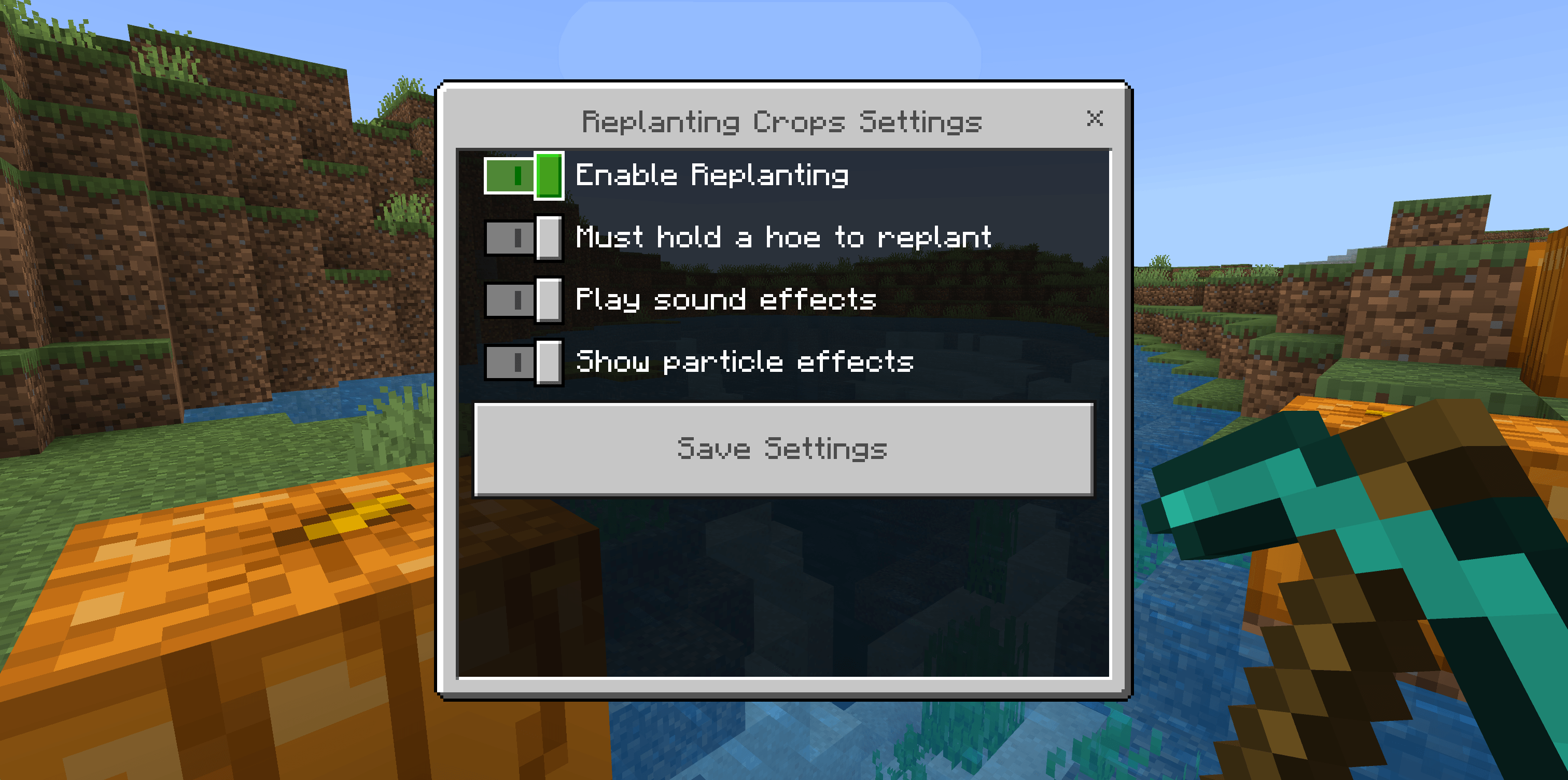
- Operator Menu: New DDUI settings menu to toggle replanting, hoe requirement, sounds, and particles. Changes save automatically for the entire world and remain after restarting.
How to use
- Import the
.mcaddonfile and activate the Replanting Crops Behavior Pack on your world. - Harvest a fully grown supported crop while holding a hoe and not sneaking.
- The crop replants at growth stage 0, consuming one matching seed or crop item from nearby drops first, or from your inventory if needed.
- Hold sneak (crouch) while harvesting to clear crops without replanting.
In Creative mode, replanting does not consume seeds. Existing world settings are preserved when updating.
Operators can configure the add-on by typing /rp or /replant in the chat:
- Enable/disable the replanting mechanism globally.
- Toggle whether holding a hoe is required (default: true).
- Toggle sound effects and particle effects.
Requirements
- Minecraft Bedrock Edition 26.50 or newer
- No experiments or Beta APIs required
- No additional behavior pack dependency required

- Edition: Minecraft Bedrock
- File type: .mcpack or .mcaddon
- Minecraft versions listed: 26.50, 26.0.02, 26.0
- How to install: Download the .mcpack or .mcaddon file. → Open it — Minecraft imports it. → In your world: Behavior Packs → Available → Activate, then the same under Resource Packs.
- Where to get it: Opens on CurseForge — not every file is mirrored on our own servers.
Install steps are the general flow for this file type — How to install Minecraft Bedrock addons & mods walks through it step by step.
- Pack type: .mcaddon — behaviour and resource pack in one file
- Manifest requires Minecraft 1.26.0 or newer
- Complete pack — everything it depends on is inside the file
- Download size: 47 KB
- Download link checked 17 Oct 2026 — working
These come from our own check of the pack file, not from the source page.