
Redstone Hopper
Java mod listed for Minecraft 26.x. Downloads from the MC Java Mods app on Android.
⬇ Download on Modrinth

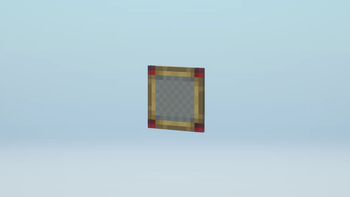
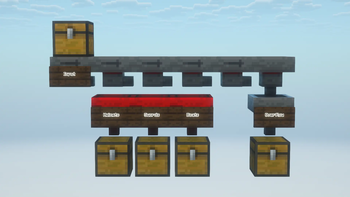
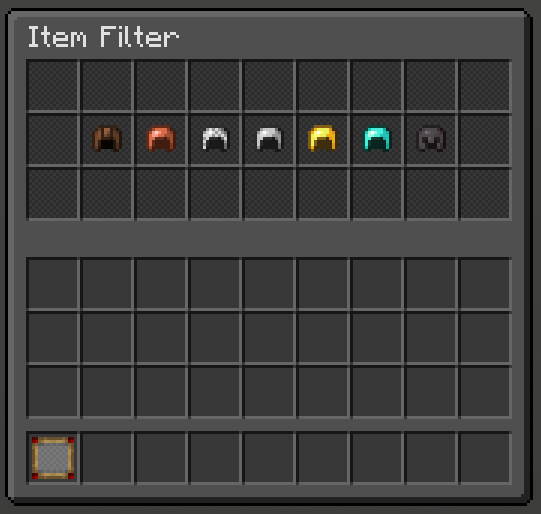
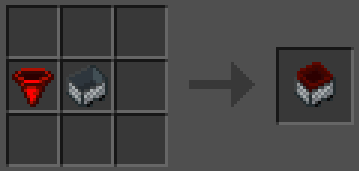
Adds 3 new items, a Redstone Hopper, Redstone Hopper Minecart, and an Item Filter.
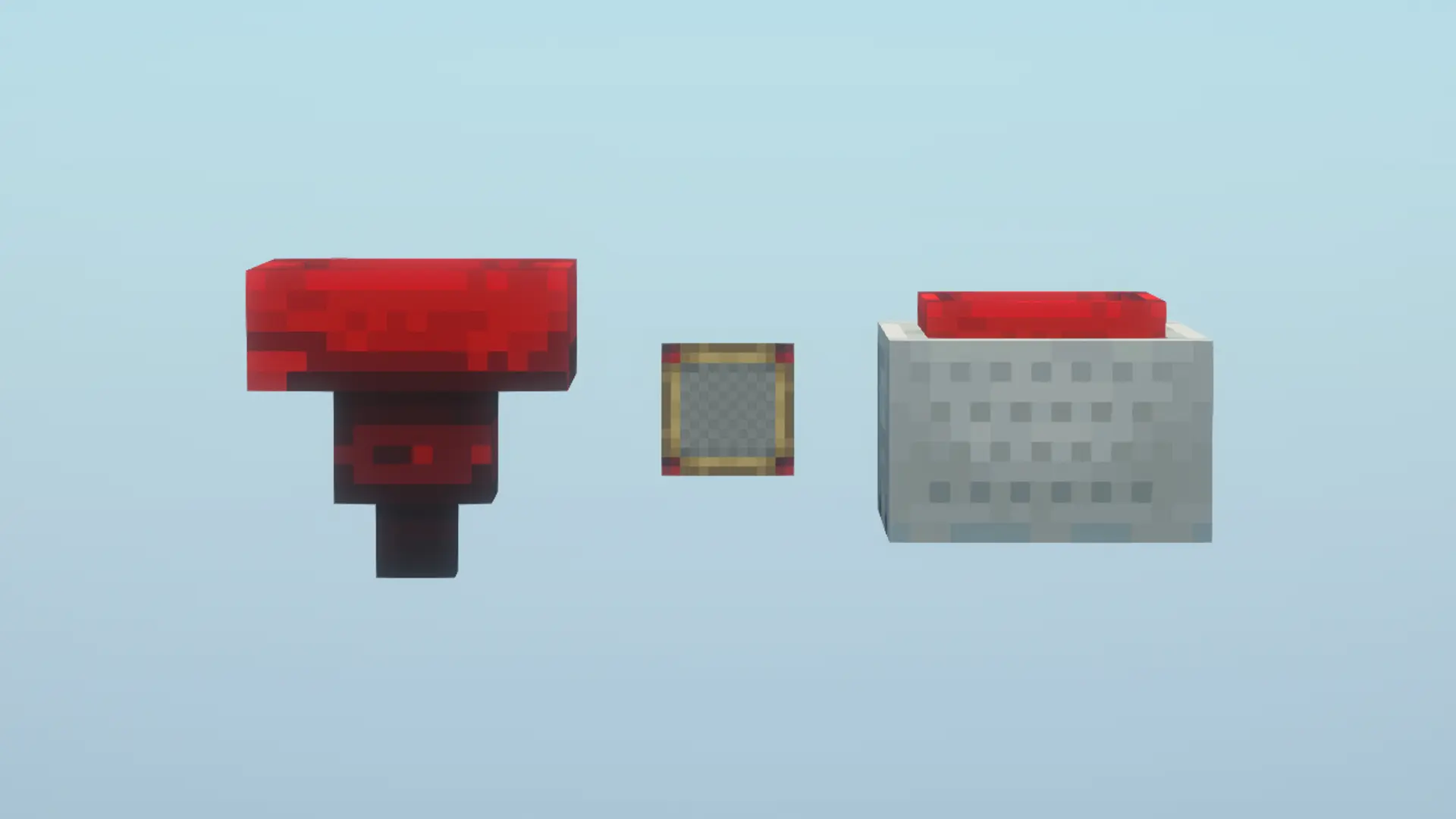
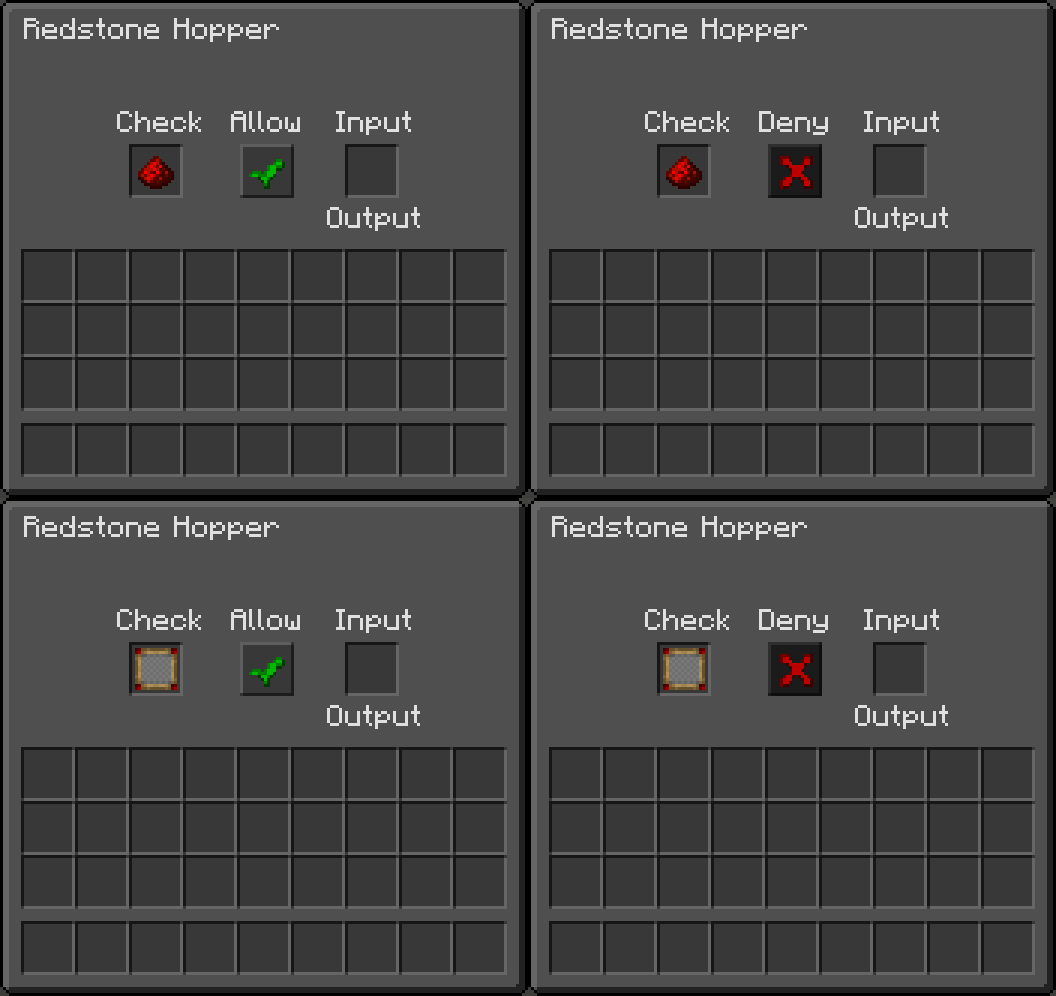
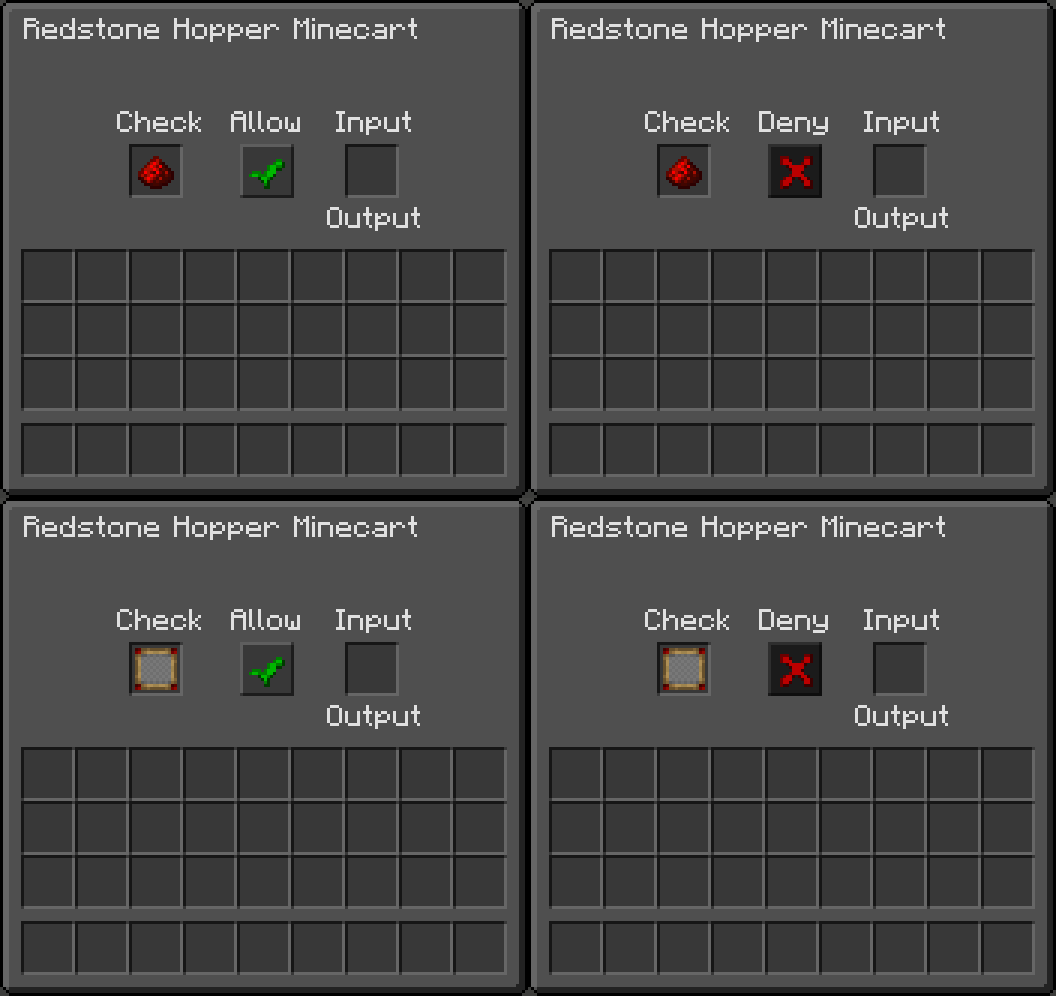
Right-Click with an Item Filter in your hand to open up the filter GUI, placing any number of items (maximum 27) inside it which will be filtered by the Redstone Hopper or Redstone Hopper Minecart.
Once the Item Filter is inside of either a Redstone Hopper or Redstone Hopper Minecart you can then select wether the filter is in Allow or Deny mode with the central button.
You can either place an Item Filter or any singular item inside of a Redstone Hopper or Redstone Hopper Minecart to enable the filtering.
The filter does NOT take into consideration enchantments, or custom NBT data. For example if you place a Diamond Sword in the Item Filter or directly into the Redstone Hopper, any/all Diamond Swords regardless of the enchantment will be filtered.
If nothing is placed into the Check slot then it acts as a normal hopper, any items can flow through it freely.
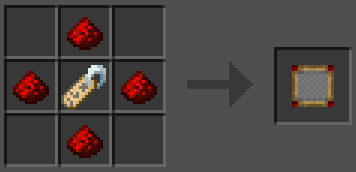
Crafting Recipe's
Item Filter
Redstone Hopper
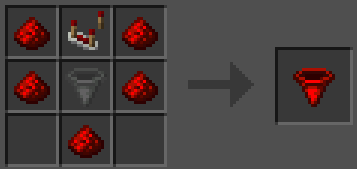
Redstone Hopper Minecart
Supports Mod Menu, has a Light and a Dark mode toggleable via the Mod Menu settings menu.
- Edition: Minecraft Java
- File type: .jar
- Minecraft version listed: 26.1.2
- How to install: Install the matching mod loader (Forge, Fabric or NeoForge) for your Minecraft version. → Download the .jar. → Put it in the .minecraft/mods folder and launch that loader profile.
- Where to get it: Opens on Modrinth — not every file is mirrored on our own servers.
Install steps are the general flow for this file type — How to install Minecraft Java mods & modpacks walks through it step by step.
- Ships as redstone-hopper-3.0.0.jar — drop this file into the mods folder
- Download size: 78 KB
- Download link checked 4 Oct 2026 — working
These come from our own check of the pack file, not from the source page.