
ModsJava
MangoBinds
Java mod listed for Minecraft 1.21. Downloads from the MC Java Mods app on Android.
⬇ Download on Modrinth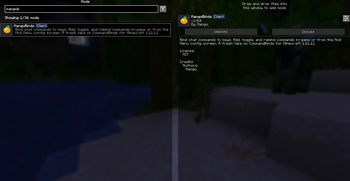
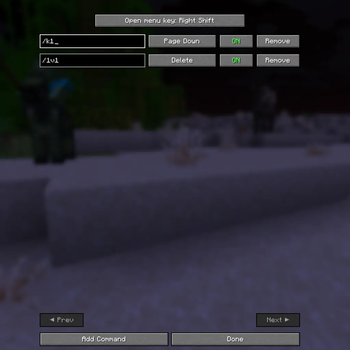
Bind chat commands to keys. Add, toggle, and rebind commands in-game or from the Mod Menu config screen. A fresh take on CommandBinds for Minecraft for newer versionts!
📜 Features
- Bind Minecraft commands to specific keys on your keyboard.
- Configure bindings using the mod settings located in the mod menu.
- Easy to use and customize.
- 1.21.11 and newer support!
⚙️ Usage
To use the MangoBinds mod, follow these steps:
- Open the mod settings from the mod menu.
- Add a new binding by clicking the "Add Command" button.
- Enter the Minecraft command you want to execute.
- Choose a key to bind the command to.
- Save the binding.
- Press the bound key to execute the command.
📁 Depedencies
- Mod Menu!
Quick facts
- Edition: Minecraft Java
- File type: .jar
- Minecraft version listed: 1.21.11
- How to install: Install the matching mod loader (Forge, Fabric or NeoForge) for your Minecraft version. → Download the .jar. → Put it in the .minecraft/mods folder and launch that loader profile.
- Where to get it: Opens on Modrinth — not every file is mirrored on our own servers.
Install steps are the general flow for this file type — How to install Minecraft Java mods & modpacks walks through it step by step.
File checked by MCModsHub
- Ships as mangobinds-1.0.0.jar — drop this file into the mods folder
- Download size: 14 KB
- Download link checked 25 Oct 2026 — working
These come from our own check of the pack file, not from the source page.