Ultimate TNT
Bedrock add-on listed for Minecraft 26.x. File opened and checked on 22 Oct 2026; installs from the MC Bedrock Mods app on Android.
# Ultimate TNT Addon (Minecraft Bedrock / MCPE). - **Particles**: effects use only particle IDs that ship with vanilla Bedrock; a few are wrapped…
⬇ Download on CurseForge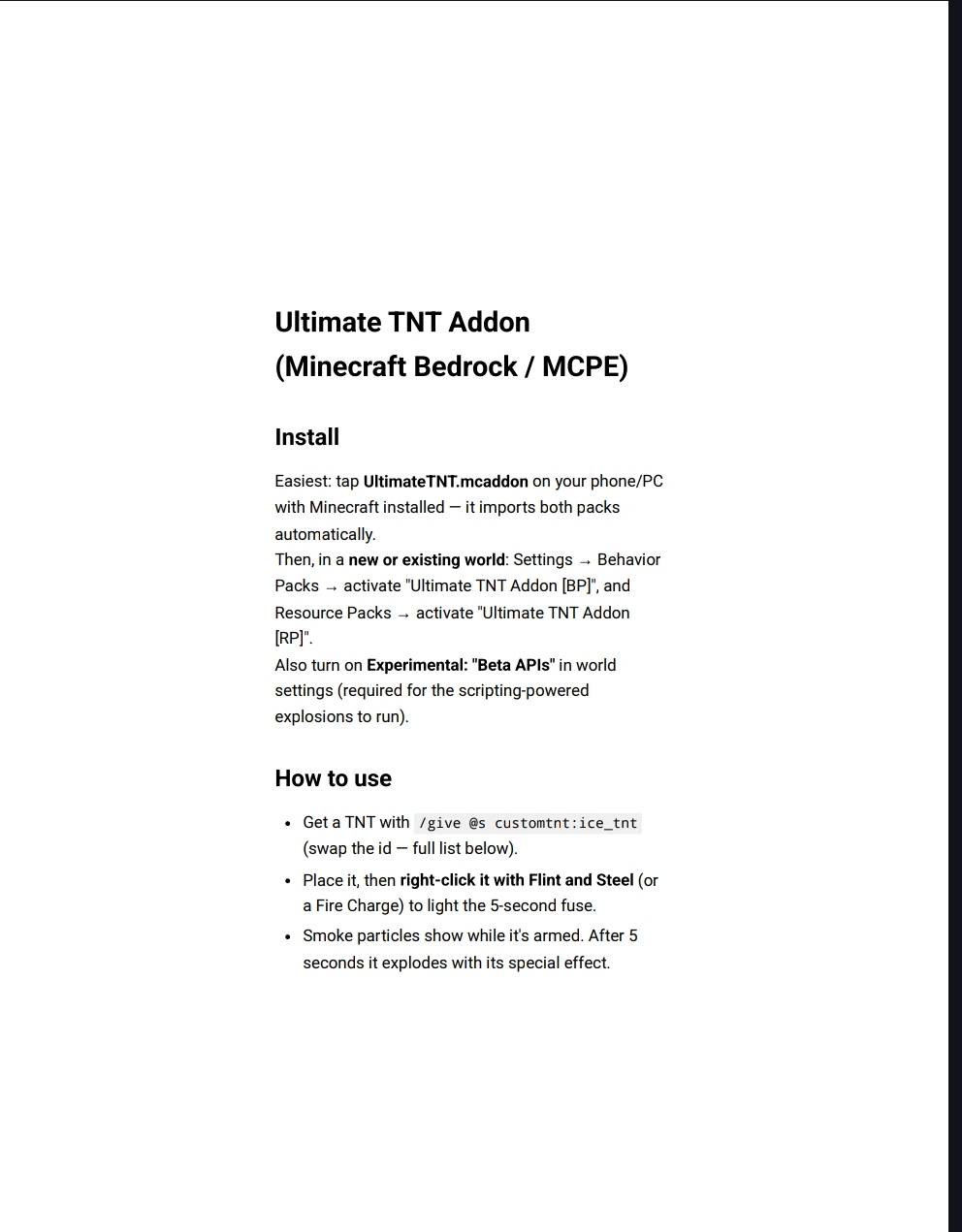
# Ultimate TNT Addon (Minecraft Bedrock / MCPE)
## Install
Easiest: tap **UltimateTNT.mcaddon** on your phone/PC with Minecraft installed — it imports both packs automatically.
Then, in a **new or existing world**: Settings → Behavior Packs → activate "Ultimate TNT Addon [BP]", and Resource Packs → activate "Ultimate TNT Addon [RP]".
Also turn on **Experimental: "Beta APIs"** in world settings (required for the scripting-powered explosions to run).
## How to use
- Get a TNT with `/give @s customtnt:ice_tnt` (swap the id — full list below).
- Place it, then **right-click it with Flint and Steel** (or a Fire Charge) to light the 5-second fuse.
- Smoke particles show while it's armed. After 5 seconds it explodes with its special effect.
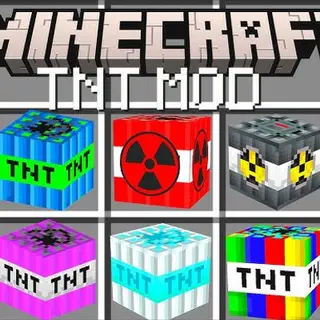
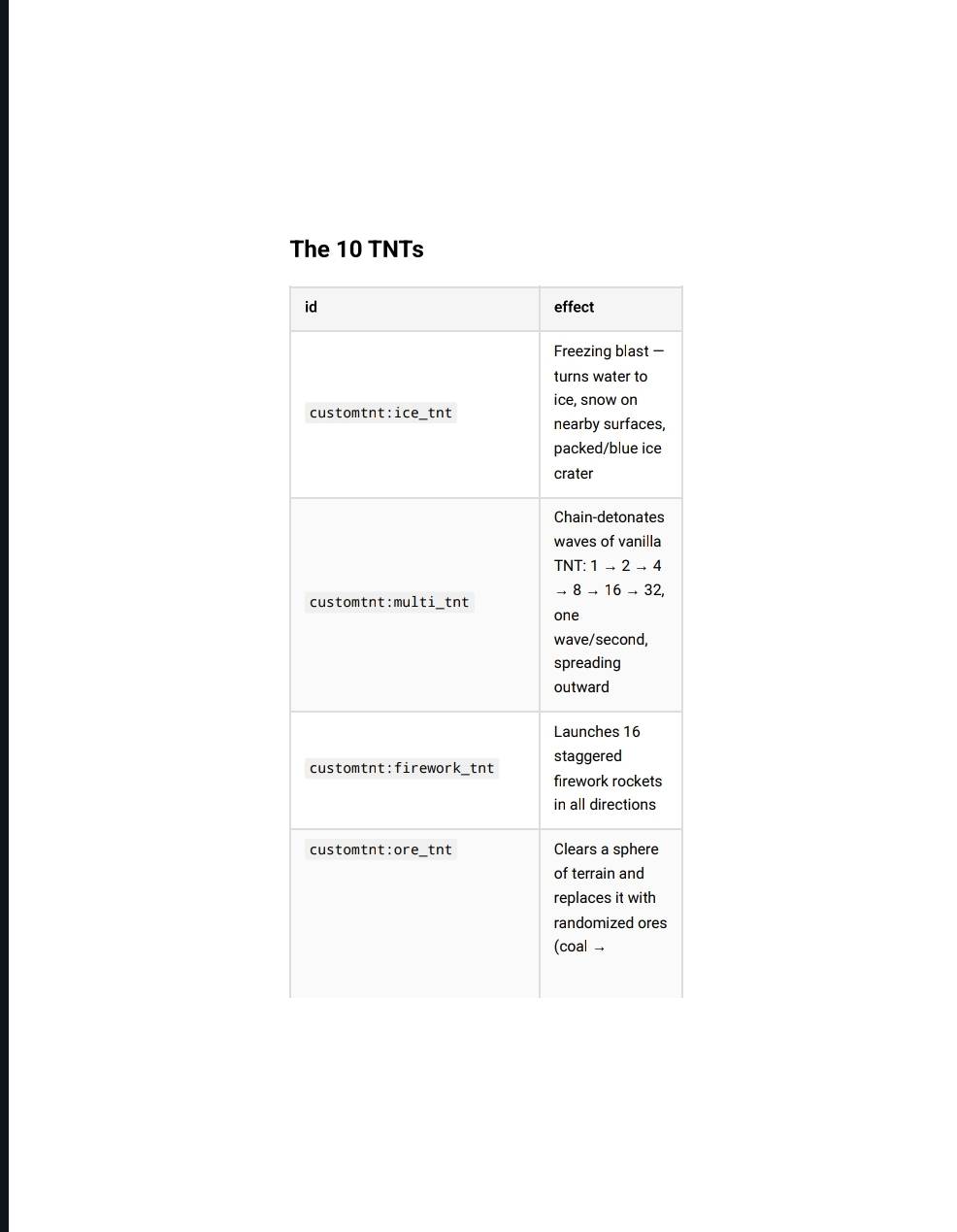
## The 10 TNTs
| id | effect |
|---|---|
| `customtnt:ice_tnt` | Freezing blast — turns water to ice, snow on nearby surfaces, packed/blue ice crater |
| `customtnt:multi_tnt` | Chain-detonates waves of vanilla TNT: 1 → 2 → 4 → 8 → 16 → 32, one wave/second, spreading outward |
| `customtnt:firework_tnt` | Launches 16 staggered firework rockets in all directions |
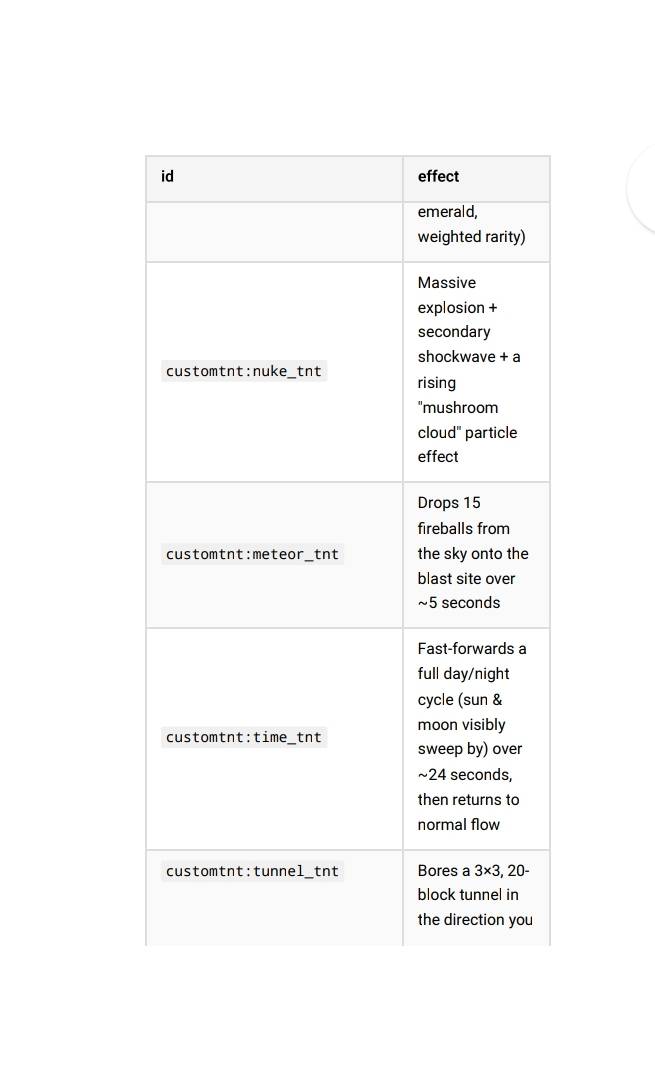
| `customtnt:ore_tnt` | Clears a sphere of terrain and replaces it with randomized ores (coal → emerald, weighted rarity) |
| `customtnt:nuke_tnt` | Massive explosion + secondary shockwave + a rising "mushroom cloud" particle effect |
| `customtnt:meteor_tnt` | Drops 15 fireballs from the sky onto the blast site over ~5 seconds |
| `customtnt:time_tnt` | Fast-forwards a full day/night cycle (sun & moon visibly sweep by) over ~24 seconds, then returns to normal flow |
| `customtnt:tunnel_tnt` | Bores a 3×3, 20-block tunnel in the direction you were facing, auto-placing torches every 4 blocks |
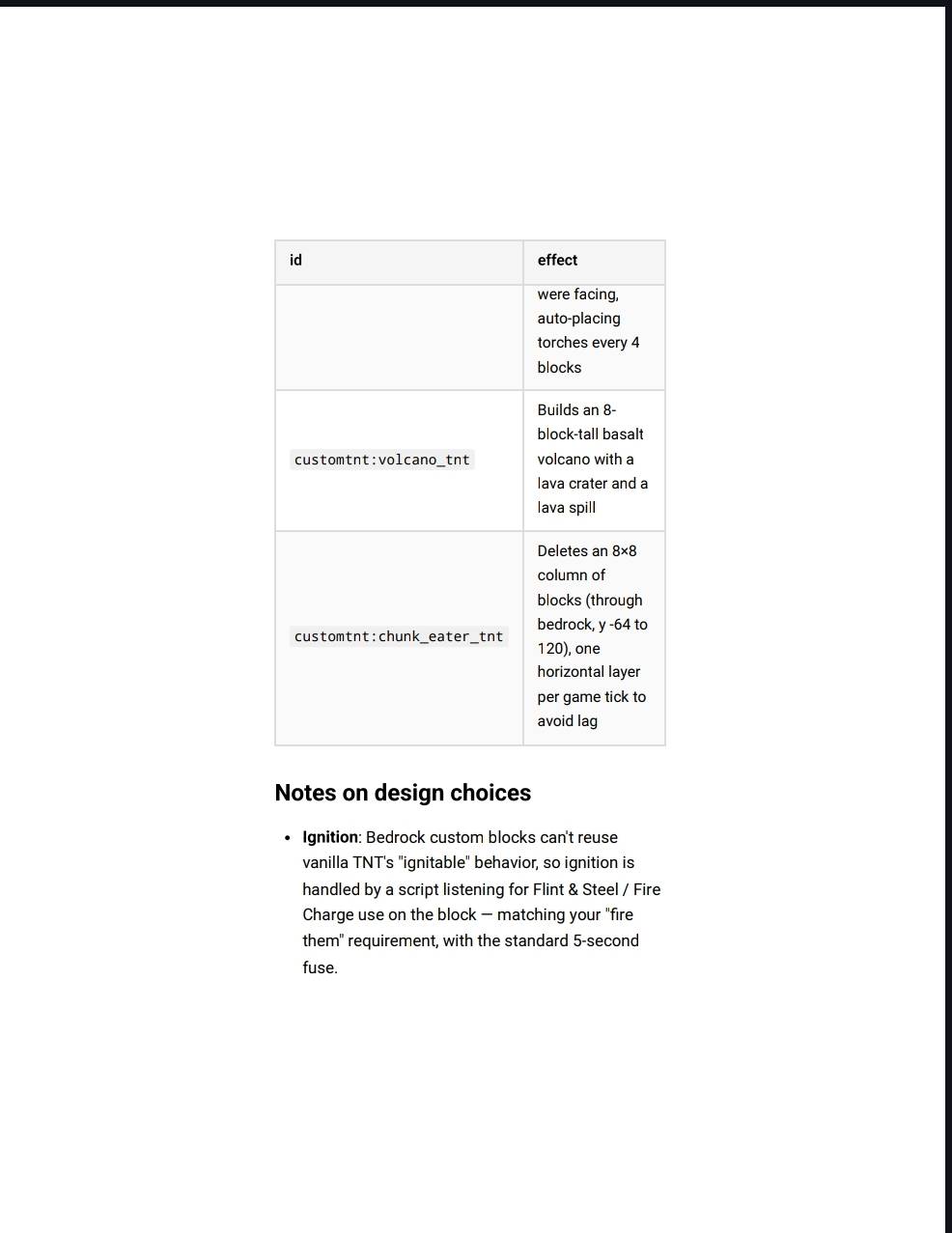
| `customtnt:volcano_tnt` | Builds an 8-block-tall basalt volcano with a lava crater and a lava spill |
| `customtnt:chunk_eater_tnt` | Deletes an 8×8 column of blocks (through bedrock, y -64 to 120), one horizontal layer per game tick to avoid lag |
## Notes on design choices
- **Ignition**: Bedrock custom blocks can't reuse vanilla TNT's "ignitable" behavior, so ignition is handled by a script listening for Flint & Steel / Fire Charge use on the block — matching your "fire them" requirement, with the standard 5-second fuse.
- **Performance**: Anything that touches a lot of blocks (Ore, Tunnel, Volcano, Chunk Eater) is spread across multiple ticks using the Scripting API's job queue instead of doing it all in one tick, so it won't freeze the game even on larger effects.
- **Particles**: effects use only particle IDs that ship with vanilla Bedrock; a few are wrapped defensively so a missing ID on your game version won't crash the pack.
- **Textures**: procedurally generated 16×16 textures themed to each TNT's effect (icy blue for Ice, hazard stripes for Nuke, lava veins for Volcano, etc.) since no source art was provided — feel free to swap in your own PNGs at `RP/textures/blocks/`.
- You'll likely want to playtest and tune numbers (radius, tunnel length, volcano height, chunk-eater Y range) to taste — they're all clearly-labeled constants near the top of each function in `BP/scripts/main.js`.
- Edition: Minecraft Bedrock
- File type: .mcpack or .mcaddon
- Minecraft versions listed: 26.3, 26.10, 26.11
- How to install: Download the .mcpack or .mcaddon file. → Open it — Minecraft imports it. → In your world: Behavior Packs → Available → Activate, then the same under Resource Packs.
- Where to get it: Opens on CurseForge — not every file is mirrored on our own servers.
Install steps are the general flow for this file type — How to install Minecraft Bedrock addons & mods walks through it step by step.
- Pack type: .mcaddon — behaviour and resource pack in one file
- Download size: 15 KB
- Download link checked 18 Oct 2026 — working
These come from our own check of the pack file, not from the source page.