
WindCharge Height Counter


Shows your block height from the block directly below you
This is made for wind charge movement so you can instantly see how high you are after boosting, jumping, or launching yourself up
Works across 1.21 - 1.21.11 in the same jar (1.21.X)
Requires:
Optional BUT recommended to configure:
Credit: cutebow (icon and description)
What it does
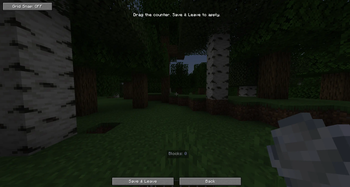
WindCharge Height Counter adds a HUD that counts your height from the closest solid block directly under you.
If you are standing on a block, it shows 0.
If you go 8 blocks above that same block, it shows 8, works with howvever high it goes.
It does not use your world Y level and it does not count from bedrock, spawn, sea level, or the bottom of the world. It only checks the block directly below you and shows your relative block height from there.
Settings
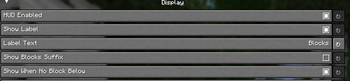
Uses YACL for the settings screen
You can change:
- HUD opacity
- Background opacity
- Text color
- Rainbow mode
- Gradient mode
- Label text
- Rounding mode
- Decimal places
- Show or hide the blocks suffix
- Move the counter around with the drag position editor
- Edition: Minecraft Java
- File type: .jar
- Minecraft versions listed: 1.21, 1.21.1, 1.21.2
- How to install: Install the matching mod loader (Forge, Fabric or NeoForge) for your Minecraft version. → Download the .jar. → Put it in the .minecraft/mods folder and launch that loader profile.
- Where to get it: Opens on Modrinth — not every file is mirrored on our own servers.
Install steps are the general flow for this file type — How to install Minecraft Java mods & modpacks walks through it step by step.
- Ships as WindChargeHeightCounter-1.21.X.jar — drop this file into the mods folder
- Download size: 94 KB
- Download link checked 13 Sept 2026 — working
These come from our own check of the pack file, not from the source page.