
Continue Button Continued
Continue the last save or server you played from the main screen. Continuation version of the Continue Button.
⬇ Download on ModrinthContinue Button Continued




A lightweight Fabric client-side mod that adds a compact Continue button to Minecraft's main menu.
Continue Button Continued remembers the last singleplayer world or multiplayer server you joined, then lets you jump back in with one click from the title screen.
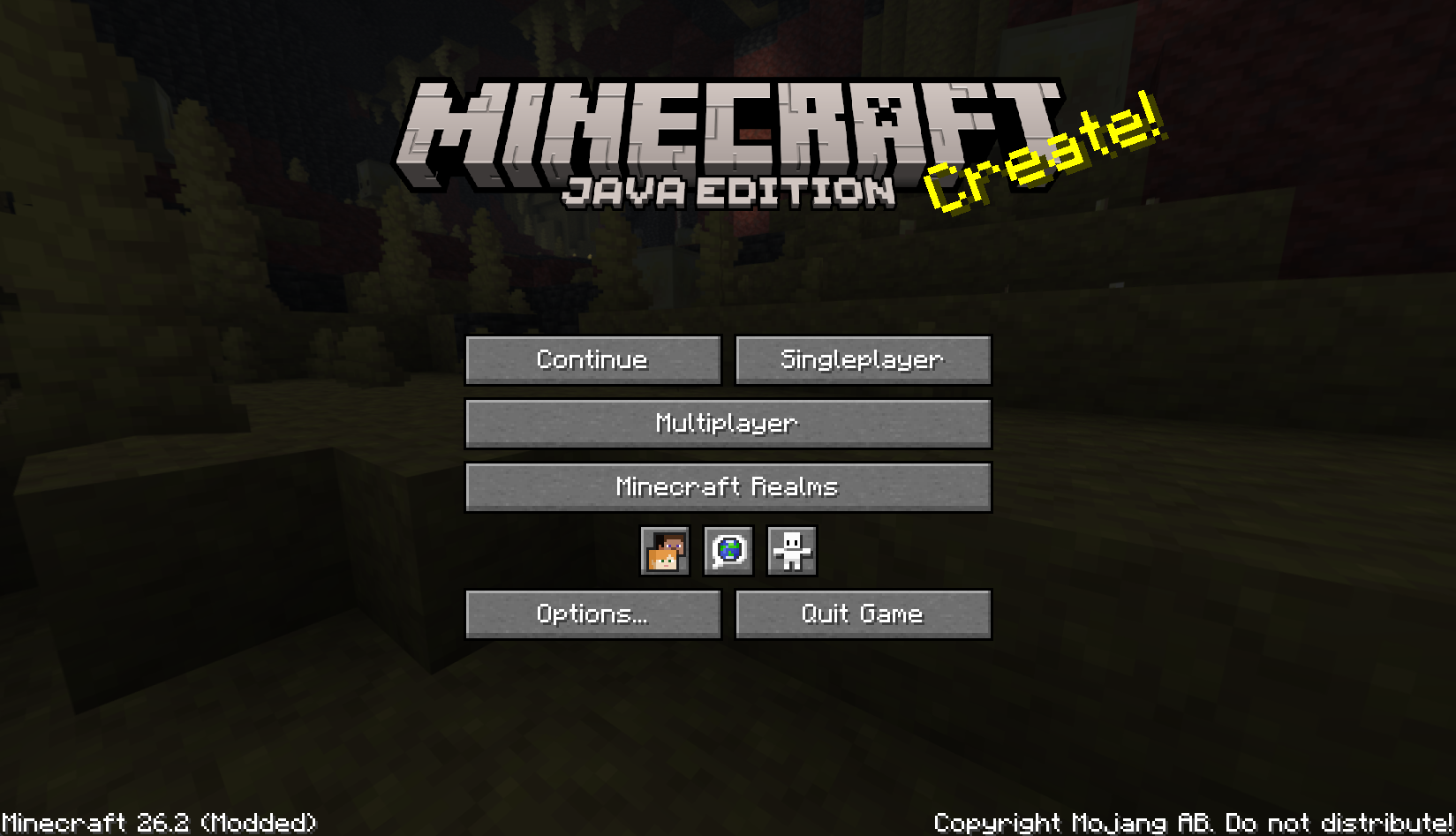
Features
- Adds a compact Continue button to the main menu.
- Opens the last played singleplayer world automatically.
- Reconnects to the last joined multiplayer server automatically.
- Falls back to the world/server selection screen when the saved target is missing.
- Shows helpful tooltips for the saved world or server.
- Pings the last multiplayer server before showing its status tooltip.
- Migrates legacy
continuebuttonconfiguration tocontinuebuttoncontinuedwhen possible. - Client-side only; servers do not need to install this mod.
- Includes translations for multiple languages.
Installation
- Put the Continue Button Continued
.jarfile into your.minecraft/modsfolder. - Start the game and use the Continue button on the main menu.
Configuration
The mod stores its last target in:
.minecraft/config/continuebuttoncontinued/config.properties
Older Continue Button installations used:
.minecraft/config/continuebutton/config.properties
On first launch, Continue Button Continued attempts to copy the legacy configuration into the new location so existing users can keep their last saved world or server.
Building from source
./gradlew clean build
On Windows:
.\gradlew.bat clean build
The built mod jar will be generated in:
build/libs/
Credits
Continue Button Continued is a continued fork of Continue Button by umollu.
License
This project is licensed under the MIT License.
The original Continue Button copyright notice is preserved in LICENSE, and the continued project copyright
notice has been added there as well.
- Edition: Minecraft Java
- File type: .jar
- Minecraft version listed: 26.2
- How to install: Install the matching mod loader (Forge, Fabric or NeoForge) for your Minecraft version. → Download the .jar. → Put it in the .minecraft/mods folder and launch that loader profile.
- Where to get it: Opens on Modrinth — not every file is mirrored on our own servers.
Install steps are the general flow for this file type — How to install Minecraft Java mods & modpacks walks through it step by step.
- Ships as continue-button-continued-1.0.0+26.2.jar — drop this file into the mods folder
- Download size: 17 KB
- Download link checked 13 Sept 2026 — working
These come from our own check of the pack file, not from the source page.