Commands Menu
Bedrock add-on listed for Minecraft 1.21–26.x (behavior + resource pack). File opened and checked on 6 Oct 2026; installs from the MC Bedrock Mods app on Android.
Run any Minecraft command from a clean in-game menu. Saves your last 20 commands for instant re-use — just tap from the history list. No cheats needed…
⬇ Download on CurseForgeThe author built this one for Minecraft 26.50. On other versions it may install and then do nothing.

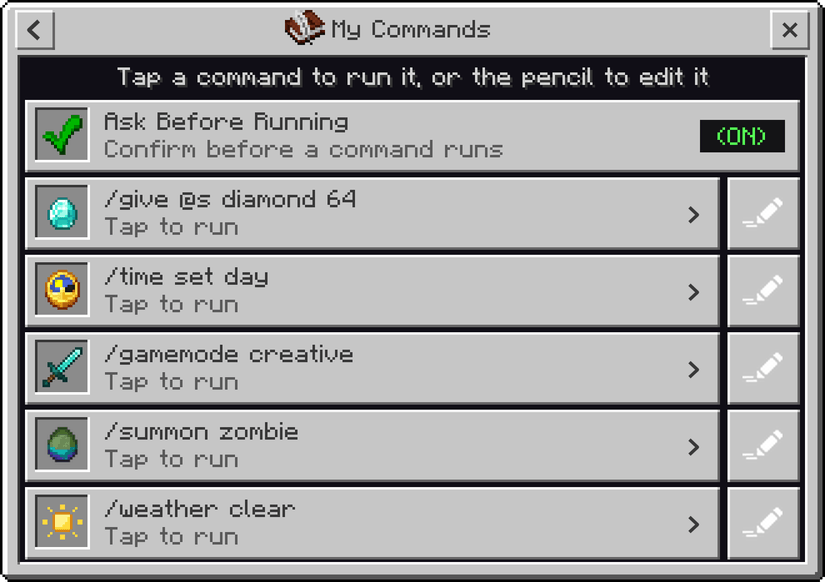
Want to use commands in your survival world without turning on cheats? Commands Menu gives you a clean in-game menu where you can run almost any Minecraft command. You do not need to know how commands work. Just pick what you want from the menu and tap it.
How to Use
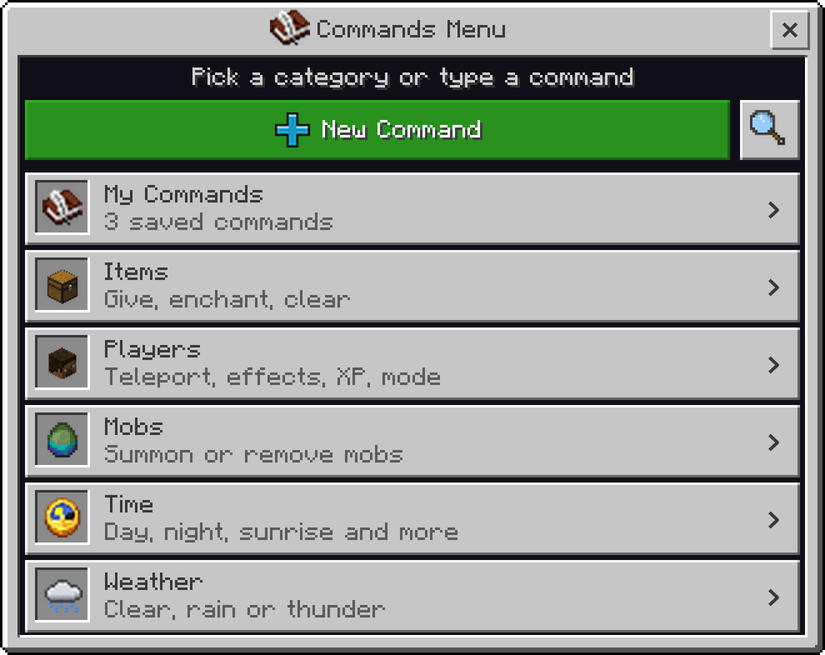
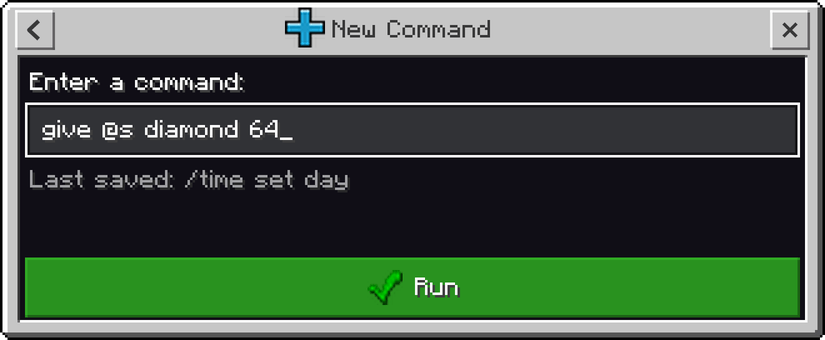
Type /voxen:cm in chat to open the menu. You can also just type cm in chat. Pick a category, or press New Command to type your own command.
- Use commands in your survival world without turning on cheats
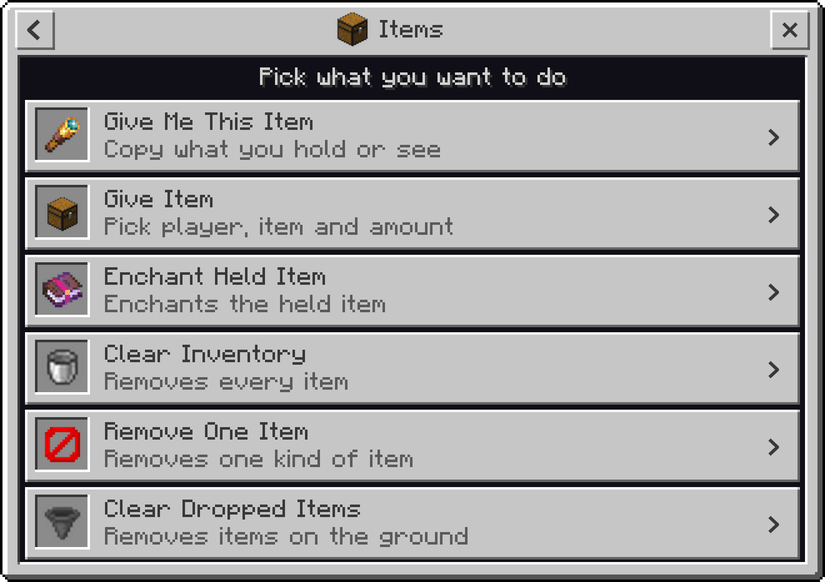
- Give yourself any item, in any amount
- Enchant the item in your hand with any enchantment
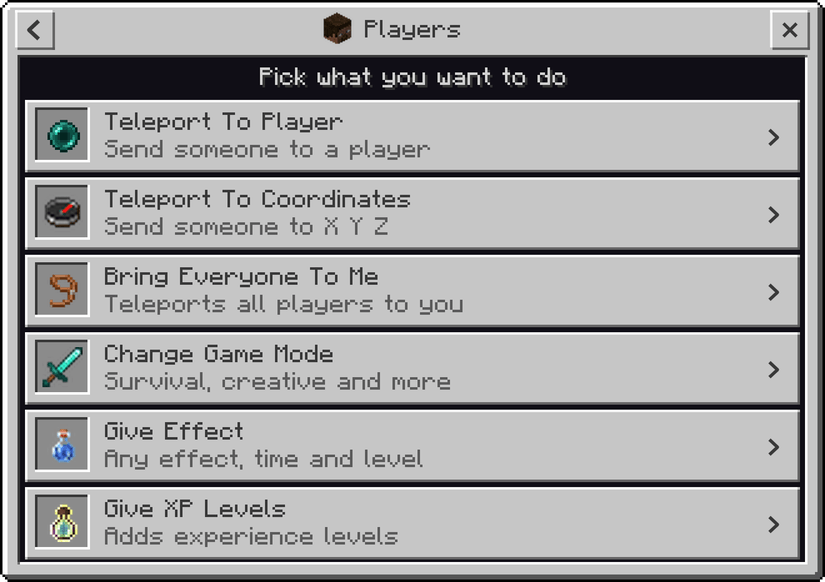
- Teleport to a player, or bring everyone to you
- Change your game mode, give yourself effects and add XP levels
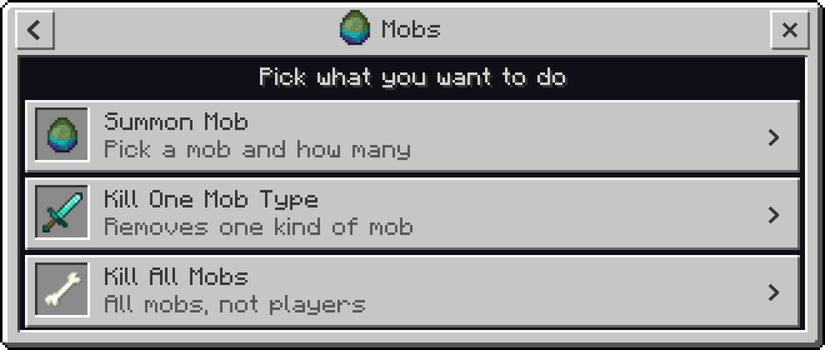
- Summon any mob, or remove the mobs you do not want
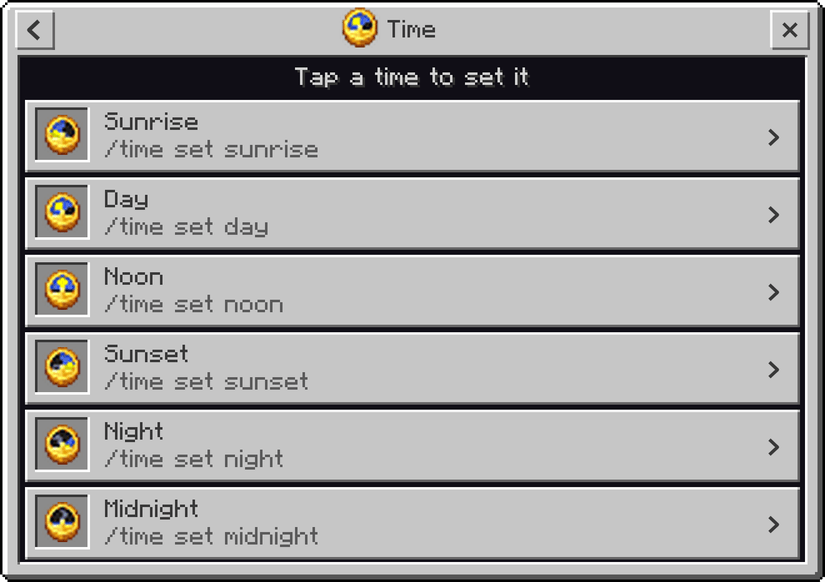
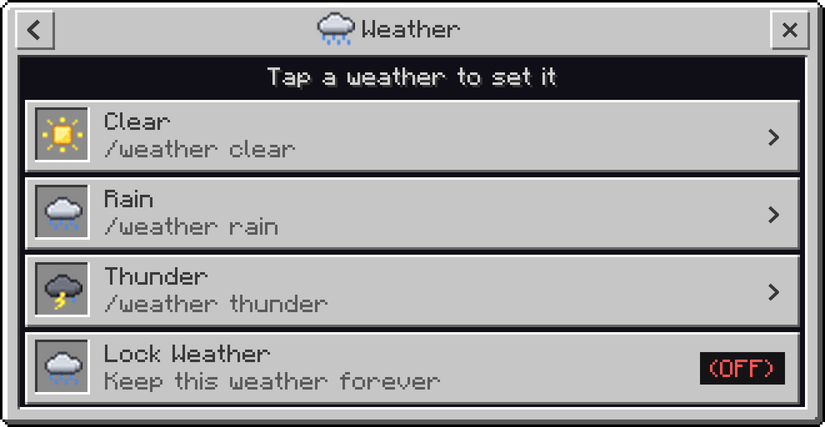
- Set the time and the weather with one tap
- Turn world rules like Keep Inventory and Mob Griefing on or off
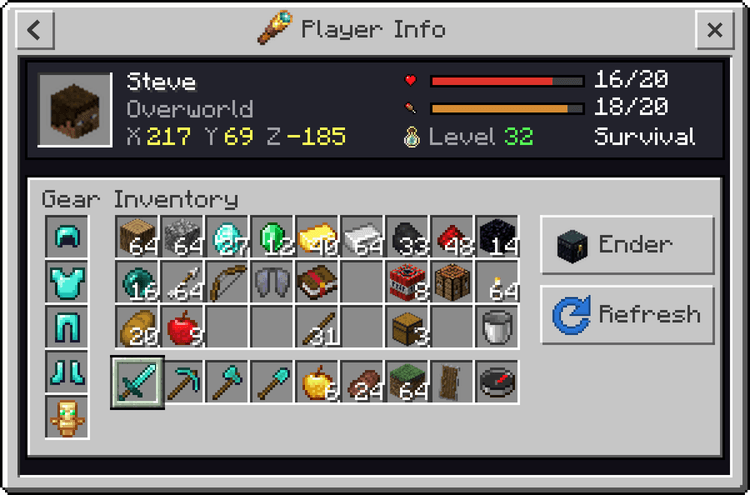
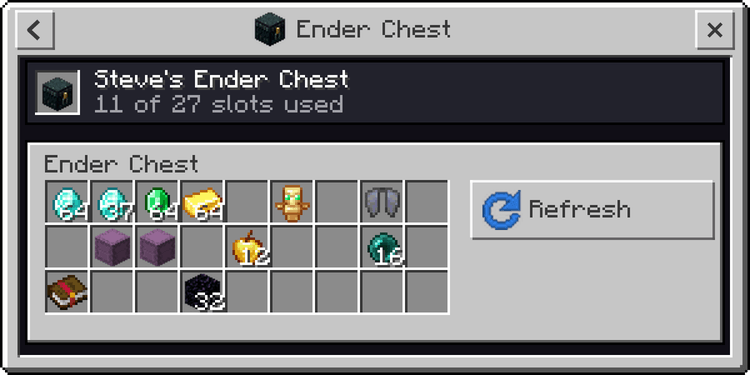
- See any player's location, health, inventory and ender chest
- Search for any command by typing a word
- Type your own command too. It gets saved, so next time you can run it with one tap
Known Issues
- You may notice a little lag or a short delay in the menu. This add-on uses a lot of icons and has many features, so small delays are common
- The delay shows up mostly when you move from one screen to another. Just wait a moment and the next screen will open
Having any issues with my mods or found a bug? Or do you have an idea for a mod you would like me to make? Join my Discord server and let me know. I'm active there regularly and would love to hear your feedback, suggestions, and ideas.

- Edition: Minecraft Bedrock
- File type: .mcpack or .mcaddon
- Minecraft version listed: 26.50
- How to install: Download the .mcpack or .mcaddon file. → Open it — Minecraft imports it. → In your world: Behavior Packs → Available → Activate, then the same under Resource Packs.
- Where to get it: Opens on CurseForge — not every file is mirrored on our own servers.
Install steps are the general flow for this file type — How to install Minecraft Bedrock addons & mods walks through it step by step.
- Pack type: .mcaddon — behaviour and resource pack in one file
- Manifest requires Minecraft 1.21.0 or newer
- Complete pack — everything it depends on is inside the file
- Download size: 2.5 MB
- Download link checked 19 Oct 2026 — working
These come from our own check of the pack file, not from the source page.