
FogCustomizer
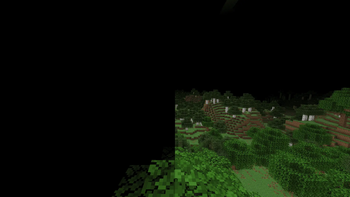
Fog in Minecraft can block your view. Now you can control it, from no fog at all to full normal fog, or anything in between.
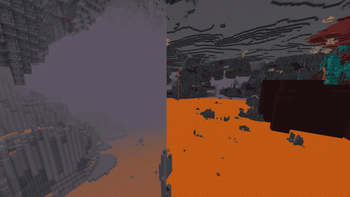
FogCustomizer gives you total control over every type of fog in the game. No more picking between "see everything perfectly" or "keep the normal foggy look." With this mod, you get the whole range, and you pick exactly where on that range you want to be.
How It Works
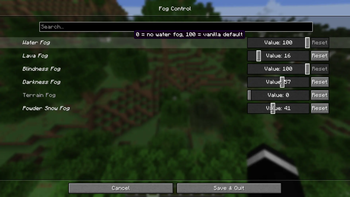
Once you install the mod, open the Mod Menu. Inside, you'll find five easy sliders — one for each kind of fog in the game:
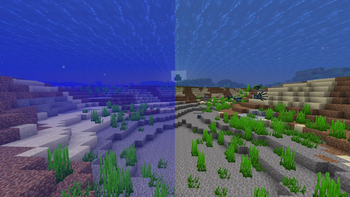
- 🌊 Water Fog – the blurry look you get when you're swimming or underwater
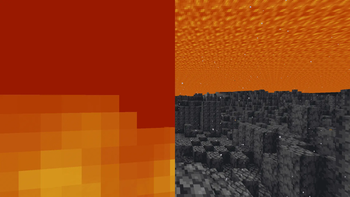
- 🌋 Lava Fog – the thick orange haze you see when you're in or near lava
- 👁️ Blindness Fog – the dark fog that covers your screen when you have the Blindness effect
- 🌑 Darkness Fog – the fog from the Darkness effect (like when a Warden makes an area extra spooky)
- ⛰️ Terrain Fog – the fog you see far away near mountains, biomes, and the edge of your render distance
Simple Sliders, Total Control
Each slider goes from 0 to 100:
- Slide it to 0 → that fog disappears completely. Perfect, clear visibility.
- Slide it to 100 → you get the normal, default vanilla fog, just like the game was never changed.
- Anywhere in between → the mod blends the two smoothly, so you can dial in exactly the amount of fog you want. Want just a little less lava fog so you can see your way out of a cave? Set it to 40 or 50 instead of all the way down.
You can adjust all five sliders separately. That means you could turn off lava fog completely while keeping water fog at a normal level, or turn down terrain fog just a bit while leaving blindness fog untouched. It's completely up to you.
Why Use FogCustomizer?
Fog in Minecraft can look great, but it can also get in the way — especially underwater, in caves, or when effects like Blindness and Darkness hit you at the worst possible time. Instead of being stuck with an all-or-nothing choice, FogCustomizer hands you the controls so you can build the exact look and visibility you want for your world.
Requirements
To use FogCustomizer, you'll also need these mods installed:
- Fabric API
- Mod Menu
- Cloth Config
- Text Placeholder API
Once everything is installed, just launch the game, open Mod Menu, find FogCustomizer, and start sliding!
- Edition: Minecraft Java
- File type: .jar
- Minecraft version listed: 1.21.11
- How to install: Install the matching mod loader (Forge, Fabric or NeoForge) for your Minecraft version. → Download the .jar. → Put it in the .minecraft/mods folder and launch that loader profile.
- Where to get it: Opens on Modrinth — not every file is mirrored on our own servers.
Install steps are the general flow for this file type — How to install Minecraft Java mods & modpacks walks through it step by step.
- Ships as fogcontrol-1.0.0.jar — drop this file into the mods folder
- Download size: 13 KB
- Download link checked 23 Aug 2026 — working
These come from our own check of the pack file, not from the source page.