
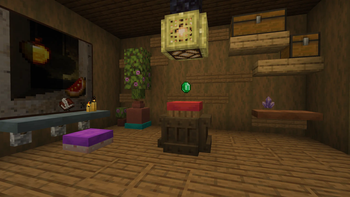
Cushion Display
Use cushion as displays for your items!
⚙️ Server side!
If you only install this datapack/mod on your server/LAN, it will work for everyone else without them needing to install it!
📖 Instructions:
- Shift-rightclick on a cushion while holding an item.
- To remove it, just break the cushion.
Items displayed on a cushion cannot be picked up and will never disappear. The cushion will no longer be sitable.
⤵️ Installation:
Datapack:
Download the latest release and put the datapack .zip file into the datapacks folder of your Minecraft world.
Mod:
Download the latest release and put the mod .jar file into the mods folder of your Minecraft game.
✍️ Feedback, Questions & Suggestions
I'm always listening! If you happen to have questions, suggestions or just encountered a bug, then feel free to join my discord server to ask for help in the "mods and datapacks" section. Click to join the server
- Edition: Minecraft Java
- File type: .jar
- Minecraft versions listed: 26.3-snapshot-4, 26.3-snapshot-5, 26.3-snapshot-6
- How to install: Install the matching mod loader (Forge, Fabric or NeoForge) for your Minecraft version. → Download the .jar. → Put it in the .minecraft/mods folder and launch that loader profile.
- Where to get it: Opens on Modrinth — not every file is mirrored on our own servers.
Install steps are the general flow for this file type — How to install Minecraft Java mods & modpacks walks through it step by step.
- Ships as cushion-display-1.1.1.jar — drop this file into the mods folder
- Download size: 55 KB
- Download link checked 21 Aug 2026 — working
These come from our own check of the pack file, not from the source page.