HomeJavaModsAmethyst Eclipse's Bandages 'n Dressings
Amethyst Eclipse's Bandages 'n Dressings
ModsJava

Amethyst Eclipse's Bandages 'n Dressings

by LendirHijau · on Modrinth

Which build do you need?

This mod ships a separate file for every mod loader and every version of the game. Pick both, then download — the wrong build installs fine and then does nothing in the game.

Mod loader

Minecraft version

⬇ Download for 1.21.11–26.2 · Data pack⬇ Download for 1.21.11–26.2 · Fabric⬇ Download for 1.21.11–26.2 · Forge⬇ Download for 1.21.11–26.2 · NeoForge⬇ Download for 1.21.11–26.2 · Quilt
I don't know my version or loader
Open the Minecraft launcher and look at the profile you play on — it names both, like fabric-loader-1.21.4. The version also shows in the bottom-right corner of the game's main menu.
No loader in the profile name? Then it's plain Minecraft, and these mods won't run — you need Fabric or NeoForge installed first.
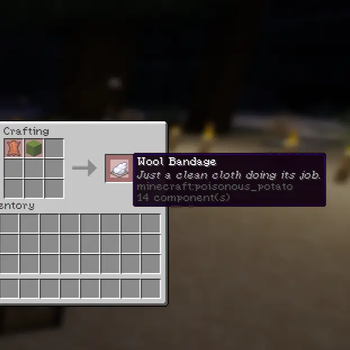
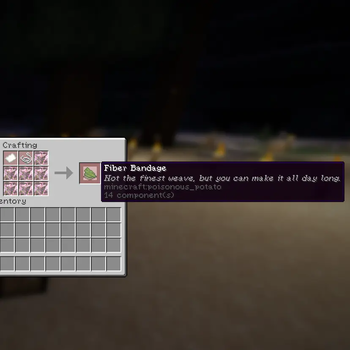
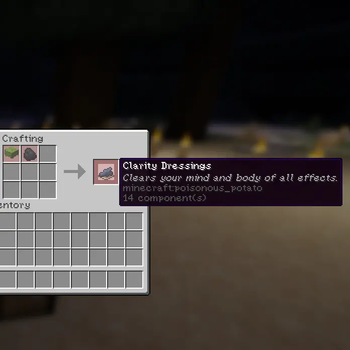
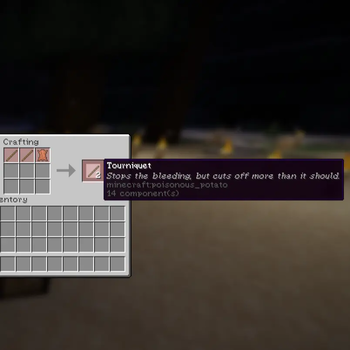
Amethyst Eclipse's Bandages 'n Dressings — screenshot 1Amethyst Eclipse's Bandages 'n Dressings — screenshot 2Amethyst Eclipse's Bandages 'n Dressings — screenshot 3Amethyst Eclipse's Bandages 'n Dressings — screenshot 4

Bandages 'n Dressings

Adds new ways of healing, and some other stuff. For Amethyst Eclipse Modpack. (v1.0a)

Amethyst Eclipse Logo

A vanilla-friendly datapack that adds a set of craftable healing items, bandages, dressings, and a medkit built entirely from vanilla ingredients. No mods required, no resource pack required (icons reuse existing vanilla item textures via item_model overrides).


What's in the pack

All items are crafted through shapeless crafting table recipes and are unlocked via advancements the first time you pick up the right ingredients.

For Recipe, its effects, and duration, check the changelog.

Recipes unlock automatically the moment you have the qualifying ingredients in your inventory, pick up a stick and some leather, and the Tourniquet recipe unlocks itself.


Installation

  1. Download the datapack .zip.
  2. Drop it into your world's datapacks folder (.minecraft/saves/<world>/datapacks/), or into your server's equivalent folder.
  3. Run /reload if the world is already open, or just load the world.
  4. No resource pack, mods, or datapack dependencies are required — everything is built on top of vanilla items and tags.

Compatible with Minecraft 1.21.9 through 26.2.


Compatibility notes


Planned / upcoming


Have feedback, found a bug, or have a balance suggestion? Let me know in the discord!

Quick facts

Install steps are the general flow for this file type — How to install Minecraft Java mods & modpacks walks through it step by step.

Verified by MCModsHub

These come from our own check of the pack file, not from the source page.

Explore more