
In three words, this is "reverse-i-search for Minecraft".
Command R is a mod that brings search functionality to your Minecraft chat messages and commands. If you've ever used reverse-i-search in a Bash, Zsh, or Powershell terminal, this is basically the same.
IMPORTANT: This mod requires Balm installed in order to work.
Here is a 30-second video showcasing the mod:
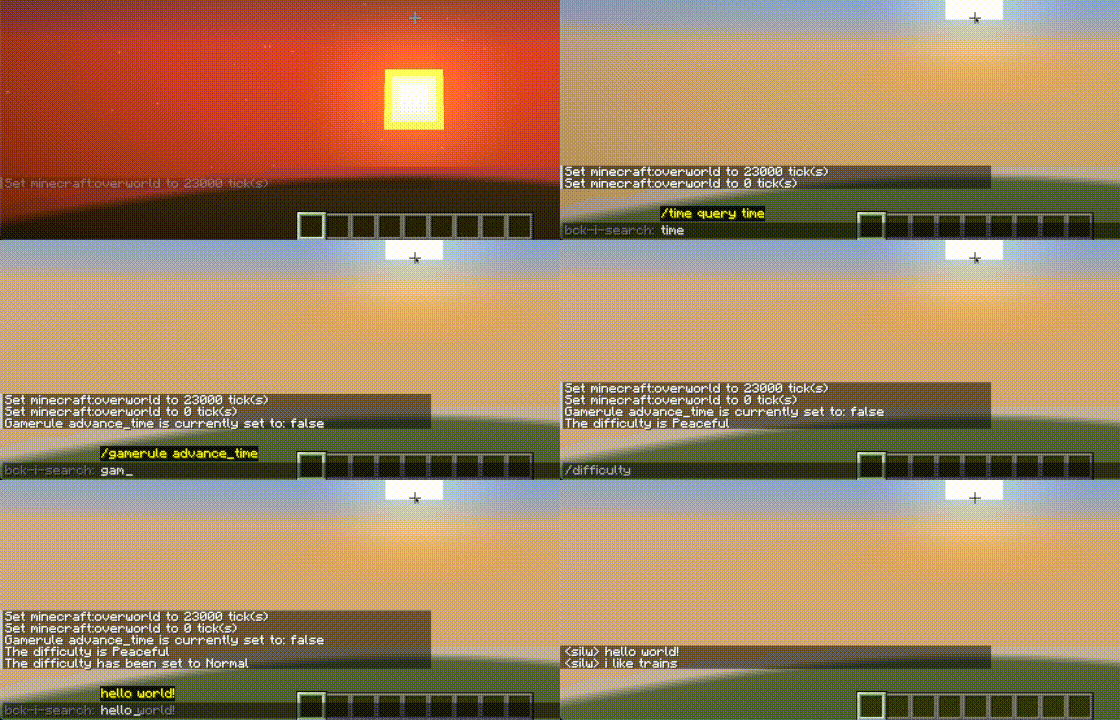
How to Use
Activate Search: Activate Search Mode while the chat is open. Use the "Next" keybind (CTRL + R default)
Next: Find the next item (in reverse) that matches your search query.
Previous: Go back to the previous item (go forward) that last matched your search query. Use the "Previous" keybind (CTRL + SHIFT + R default)
Change Keybinds: You can change the keybinds above in Options > Controls > Keybinds > Command R
Support & Contribution
Feel free to go through GitHub issue tracker or create a new Issue. However, If there is a change you want made, consider contributing!
- Edition: Minecraft Java
- File type: .jar
- Minecraft version listed: 26.2
- How to install: Install the matching mod loader (Forge, Fabric or NeoForge) for your Minecraft version. → Download the .jar. → Put it in the .minecraft/mods folder and launch that loader profile.
- Where to get it: Opens on Modrinth — not every file is mirrored on our own servers.
Install steps are the general flow for this file type — How to install Minecraft Java mods & modpacks walks through it step by step.
- Ships as commandr-fabric-26.2-1.0.2.jar — drop this file into the mods folder
- Download size: 34 KB
- Download link checked 13 Sept 2026 — working
These come from our own check of the pack file, not from the source page.