
MC-Banking
This adds a banking system to minecraft with support for the Minecraft Transit Railways Mod, Includes ATM'S a management computer. Debit cards, Cash…
⬇ Download on Modrinth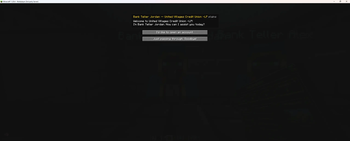
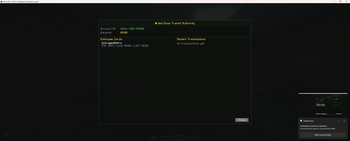
🏦 MC-Banking
A full-featured banking, economy, and finance mod for Minecraft. Create banks, open accounts, use ATMs, invest in stocks, take out loans, run businesses, and more — all with immersive pixel-art UIs and realistic mechanics.
✨ Features
🏧 ATMs
- Place ATMs anywhere — link them to a bank network with the Network Configurator
- Insert your debit card (hold it and right-click) to access your account
- Withdraw cash with a bill selector — choose exact denominations ($1, $5, $10, $20, $50, $100)
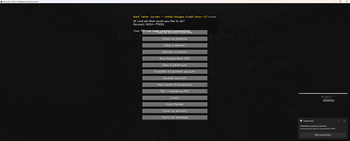
- Check balance, transfer funds, deposit cheques, view transaction history, print receipts
- ATMs inside bank zones offer full services (deposits, cheques, loans, stocks)
- ATMs outside bank zones (e.g. train stations) offer withdrawals, transfers, and balance only
- Bank branding — ATM header shows bank color and emoji logo
- Out-of-network fees when using another bank's ATM
🧑💼 Bank Tellers
- NPC tellers inside bank zones provide full banking services
- Open accounts, get debit cards, set PINs, deposit/withdraw, transfer funds
- Each bank is independent — you need a separate account at each bank
- PIN is masked with bullet characters for security
🗺️ Bank Dashboard
- Use the Bank Dashboard item to manage your banking empire
- Create bank areas on a live world map with click-to-place corners
- Set bank colors, emoji logos, ATM fees
- Create branches that auto-name from nearby MTR stations
- View all clients and their account statistics (balance, savings, loans, stocks)
- Branch numbering system (e.g. ENB-B1, ENB-B2)
💻 Bank Computer
- Place inside a bank zone for staff and owner management
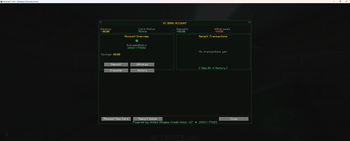
- Overview tab: network ID, rating, ATM fee, bank funds, accounts, staff count
- Hire/fire staff, clock in/out system, dispense ATMs and computers
- View all ATMs on your network with coordinates and location names
- Stock market access for all users
- Staff roles: Teller, ATM Technician, Branch Manager, Owner
💳 Debit Cards
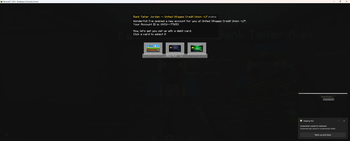
- Three card styles: Classic Blue, Gold Premium, Midnight Black
- HUD overlay shows card details when held (bank name, card number, expiry, holder, account ID)
- Cards are bank-specific — one per bank
- PIN required at ATMs
💼 Business Accounts
- Open a business account at any teller
- Issue employee cards with daily spending limits (or unlimited)
- Pre-generated PINs shown to the owner for distribution
- Deactivate/reactivate cards without revoking them
- Employees get decline messages: "Card declined — deactivated. Please contact [Business]."
- Full business overview screen with employee cards, PINs, and transaction history
- Deposit cash, cheques, or transfer from personal account
- Rename business, close account (issues cheque for remaining balance)
📈 Stock Market
- Stocks now based on player business accounts like:
- MINE (MineCorp) — price driven by blocks mined
- SLAY (SlayerInc) — price driven by mob kills
- CRFT (CraftWorks) — price driven by items crafted
- POP (PopIndex) — price driven by players online
- Buy and sell shares from the teller, ATM (bank zone), or bank computer
- Portfolio tracking with real-time price changes
- Prices update every quarter in-game day
💰 Loans
- Apply for loans based on your credit score (300–850)
- Credit score improves with paid-off loans, drops with missed payments
- 5% interest per in-game day, 10% minimum payment
- Account freezes after 3 missed payments
- Check loan status, remaining balance, and credit score at any time
🏦 Savings & Interest
- Move money between checking and savings accounts
- Savings earn 0.1% interest per in-game day (minimum $10 balance)
💸 Cheques
- Write cheques to other players from a cheque book ($5 at the teller)
- Deposit at teller (instant) or ATM (30% immediate, 70% on 5-day hold for large amounts)
- Cheque HUD overlay shows recipient, amount, and signer when held
- Issued on account closure with full remaining balance
🔄 Cross-Network Transfers
- Transfer between different banks with a 3% + $2 conversion fee
- Automatic detection — same network = free, different network = fee applied
💵 Physical Cash
- Coins: 5¢, 10¢, 25¢
- Bills: $1, $5, $10, $20, $50, $100
- Deposit cash at tellers or bank-zone ATMs
- Withdraw as specific bill denominations with the bill selector
🏢 Bank Health & Ratings
- Banks are rated A+ to F based on operating funds, staff, accounts, and loan defaults
- Distressed banks show warnings at ATMs with withdrawal limits
- Bankrupt banks freeze all accounts — players receive insurance payouts (80% up to $500)
- Other banks can acquire bankrupt banks
💼 Payroll
- Staff get paid automatically when clocked in
- Teller: $5, ATM Tech: $7.50, Branch Manager: $10 per half in-game day
- Paid from bank operating funds
🏛️ Taxes
- 2% tax every 7 in-game days on accounts over $50
- Exempt accounts below threshold
- Tax revenue goes to server treasury
🔫 ATM Robberies
- Attempt to rob ATMs (35% success rate)
- Success: steal $50–$500 in cash, speed boost to escape
- Failure: $100 fine, slowness, glowing for 30 seconds
- 3 in-game day cooldown, alerts nearby players and bank owner
🚂 MTR Integration
- Ticket machine override — pay for train tickets with cash or bank balance instead of emeralds
- Branch auto-naming from nearest MTR station
- ATM location names from MTR stations in the bank computer
🗺️ Squaremap Integration
- Bank areas shown as colored rectangles on the web map
- Bank icons at area centers with hover tooltips
- Branch numbers displayed
## 📦 Dependencies

| Mod | Required? |
|-----|-----------|
| [Fabric API](https://modrinth.com/mod/fabric-api) | ✅ Required |
| [Special Model Loader](https://modrinth.com/mod/special-model-loader) | ✅ Required (OBJ block models) |
| [MTR](https://modrinth.com/mod/mtr) | ❌ Optional (ticket machine + station names) |
| [Squaremap](https://modrinth.com/mod/squaremap) | ❌ Optional (web map markers) |
| Decocraft | ❌ Optional (ATM block compatibility, disabled by default) |
---

## ⚙️ Configuration

Config file: `config/mc-banking.json`

```json
{
  "ticketMachineOverride": true,
  "decocraftAtmCompat": false,
  "decocraftAtmBlockIds": ["decocraft:atm", "decocraft:atm_machine"]
}
| Option | Default | Description |
|---|---|---|
ticketMachineOverride |
true |
Replaces MTR's ticket machine UI with MC-Banking's payment screen |
decocraftAtmCompat |
false |
Right-clicking Decocraft ATM blocks opens MC-Banking ATM |
decocraftAtmBlockIds |
["decocraft:atm", ...] |
Block IDs that act as ATMs when compat is enabled |
🎮 Getting Started
- Create a bank — Use the Bank Dashboard item to define a bank area on the map
- Place a teller — Spawn a Bank Teller NPC inside your bank area
- Open an account — Right-click the teller and choose "Open an account"
- Get a debit card — Choose your card style and set a PIN
- Place ATMs — Use the bank computer to dispense ATMs, then link them with the Network Configurator
- Start banking! — Hold your card and right-click any ATM
🔌 Developer API
MC-Banking provides a full API for other mods to integrate with the economy system.
Getting Started
import com.banking.mod.api.BankingAPI;

BankingAPI api = BankingAPI.getInstance();
Personal Banking
// Check balance (in cents — $5.00 = 500)
long balance = api.getBalance(playerUuid);
long savings = api.getSavings(playerUuid);

// Deposit / Withdraw
api.deposit(playerUuid, 500, "MyMod", "Quest reward");
api.withdraw(playerUuid, 250, "MyMod", "Shop purchase");

// Charge (alias for withdraw with clearer intent)
api.charge(player, 200, "TollMod", "Bridge toll");

// Flexible charge — tries cash first, then bank balance
api.chargeFlexible(player, 500, "MarketMod", "Stall fee", true);

// Pay in physical cash notes
api.payCash(player, 13700, "WageMod", "Weekly wage");

// Transfer between players
api.transfer(fromUuid, toUuid, 1000, "TradePlugin");
Business Cards
// Charge a business card — returns null on success, or decline reason
String error = api.chargeBusinessCard(playerUuid, 2500, "Office supplies");
if (error != null) {
    // "Card declined — deactivated. Please contact Acme Corp."
    // "Card declined — daily spending limit reached."
    // "Card declined — insufficient business funds."
    player.sendMessage(Text.literal(error), true);
}

// Check card status
boolean hasCard = api.hasActiveBusinessCard(playerUuid);
long remaining = api.getBusinessCardRemaining(playerUuid);
String bizName = api.getBusinessName(playerUuid);
Cash & Inventory
// Count physical cash in player's inventory
long cash = api.getCashInInventory(player);

// Remove cash items from inventory
long removed = api.takeCashFromInventory(player, 1000);
Transaction History & Hooks
// Read history
List<TransactionEntry> history = api.getHistory(playerUuid);

// Post a note (no money moved)
api.postNote(playerUuid, "LoanMod", "Loan application approved");

// Hook into every transaction
api.onTransaction((uuid, entry) -> {
    if (entry.type.equals("WITHDRAW") && entry.amountCents >= 1000) {
        System.out.println(uuid + " withdrew " + entry.getFormattedAmount());
    }
});
Dependency Setup
dependencies {
    modImplementation fileTree(dir: 'libs', include: ['mc-banking-*.jar'])
}
// fabric.mod.json
{ "suggests": { "mc-banking": "*" } }
All API methods must be called on the server thread. Full documentation in DEBIT_API.md.
📁 Data Storage
All banking data is stored per-world in the world/mc-banking/ folder. Files are automatically migrated from the server root on first load if upgrading from an older version.
📋 Minecraft Version
- Minecraft: 1.20.4
- Mod Loader: Fabric
- Java: 17+
## 📜 License

© 2025 MC-Banking. All rights reserved.

- ✅ You may use this mod on any Minecraft server (commercial or non-commercial)
- ✅ You may include this mod in modpacks with credit
- ✅ You may use the API to build integrations
- ❌ You may NOT redistribute this mod outside of Modrinth without permission
- ❌ You may NOT decompile, modify, or rebrand this mod and claim it as your own
- ❌ You may NOT sell this mod or any modified version of it

**Credit required:** If you include MC-Banking in a modpack or use it on a public server, please credit "MC-Banking by RecklessMetro" with a link to the Modrinth page.
- Edition: Minecraft Java
- File type: .jar
- Minecraft versions listed: 1.20.4, 1.20.5, 1.20.6
- How to install: Install the matching mod loader (Forge, Fabric or NeoForge) for your Minecraft version. → Download the .jar. → Put it in the .minecraft/mods folder and launch that loader profile.
- Where to get it: Opens on Modrinth — not every file is mirrored on our own servers.
Install steps are the general flow for this file type — How to install Minecraft Java mods & modpacks walks through it step by step.
- Ships as mc-banking-5.7.1.jar — drop this file into the mods folder
- Download size: 17.0 MB
- Download link checked 24 Aug 2026 — working
These come from our own check of the pack file, not from the source page.