
ModsJava
Tick Visualizer
Displays key performance metrics on your screen, allowing you to instantly understand what is causing game lag.
⬇ Download on ModrinthTick Visualizer displays key performance metrics on your screen, allowing you to instantly understand what is causing game lag.
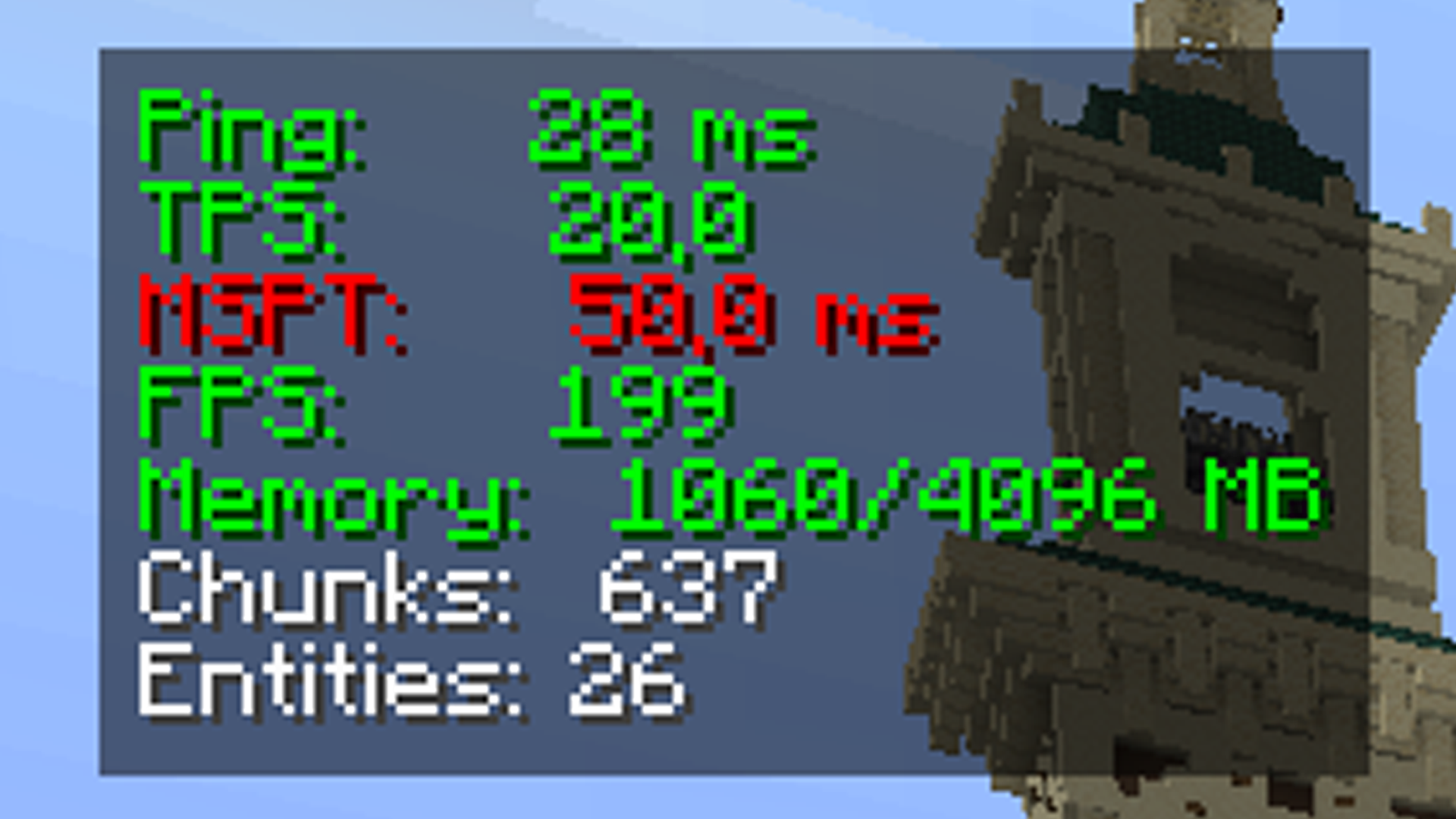
Displayed Metrics:
- Ping: Your current network latency to the server (in milliseconds).
- TPS (Ticks Per Second): The game's internal clock speed (20.0 is perfect stability).
- MSPT (Milliseconds Per Tick): The exact time it takes to process a single game tick.
- FPS (Frames Per Second): Your current graphic rendering speed.
- Memory: Used versus maximum allocated RAM (in megabytes).
- Chunks: The number of currently loaded world chunks.
- Entities: The total number of active entities (mobs, items, etc.) in your area.
Quick facts
- Edition: Minecraft Java
- File type: .jar
- Minecraft versions listed: 1.20, 1.20.1
- How to install: Install the matching mod loader (Forge, Fabric or NeoForge) for your Minecraft version. → Download the .jar. → Put it in the .minecraft/mods folder and launch that loader profile.
- Where to get it: Opens on Modrinth — not every file is mirrored on our own servers.
Install steps are the general flow for this file type — How to install Minecraft Java mods & modpacks walks through it step by step.
Verified by MCModsHub
- Ships as tickvisualizer-1.0.0.jar — drop this file into the mods folder
- Download size: 17 KB
- Download link checked 24 Aug 2026 — working
These come from our own check of the pack file, not from the source page.