
ModsJava
Glint Everything
Whitelist any item to give it the enchantment glint - then recolor it globally or per item and restyle the animation (speed, size, angle, motion).
⬇ Download on Modrinth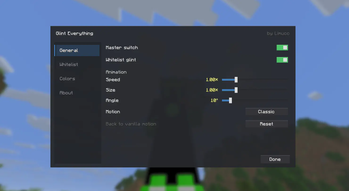
Glint Everything
Give any item the enchantment glint — and take full control of how every glint in the game looks and moves.
Features
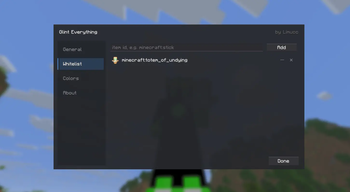
- Whitelist — add any item by id (with live suggestions) and it shimmers like an enchanted item: inventory, hand, ground, everywhere. Worn armor too.
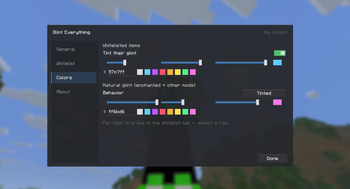
- Glint colors — recolor the glint of whitelisted items, recolor the natural glint (enchanted + other mods' items), or give one specific item its own color. Hex box, RGB sliders and presets.
- Animation control — speed, size and angle sliders plus motion styles: Classic, Reverse, Vertical, Horizontal, Frozen.
- Tame other glint — vanilla + modded glint can be left alone, tinted, or hidden entirely; the whitelist keeps working either way.
- Animated flat settings UI — open from ModMenu or a keybind. Settings apply live and save on close.
Stacks with vanilla's accessibility Glint Speed / Glint Strength options.
Client-side only. Requires Fabric API. ModMenu recommended.
Quick facts
- Edition: Minecraft Java
- File type: .jar
- Minecraft version listed: 26.2
- How to install: Install the matching mod loader (Forge, Fabric or NeoForge) for your Minecraft version. → Download the .jar. → Put it in the .minecraft/mods folder and launch that loader profile.
- Where to get it: Opens on Modrinth — not every file is mirrored on our own servers.
Install steps are the general flow for this file type — How to install Minecraft Java mods & modpacks walks through it step by step.
Verified by MCModsHub
- Ships as glinteverything-1.1.0+mc26.2.jar — drop this file into the mods folder
- Download size: 70 KB
- Download link checked 21 Aug 2026 — working
These come from our own check of the pack file, not from the source page.