
Random Translations
Random Translations is a chaotic Minecraft mod that shuffles the game's text into the wrong places.
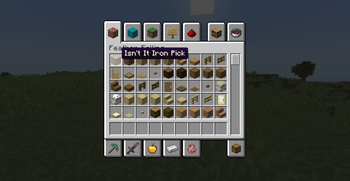
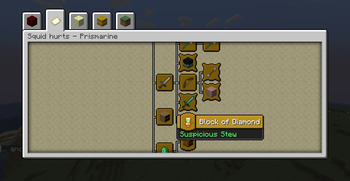
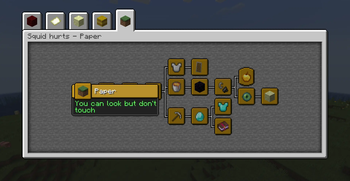
Menus, buttons, item names, subtitles, advancements, settings, death messages, and more can suddenly say something completely unexpected. The result is confusing, funny, and often surprisingly cursed.
What Does It Do?
Random Translations takes Minecraft's normal language entries and randomly swaps them around. A button might look like an item name, a block might be labeled like a warning message, and an ordinary menu can become completely unhelpful in the best possible way.
The mod is made for players who want a silly challenge, a fresh way to experience familiar screens, or a fun addition to a modded chaos pack.
Features
- Randomized Minecraft text across the client
- Works with menus, items, blocks, messages, and many other translated strings
- Keeps the game playable while making it much harder to understand
- Great for challenge runs, streams, videos, and joke modpacks
- No setup needed after installation
Important Notes
This mod is intentionally confusing. It may make menus harder to navigate, settings harder to read, and gameplay messages less useful.
If you are using this in a modpack, make sure players know what they are getting into. Random Translations is best used when everyone expects things to get weird.
Compatibility
Random Translations is a client-side mod for Minecraft 1.20.1 with Forge.
It can affect text added by other mods if that text is loaded through Minecraft's normal language system. Some modded text may behave differently depending on how the other mod displays it.
Installation
- Install Minecraft Forge for Minecraft 1.20.1.
- Place the Random Translations
.jarfile into yourmodsfolder. - Launch the game and enjoy the confusion.
License
Random Translations is licensed under the MIT License.
- Edition: Minecraft Java
- File type: .jar
- Minecraft version listed: 1.20.1
- How to install: Install the matching mod loader (Forge, Fabric or NeoForge) for your Minecraft version. → Download the .jar. → Put it in the .minecraft/mods folder and launch that loader profile.
- Where to get it: Opens on Modrinth — not every file is mirrored on our own servers.
Install steps are the general flow for this file type — How to install Minecraft Java mods & modpacks walks through it step by step.
- Ships as RandomTranslations-1.0.0.jar — drop this file into the mods folder
- Download size: 500 KB
- Download link checked 24 Aug 2026 — working
These come from our own check of the pack file, not from the source page.