
Biome Compass Item
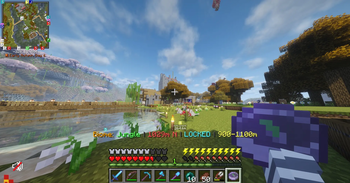
A Minecraft Forge mod for 1.20.1 that adds a craftable compass capable of locating any biome in your world. Point it, tune your search range, lock onto a target, and navigate - all from a clean in-game UI.
Server-friendly! An optimised algorithm to retain TPS.
Biome selection UI
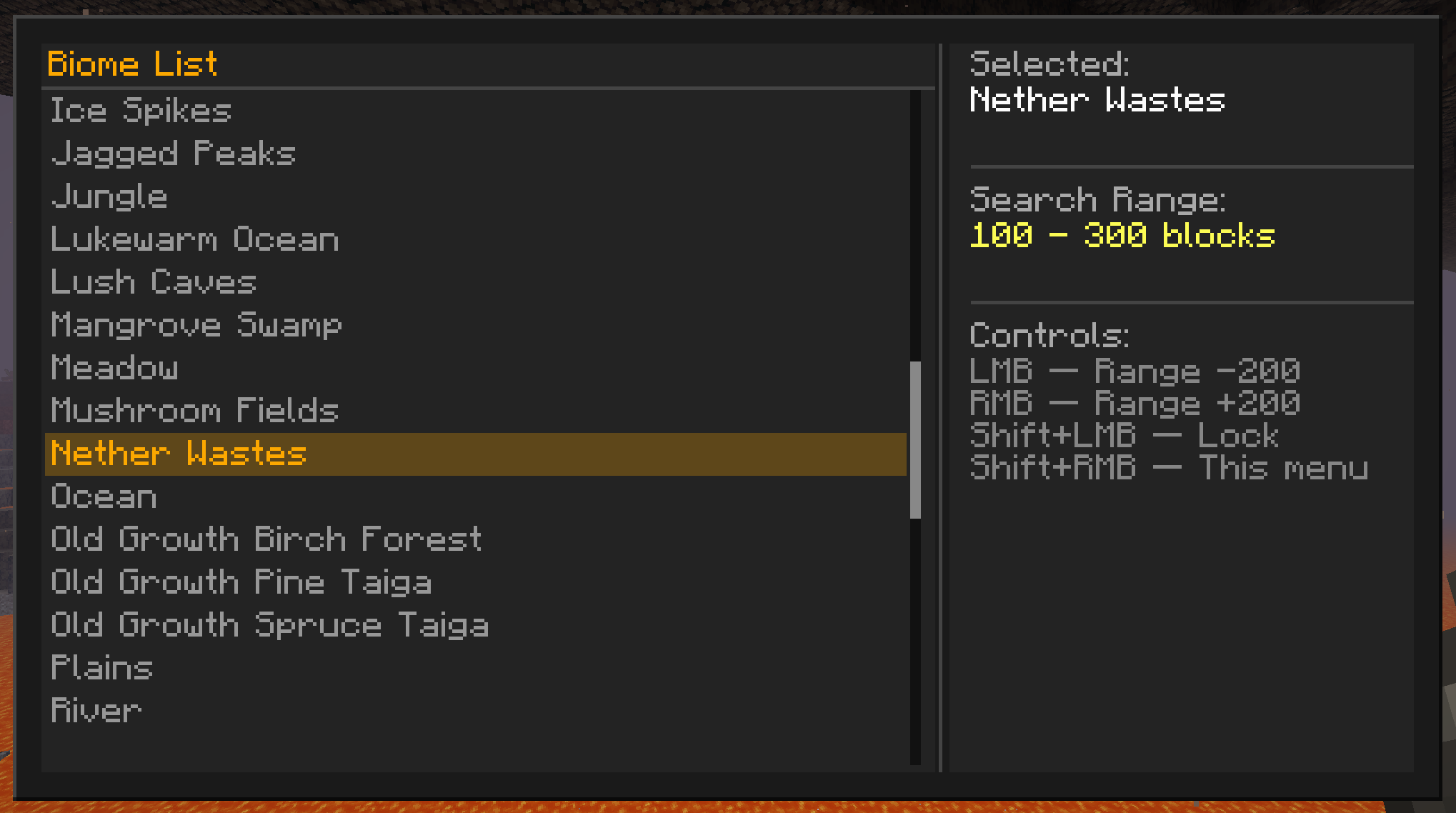
Adjustable search range - tune the scan radius from 100m up to 10,000m.
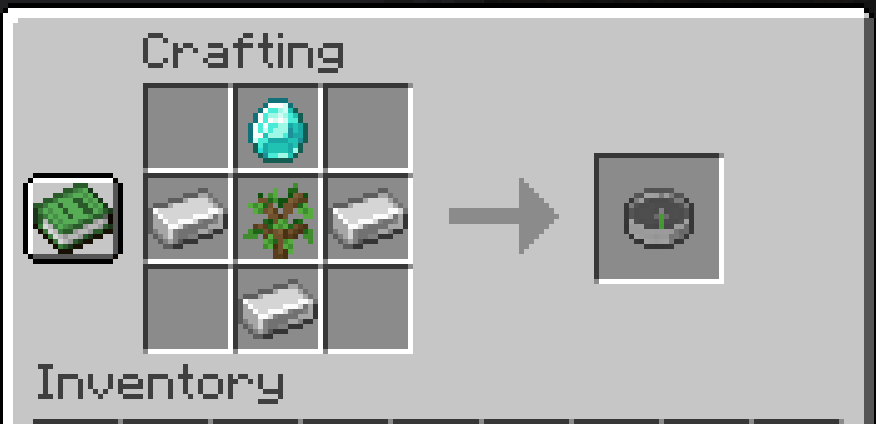
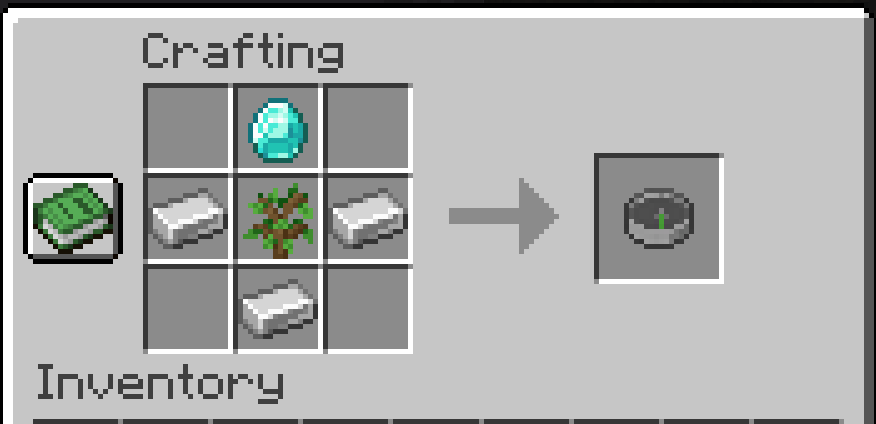
Crafting
Controls
| Input | Action |
|---|---|
| Left Click | Increase search range (+200 m) |
| Right Click | Decrease search range (−200 m) |
| Shift + Left Click | Toggle lock / unlock |
| Shift + Right Click | Open biome selector menu |
All controls work from both the main hand and the offhand.
How It Works
Selecting a Biome
Press Shift + Right Click to open the biome selector. The left panel lists every biome loaded in your world, sorted alphabetically and scrollable with the mouse wheel. Click any entry to immediately begin searching for it. Selecting a new biome always unlocks the compass so the search can run freely.
Searching
Once a biome is selected the compass scans outward from your position in rings, checking blocks in steps of around 32m. The scan is incremental - only a small slice of work happens each tick - so it stays smooth even at the 10,000 m maximum range.
Lock Mode
IMPORTANT Don't forget to LOCK your compass when you get a trail to your biome.
- State -
TRACKING(actively pointing) orLOCKED(frozen on the last found position)
Press Shift + Left Click to lock the compass. When locked:
- No new searches run, keeping server load at zero while navigating
Press Shift + Left Click again to unlock and resume live tracking.
Search Range
The range defines the annular band the compass searches within - a minimum and maximum radius around you. This lets you skip nearby biomes you have already visited and hunt for ones further away.
- Minimum inner radius: 100m
- Maximum outer radius: 10,000m
The range is shown in the action bar and in the item tooltip so you always know what window is active.
Sound Effects
Sound effects are tied to the Player source.
Compatibility
- Minecraft: 1.20.1
- Mod loader: Forge 47.x
- Modded biomes: fully supported — the biome list is read directly from the world's registry at runtime, so any biome added by another mod appears automatically in the selector
- Multiplayer: fully server-authoritative; all searches run on the server and results are synced to the client
Installation
- Install Minecraft Forge 47.x for 1.20.1
- Drop the mod
.jarinto yourmods/folder - Launch the game — no configuration required
License
MIT — see LICENSE for details.
Made by @LukieD4 — source available at github.com/LukieD4/BiomeCompassMod
- Edition: Minecraft Java
- File type: .jar
- Minecraft versions listed: 1.20.1, 1.20.2, 1.20.3
- How to install: Install the matching mod loader (Forge, Fabric or NeoForge) for your Minecraft version. → Download the .jar. → Put it in the .minecraft/mods folder and launch that loader profile.
- Where to get it: Opens on Modrinth — not every file is mirrored on our own servers.
Install steps are the general flow for this file type — How to install Minecraft Java mods & modpacks walks through it step by step.
- Ships as Biome Compass Mod 1.0.0 FORGE.jar — drop this file into the mods folder
- Download size: 1003 KB
- Download link checked 24 Aug 2026 — working
These come from our own check of the pack file, not from the source page.