Client-Side Color Codes (CSCC)
Java mod listed for Minecraft 26.x. Downloads from the MC Java Mods app on Android.
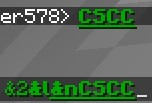
Allows the use of minecraft color codes on every server completely client-side. Players who DON'T have the mod will NOT see the colors.
⬇ Download on Modrinth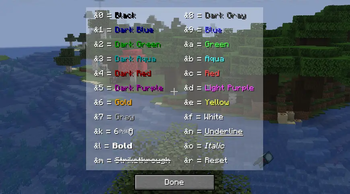

🎨 Client-Side Color Codes (CSCC)
CSCC allows you to create and see colored texts on every server fully client-side.
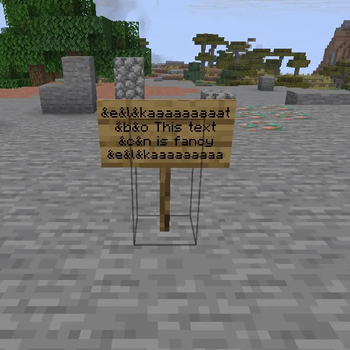
Make fancy texts by using color codes in front of the text, e.g. &a&lHello — the "Hello" will be fat and in green. (standard format used on most servers with colored text support)
⚠️ Important Note: Players who don't have the mod installed will NOT see the formatted text, they will see
&a&lHelloin the normal formatting.
Why?
Because many servers lock colored texts behind a paywall and I want aesthetic tool names.
Supported Features
Live Preview: Instantly see how your formatted text will look like while typing.
Color Code List: Use the command /cscc to get a list of all working color codes.
Colorable texts include:
- Chat messages
- Item names (renamed in anvil)
- Items in item frames
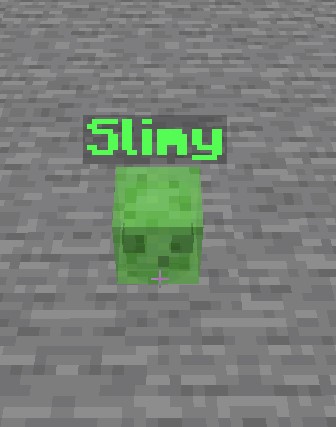
- Entities (renamed with a nametag)
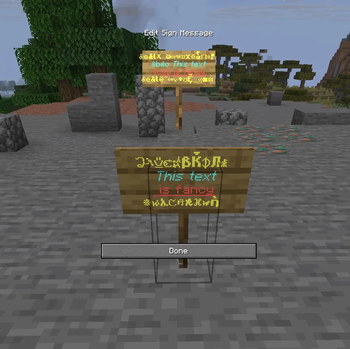
- Signs & Hanging signs
Does NOT support text in books (I have to decide which way I want to implement it, might not come in future)
Other missing texts will probably be added (if there are any).
- Edition: Minecraft Java
- File type: .jar
- Minecraft version listed: 26.2
- How to install: Install the matching mod loader (Forge, Fabric or NeoForge) for your Minecraft version. → Download the .jar. → Put it in the .minecraft/mods folder and launch that loader profile.
- Where to get it: Opens on Modrinth — not every file is mirrored on our own servers.
Install steps are the general flow for this file type — How to install Minecraft Java mods & modpacks walks through it step by step.
- Ships as ClientSideColorCodes-26.2-1.2.1.jar — drop this file into the mods folder
- Download size: 25 KB
- Download link checked 22 Oct 2026 — working
These come from our own check of the pack file, not from the source page.