
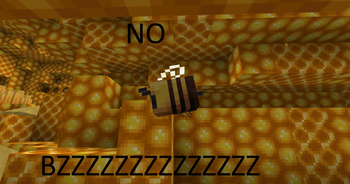
🔇 No Bumblezone Noise
Silence the endless drone of the bee dimension
This resource pack is made for explorers who want to enjoy The Bumblezone without the persistent buzzing and distracting sound effects. It removes or significantly lowers the most annoying audio cues, letting you focus on the adventure in peace.
🎯 What does it change?
- Ambient buzzing – the constant background drone that follows you everywhere in the dimension is gone.
This is a sound-only pack – no textures are changed, and performance is unaffected.
⚙️ How to install
- Download the resource pack.
- Launch Minecraft and go to Options → Resource Packs.
- Drag
No Bumblezone Noiseinto the active column (right side). - Make sure it sits above any main resource pack from the mod itself (if you use one).
- That's it – enjoy the peaceful silence! 🐝
🔧 Compatibility & extras
- Works with any Minecraft version that supports The Bumblezone mod (1.16.5 and up).
- Compatible with Forge / NeoForge and Fabric / Quilt.
❗ Notes
- No additional mods are required.
- Shaders and visual enhancements are unaffected – only audio is changed.
- The pack overrides sound files, so it will work even if the mod updates (as long as sound paths remain the same).
Quick facts
- Edition: Minecraft Java
- File type: .zip (resource pack)
- Minecraft versions listed: 1.16.5, 1.17, 1.17.1
- How to install: Download the .zip resource pack — do not unzip it. → Put it in .minecraft/resourcepacks. → Enable it in Options → Resource Packs.
- Where to get it: Opens on Modrinth — not every file is mirrored on our own servers.
Install steps are the general flow for this file type — How to install Minecraft Java resource packs walks through it step by step.
Verified by MCModsHub
- Downloads as quiet bumblezone.zip
- Download size: 50 KB
- Download link checked 14 Sept 2026 — working
These come from our own check of the pack file, not from the source page.