HomeJavaModsUniversal Blocks
Universal Blocks
Universal Blocks — screenshot 1Universal Blocks — screenshot 2Universal Blocks — screenshot 3Universal Blocks — screenshot 4Universal Blocks — screenshot 5Universal Blocks — screenshot 6Universal Blocks — screenshot 7Universal Blocks — screenshot 8

(1.6.2) Universal Blocks

Sing up for the Newsletter by sending an E-Mail @ abascus@web.de

!!!!
To insert a Block open the GUI with right-clicking (Config option) or put the Block directly in with shift-tight-clicking with the Block in your Hand!
!!!!

Description:

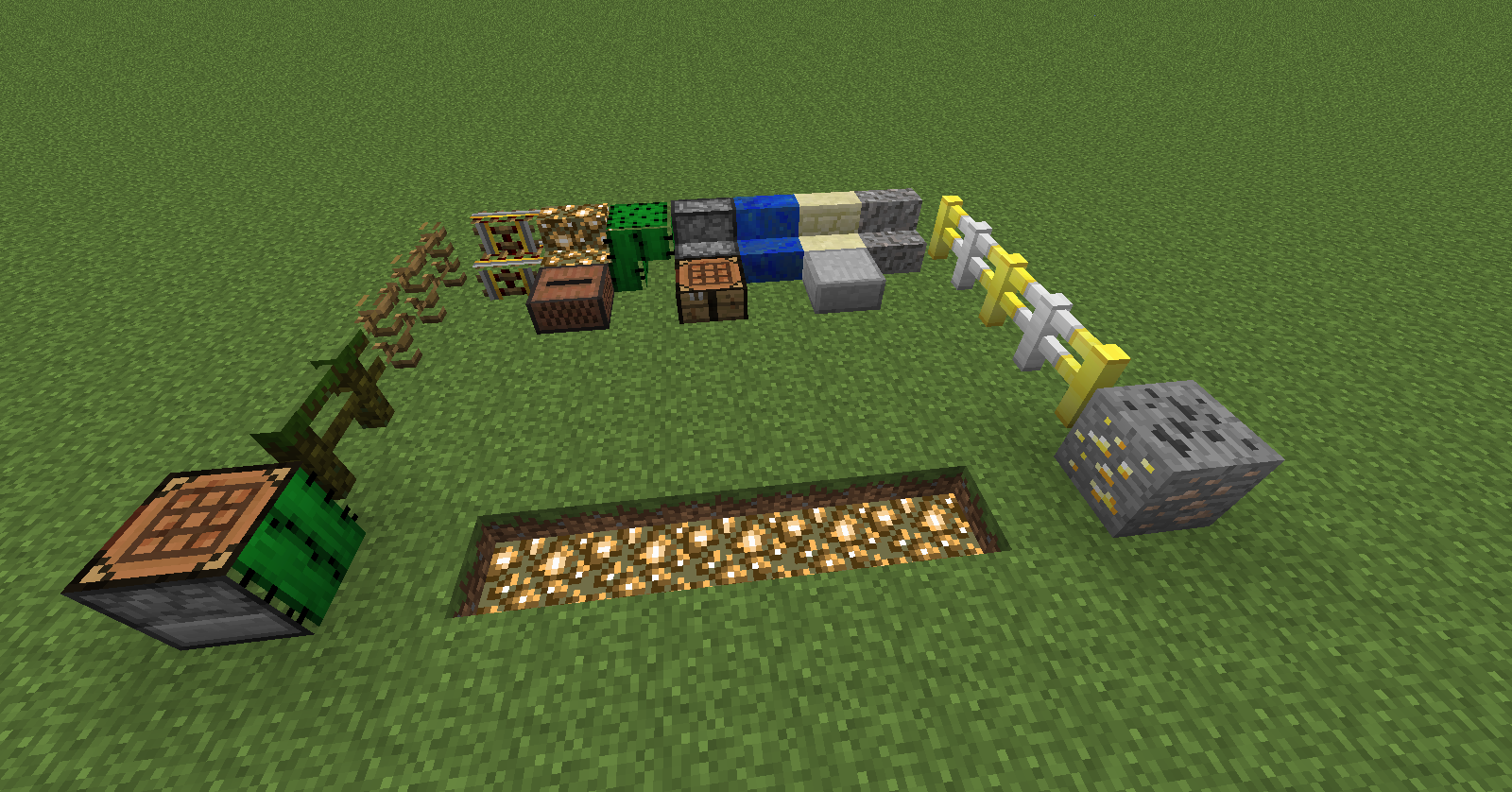
This Mod adds an some universal Blocks.
If you right click them, an interface will show up in which you can place any Block you want, or the Block yout holding is gone be copyed into the Block if you are shift right clicking (Setting)! Then the Stair/Slab/Fence/... will take the Block's texture and be rendered like it.The Mod also has Metadata support and should work with every Vannila and Mod Block.

Screenshots

Features:

Universal Slabs, Stairs, Fences which can loke like any Block you put inside them.
Metadata support(The Blocks are able to have colered wool textures/diffrent wood textures)
Should work with every Block from Vanilla and other Mods.
(The Mod also has it's own config File, in which you can change the Block ID's and the Option to have a GUI or not)
The Redstone Block, that emitts a redstone signal and is exactly rendered like the Block inside (Also works whitch mostly every rendering from other mods (NoTileEntitySpecialRenderers))(1.7)

Abascus on Twitter

https://www.paypalobjects.com/en_GB/i/btn/btn_donate_LG.gif

Videos:

(Feel free to make your own video about this mod)

How to install on Windows:

Mods folder compatible

For version 1.5.1 or higher just install Minecraft Forge

Navigate to your ".minecraft" folder by pressing WINDOWS+R or typing run is the search bar and entering "%appdata%" without the quotation marks.

Go to your bin folder, and by using a program like 7-Zip or WinRar, open up the archive and copy the Forge files from the .zip into the minecraft.jar. Dont forget to delete the META-INF folder befor copying the files.

Now go back to the .minecraft folder, and copy the mod into the mods folder(if the folder doesnt exist, run the game and it will create the folder), or you open up the mod and put all files into the minecraft.jar

Now close everything and run minecraft.

Crafting:

Catalyst:
https://dl.dropboxusercontent.com/u/58920433/Mods Download/Universal/Crafting/Universal Catalyst.png

Slab:
https://dl.dropboxusercontent.com/u/58920433/Mods Download/Universal/Crafting/Universal Slab.png

Stair:
https://dl.dropboxusercontent.com/u/58920433/Mods Download/Universal/Crafting/Universal Stairs.png

Fence:
https://dl.dropboxusercontent.com/u/58920433/Mods Download/Universal/Crafting/Universal Fence.png

Trapdoor:
https://dl.dropboxusercontent.com/u/58920433/Mods Download/Universal/Crafting/TrapDoor.png

Render Copy Block:
https://dl.dropboxusercontent.com/u/58920433/Mods Download/Universal/Crafting/RenderCopy.png

Redstone Block:
https://dl.dropboxusercontent.com/u/58920433/Mods Download/Universal/Crafting/RedstoneBlock.png

The Universal Catalsyt has infinit uses

Patch Notes:

Added 1.5.1 Version (Forge)
Fixed Slab Metadata Bug
Added Universal Fence
Added Right klick option
Added Universal Trapdoor
Fixed Grass/Leave coloring Bug
Changed rigth-click insert to shift-right-click insert
Fixed a big save-load bug
Added an Block, that emitts a redstone signal and is exactly rendered like the Block inside (Also works whitch mostly every rendering from other mods (NoTileEntitySpecialRenderers))
Right click = GUI, Shift Right click = Insert(Still Buggy) (Config option will be back when the Shift Right click bug is fixed!)
Added In-Game Info about new Version/Problems/General Infos

Bugs:

Shift right click insertion isn't working properly
If you know another bug, please post it in a comment

Quick facts

Install steps are the general flow for this file type — How to install Minecraft Java mods & modpacks walks through it step by step.

Universal Blocks is a free Minecraft Java mod. Downloaded 4,312 times (via CurseForge). Download it and open it directly in the game.

Explore more