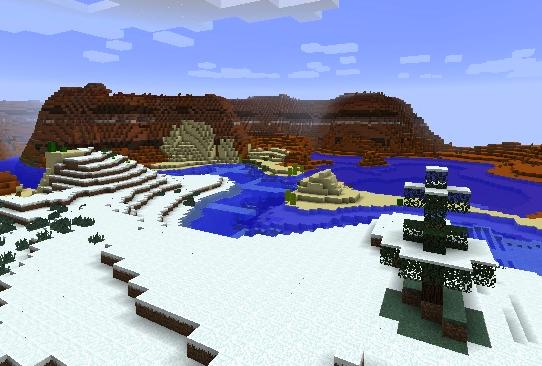
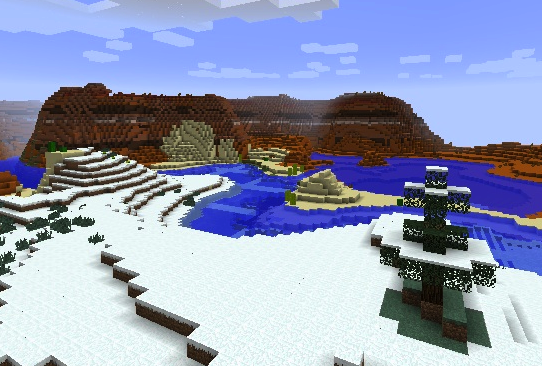
Bored with large stretches of similar terrain in 1.7? Tired of looking for particular biomes? Random Biomes provides a new world type ("Random Biomes") that does away with temperature sorting and mixes all the biomes together, so finding and traveling to particular biomes is much easier than in vanilla 1.7. It will normally show up as the next world type available after "Amplified".
Random Biomes also provides config file settings so you can choose how often particular biome types appear in your world. Want to play in Arizona, with deserts and mesas? No problem, just crank those numbers in the config file to a few hundred. Want to play in Dagobah, with jungles and swamps? No problem, just crank *those* numbers up. Want to alternate between Arizona and Dagobah? No problem, Random Biomes saves your terrain choices with the world files!
TheMasterCaver is a co-author on this mod, and thanks to RedstoneVet for some prodding!
- Edition: Minecraft Java
- File type: .jar
- How to install: Install the matching mod loader (Forge, Fabric or NeoForge) for your Minecraft version. → Download the .jar. → Put it in the .minecraft/mods folder and launch that loader profile.
- Where to get it: Opens on CurseForge — not every file is mirrored on our own servers.
Install steps are the general flow for this file type — How to install Minecraft Java mods & modpacks walks through it step by step.
Random Biomes is a free Minecraft Java mod. Downloaded 1,621 times (via CurseForge). Download it and open it directly in the game.