
ModsJava
TownyRoads
Java mod listed for Minecraft 1.20–1.21. Downloads from the MC Java Mods app on Android.
⬇ Download on Hangar# TownyRoads
Add roads to Towny.
This plugin tries to encourage players to build roads between towns by giving them partial claim protection & other bonuses for connected towns.
Towny is required.
MapTowny, squaremap & RoadSpeedMounts are supported as optional dependencies.
## MapTowny
MapTowny allows roads to be displayed on the dynmap.
## RoadSpeedMounts
RoadSpeedMounts allows for different speeds on roads and outside roads.
# Wiki
TownyRoads adds roads to a Towny world.
## Creating a road
Roads need to be created between 2 towns first.
`/tr create ` creates a road between your town and the one you specify.
The other town needs to accept your road invite: `/tr accept `.
You then need to claim the area of the road by moving into each chunk between the 2 towns and claiming it: `/tr claim `.
Once you have connected both towns and the other town has accepted to join the road, you can validate the road: `/tr validate `.
If something is wrong with the road, you will have an explanation of what is wrong in chat and will be able to validate again once the road is fixed.
Until then, the road has no effect. Once the road is validated, it starts having effects.
### Limits
Roads can't be more than 1000 chunks long.
Roads can't be longer than 2 times the distance of the shortest path between the 2 towns.
## Road effects
### Claim protection
Players who are not part of the road towns won't be able to break or build much on the road chunks. Once they have placed or broken 10 blocks, they need to wait 1 minute for each new block they want to place or break.
This makes ambushes still possible but makes major grief too time-consuming.
Chests or doors can be opened without limitation; do not use roads as an extension of a town.
Make sure to give `comayor` or a rank with the `townyroads.claimed.ownroad.*` permission to your residents who are supposed to build the roads.
### Upkeep
A town connected to its capital pays 50% less upkeep.
A capital connected to other nation towns pays less upkeep, up to 50% if all nation towns are connected. It also makes the nation pay up to 50% less upkeep.
### TownyWaypoints
TownyWaypoints can be configured to allow players to travel only if there are roads between the towns.
### RoadSpeedMounts
If RoadSpeedMounts is on the server, horses, donkeys, mules, camels and players will be faster. The default config makes them 2 times faster on roads than in wilderness for the same blocks they are moving on (from +30% to +60% on suspicious gravel for horses, for example).
### Bonus chunks
Each connected town provides some bonus chunks to the road.
It provides 1 chunk per town level of each town connected to the road.
Same-nation towns provide 2 times more bonus chunks.
Ally nation towns provide 1.5 times more bonus chunks.
Enemy nation towns provide 0.5 times more bonus chunks.
A town can't have more than 1000 bonus chunks from all connected towns.
A town can't have more bonus chunks than regular chunks.
## Extending a road
To extend a road, you need to create a new road between the road and the town you want to be included in the road.
They need to accept joining the road.
Then you can merge both roads with `/tr merge `. To merge 2 roads, your town needs to be part of both roads.
By merging several new roads, you can add several towns to the road.
The final road needs to be validated once again with `/tr validate `.
## Towns falling into ruins
If one of the towns of a road falls into ruins (or gets removed), the town will be removed from the road, and the part of the road that was going to that town will be removed.
When a town is removed from a valid road, it tries to validate it again once the town has been removed, but it might not work if the road does not match the requirements.
Claim or unclaim (`/tr unclaim`) new areas to validate it again.
If one of the 2 last towns of the road falls into ruins, the road will be deleted. A road going from your town to your town isn't that useful.
## Town leaving the road
When a town leaves a road, it has the same effect on the road as if the town fell into ruins.
# Translations
Translations in English & in French are done by me (Hydrolien). Feel free to open a pull request to add new languages. There is a single config file to translate.
# TODO
- Require a minimal amount of suspicious gravel, gravel, suspicious sand or water to be in the road chunks to validate it.
- Fix opening a chest with an item in hand being considered an interaction and not a switch.
- Fix breaking blocks being counted twice because of PlayerInteractEvent.
- Command to toggle auto-claim for a road that claims a new chunk each time the player enters a new chunk. It stops when the road has maxed out its chunks or if the player leaves the server.
## Statistics
[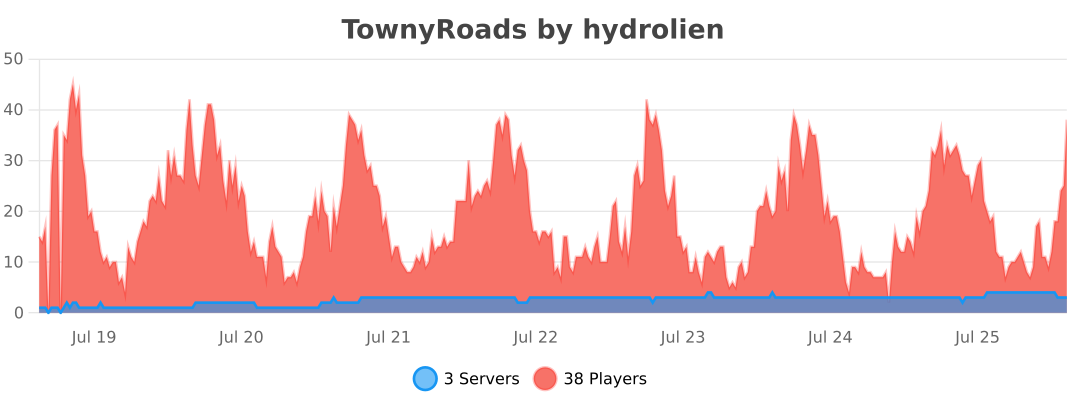](https://bstats.org/plugin/bukkit/TownyRoads/31859)
# Build, Test & Deploy
Feature requests or pull requests are welcome. Consider creating an issue first to talk about your new feature before sending a pull request.
## Build
Clone the [repo](https://github.com/Mvndi/TownyRoads) `git clone git@github.com:Mvndi/TownyRoads.git`
Build with `./gradlew assemble`. The plugin `.jar` file will be in `build/libs/`.
## Test
You can test the plugin directly in a Minecraft server with `./gradlew runServer`.
You can also try it on another server by placing the `.jar` in `plugins/`.
You might want to update the plugin config to fit your needs.
## Deploy
### To GitHub releases, Hangar & Modrinth
Push a tag to Git to trigger a GitHub Action release that will create a new GitHub release and publish to Hangar & Modrinth.
```sh
git tag 1.2.3
git push --tags
```
### To Maven Central
*Require ossrhUsername & ossrhPassword in ~/.gradle/gradle.properties*
```sh
./gradlew clean publish
./gradlew jreleaserDeploy
```
The published lib will be available [on Maven Central](https://central.sonatype.com/artifact/net.mvndicraft.townyroads/townyroads).
Quick facts
- Edition: Minecraft Java
- File type: .jar
- Minecraft versions listed: 1.20, 1.20.1, 1.20.2
- How to install: Install the matching mod loader (Forge, Fabric or NeoForge) for your Minecraft version. → Download the .jar. → Put it in the .minecraft/mods folder and launch that loader profile.
- Where to get it: Opens on Hangar — not every file is mirrored on our own servers.
Install steps are the general flow for this file type — How to install Minecraft Java mods & modpacks walks through it step by step.
TownyRoads is a free Minecraft Java mod. Compatible with Minecraft 1.20, 1.20.1, 1.20.2, 1.20.3 and newer. Downloaded 20 times (via Hangar). Download it and open it directly in the game.