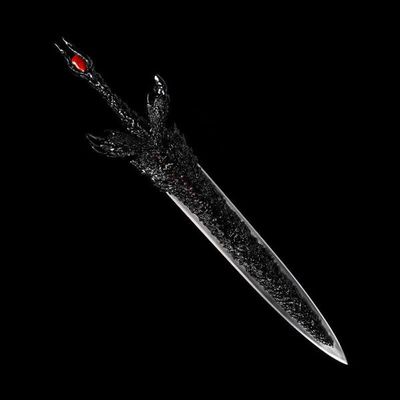
FlyingSlash sword
Bedrock add-on listed for Minecraft 1.20–26.x (behavior + resource pack). File opened and checked on 20 Sep 2026; installs from the MC Bedrock Mods app on Android.
⬇ Download on CurseForge⚔️ Flying Slash Energy Wave Add-on ⚔️
Tired of regular, boring sword fights? Ready to bring absolute devastation to your Minecraft world? The Flying Slash Energy Wave add-on completely rewrites combat, giving you the power of a legendary, high-tier swordsman.
Unleash massive, crescent-shaped shockwaves that rip through the air and obliterate anything in your path!
🔥 Key Features
The Energy Slash Projectile: Fire a massive, gravity-defying crescent wave of pure energy. Unlike standard arrows, this projectile travels in a perfectly straight line, letting you snipe mobs from a distance with your blade.
Epic Particle Trails: Watch your slashes tear through reality with a custom trail of menacing dark lightning particles tracking its path.
Extreme Damage & Knockback: This isn't just for show. The Flying Slash hits like a truck, dealing massive damage and sending enemies flying backward with extreme knockback. Perfect for clearing out entire hordes of mobs at once!
🕹️ How to UseCraft or equip your weapon.Aim at your target.Right-click (or long-press on mobile) to unleash the flying energy wave!Note: Make sure to enable Experimental Gameplay (Holiday Creator Features / Custom Biomes) in your world settings to ensure all custom components work perfectly!
🛠️ Installation Guide
Download both the Behavior Pack and Resource Pack.
Open the files to automatically import them into Minecraft Bedrock Edition.
Activate both packs in your world settings.
Enjoy your new overpowered swordsman abilities!
- Edition: Minecraft Bedrock
- File type: .mcpack or .mcaddon
- Minecraft versions listed: 26.0.02, 26.0, 26.3
- How to install: Download the .mcpack or .mcaddon file. → Open it — Minecraft imports it. → In your world: Behavior Packs → Available → Activate, then the same under Resource Packs.
- Where to get it: Opens on CurseForge — not every file is mirrored on our own servers.
Install steps are the general flow for this file type — How to install Minecraft Bedrock addons & mods walks through it step by step.
- Pack type: .mcaddon — behaviour and resource pack in one file
- Manifest requires Minecraft 1.20.60 or newer
- Complete pack — everything it depends on is inside the file
- Download size: 69 KB
- Download link checked 3 Oct 2026 — working
These come from our own check of the pack file, not from the source page.