
TalkCraft
Java mod listed for Minecraft 1.21. Downloads from the MC Java Mods app on Android.
⬇ Download on Modrinth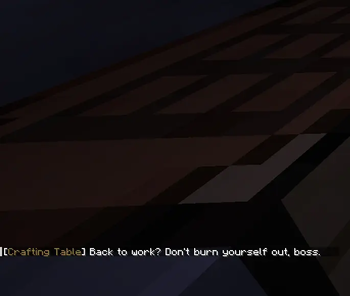
TalkCraft
The blocks have had enough of you.
TalkCraft gives the Minecraft world a voice — and a serious attitude problem. Every block has its own personality, and the moment you break it, step on it, or get a little too comfortable, it'll have something to say about it. Some are furious. Some are heartbroken. A few are far too enthusiastic about the whole thing, and one or two will say things you'll wish you could forget. You'll never quite know who's about to pipe up, but the world is always watching, always judging, and never, ever impressed. And if you think dying gets you any sympathy? Think again. The game is right there, ready to read you for filth. Drop it into a Fabric 1.21.1 world with Fabric API, start mining, and find out exactly what everything thinks of you. Just be warned: you might never look at a grass block the same way again. Every block in Minecraft now has a personality. Break it, step on it, or just exist near it, and it'll let you know exactly how it feels about you. Some blocks scream. Some blocks are weirdly into it. And the grass? The grass just wants you GONE. Oh, and when you die? The game itself shows up to roast your corpse.
Features
- 🎭 Per-block personalities — Blocks react differently depending on what they are.
- 🟢 Color-coded chat — Every block speaks under its own name.
- 💀 Death roasts — The game personally insults your every demise.
- 🔊 Reactive sounds — Angry grumbles, happy cheers, and... purring.
🧱 Block List & What They Say
Grass Block
On break
- "GET OFF MY LAWN!!!"
- "You RUINED my lawn!"
- "Do you have any idea how long that took to grow?!"
On step
- "GET OFF MY LAWN!!!"
- "OFF THE GRASS! OFF!"
- "I JUST had this mowed."
Configuration
ODDS -- You can change the possiblity of a block from generating a reaction in the config file:
{
  "enabled": {
    "break": true,
    "step": true,
    "damage": true,
    "death": true
  },
  "odds": {
    "break": {
      "default": 0.06,
      "personality": 0.25,
      "per_block": {}
    },
    "step": {
      "default": 0.06,
      "personality": 0.25,
      "per_block": {}
    },
    "damage": {
      "default": 0.1,
      "personality": 0.3,
      "per_block": {}
    },
    "death": {
      "default": 1.0,
      "per_mob": {}
    }
  }
}
- Edition: Minecraft Java
- File type: .jar
- Minecraft versions listed: 1.21, 1.21.1, 1.21.2
- How to install: Install the matching mod loader (Forge, Fabric or NeoForge) for your Minecraft version. → Download the .jar. → Put it in the .minecraft/mods folder and launch that loader profile.
- Where to get it: Opens on Modrinth — not every file is mirrored on our own servers.
Install steps are the general flow for this file type — How to install Minecraft Java mods & modpacks walks through it step by step.
- Ships as talkcraft-3.0.1.jar — drop this file into the mods folder
- Download size: 156 KB
- Download link checked 4 Oct 2026 — working
These come from our own check of the pack file, not from the source page.