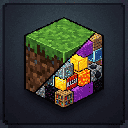
Every Chunk Is Random Blocks
Ever wanted to play Minecraft, but every time you step into a new area, the world changes entirely?
Every Chunk Is Random Blocks transforms your survival experience by permanently converting entire chunks into a single, randomly chosen block when they're first discovered or entered by players! One chunk might be solid Diamond Blocks, the next might be Slime, and another could be a ticking time bomb of TNT!
🚀 Features
• 🎲 Chunk-Wide Randomization — When a player enters a new chunk, all non-air blocks are replaced with one randomly selected block from the configured pool.
• 📦 Chest & Portal Protection — Loot chests, barrels, spawner blocks, and End Portals/Frames are automatically preserved so you can still progress and beat the game.
• 🧱 Bedrock Preservation — Bedrock layers are preserved by default to prevent falling into the Void (toggleable).
• 💥 Hazardous Combinations — If a chunk turns into TNT, watch out! Dynamic combo system: neighboring chunks have a chance to turn into Redstone Blocks or Lava, triggering chain reactions.
• ⚙️ Fully Customizable Weights — Control how common each block type is, disable specific blocks, and adjust behavior via config file.
🛠️ Configuration
Customize via everychunkrandom.json in your server/client's config/ folder.
| Option | Description |
|---|---|
| enableTnt | true/false — allow chunks to turn into TNT |
| enableLava | true/false — allow chunks to turn into Lava |
| preserveBedrock | true/false — protect bottom bedrock layers |
| disabledBlocks | List of block IDs excluded from selection |
| blockPool | Map of block IDs → weights (higher = more common) |
💻 Commands (Admins / OPs)
• /randomchunk info — Show mod stats, randomized chunk count, active config
• /randomchunk reload — Reload config without restart
• /randomchunk reset — Reset randomization for your current chunk
• /randomchunk reset — Reset a specific chunk by coordinates
- Edition: Minecraft Java
- File type: .jar
- Minecraft version listed: 1.21.11
- How to install: Install the matching mod loader (Forge, Fabric or NeoForge) for your Minecraft version. → Download the .jar. → Put it in the .minecraft/mods folder and launch that loader profile.
- Where to get it: Opens on Modrinth — not every file is mirrored on our own servers.
Install steps are the general flow for this file type — How to install Minecraft Java mods & modpacks walks through it step by step.
- Ships as everychunkrandom-1.0.0.jar — drop this file into the mods folder
- Download size: 23 KB
- Download link checked 14 Sept 2026 — working
These come from our own check of the pack file, not from the source page.