
Death Trace
DeathTrace is a clean client-side Minecraft mod that saves your death location, shows a HUD tracker, and detects dropped items nearby — perfect for SMP…
⬇ Download on Modrinth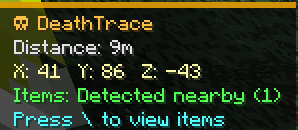

DeathTrace
DeathTrace is a clean and lightweight client-side Minecraft mod that helps you find your death location on SMP servers without requiring anything to be installed on the server.
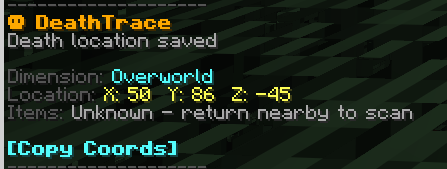
When you die, DeathTrace saves your exact death coordinates, dimension, and time of death. After respawning, it displays a simple HUD tracker with distance, coordinates, direction, and item status, making it much easier to return to your loot.
The mod is designed to feel fair and SMP-friendly. It does not teleport you, does not use server-side commands, and does not give admin-like tools. Everything works only on your client.
Features
- Saves your death location automatically
- Shows the dimension where you died
- Displays a clean HUD tracker
- Shows distance to your death location
- Includes a smooth rotating direction arrow
- Lets you copy your death coordinates
- Detects dropped items near your death location
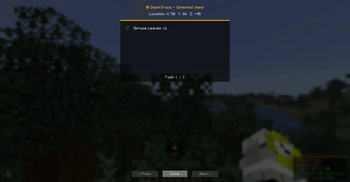
- Shows a list of detected items with item icons
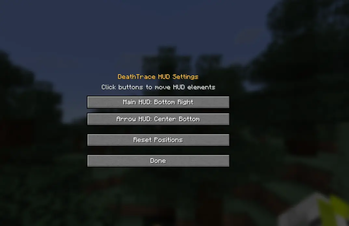
- Supports customizable HUD positions
- Adds keybinds for HUD settings, item list, and stopping tracking
- Works on multiplayer servers without server installation
- Fully client-side
Item Detection
DeathTrace can scan for dropped items near your death location when you get close enough. If the dropped items are visible to your client, the mod can show how many item stacks were detected and display them in a small GUI.
Because DeathTrace is client-side only, it cannot know what happened to your items from far away. If the chunk is not loaded or the server does not send the item entities to your client, the mod cannot detect them. This keeps the mod fair and prevents it from acting like a cheat.
Keybinds
DeathTrace includes keybinds that can be changed in Minecraft controls:
- Open HUD Settings
- Open Detected Items
- Stop Tracking
The detected items GUI can be opened when nearby items are found. The GUI shows the item names, amounts, and icons.
Why DeathTrace?
Most death coordinate mods only print your coordinates in chat and stop there. DeathTrace adds a cleaner and more modern experience with a HUD tracker, direction indicator, item detection, and a proper item list GUI.
It is made for players who want a helpful death tracker for survival and SMP gameplay without needing server-side support.
Client-side only
DeathTrace only needs to be installed on your client. Other players on the server do not need the mod, and the server does not need to install anything.
This makes it perfect for SMP servers, private survival worlds, and multiplayer gameplay where you just want a better way to find your death location.
- Edition: Minecraft Java
- File type: .jar
- Minecraft version listed: 1.21.11
- How to install: Install the matching mod loader (Forge, Fabric or NeoForge) for your Minecraft version. → Download the .jar. → Put it in the .minecraft/mods folder and launch that loader profile.
- Where to get it: Opens on Modrinth — not every file is mirrored on our own servers.
Install steps are the general flow for this file type — How to install Minecraft Java mods & modpacks walks through it step by step.
- Ships as deathtrace-1.0.0.jar — drop this file into the mods folder
- Download size: 40 KB
- Download link checked 24 Aug 2026 — working
These come from our own check of the pack file, not from the source page.