
Shellpack
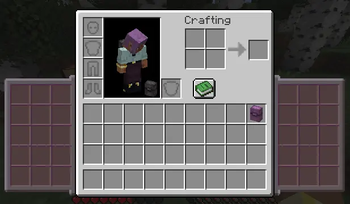
Shellpack is a lightweight storage mod for Minecraft that adds expandable storage panels directly beside the player inventory.
Instead of opening a separate backpack screen every time you need an item, Shellpack keeps additional storage slots accessible from the normal inventory screen. It is designed for players who want more carrying space without replacing Minecraft's familiar inventory interface.
Features
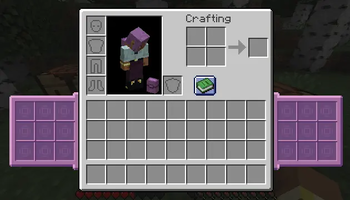
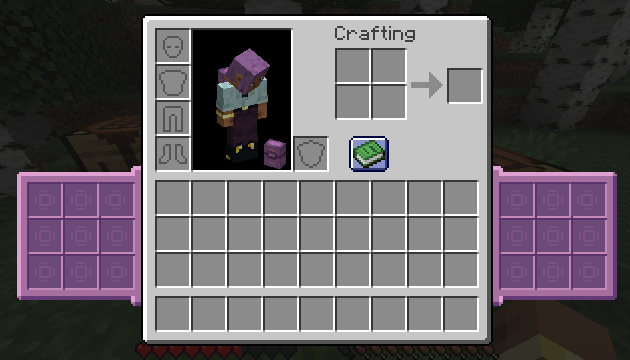
- Additional storage slots displayed beside the player inventory
- Toggle the Shellpack inventory panels with the B key
- Shift-click support for quickly moving items between the player inventory and Shellpack storage
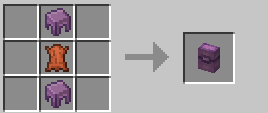
- Placeable Shellpack blocks that can be used as physical storage containers
- Opening and closing animations for placed Shellpacks :)
- Netherite Shellpack with increased storage space
- Netherite Shellpack slots can hold larger item stacks
- English and Korean language support
Storage Tiers
Shellpack
The standard Shellpack adds extra inventory slots for carrying building materials, food, tools, mob drops, and other frequently used items.
It is intended to provide useful additional storage while still keeping inventory management important.
Netherite Shellpack
The Netherite Shellpack is an upgraded version with more storage slots and increased stack capacity.
It is useful for long mining trips, large construction projects, exploration, and collecting large amounts of resources without constantly returning to a base.
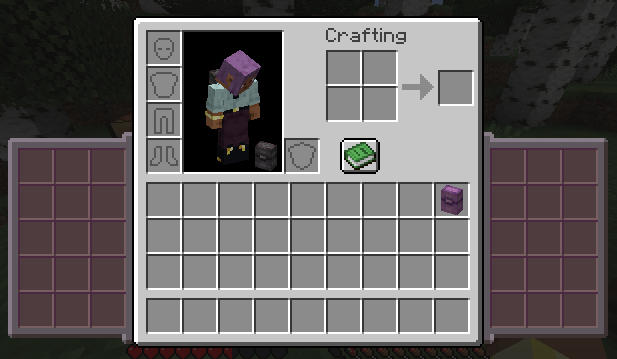
Inventory Integration
Shellpack storage appears directly beside the vanilla inventory screen.
The panels can be hidden or shown using the configurable Shellpack key binding, which is set to B by default. Hiding the panels does not delete or drop the stored items.
Items can be moved normally with the mouse or transferred quickly using shift-click.
Placeable Storage
Shellpacks can also be placed in the world and opened as storage containers.
This allows the same storage system to work both as portable inventory expansion and as a decorative, functional block inside a base or temporary campsite.
Requirements
- Minecraft Java Edition 1.21.1
- NeoForge
- Edition: Minecraft Java
- File type: .jar
- Minecraft version listed: 1.21.1
- How to install: Install the matching mod loader (Forge, Fabric or NeoForge) for your Minecraft version. → Download the .jar. → Put it in the .minecraft/mods folder and launch that loader profile.
- Where to get it: Opens on Modrinth — not every file is mirrored on our own servers.
Install steps are the general flow for this file type — How to install Minecraft Java mods & modpacks walks through it step by step.
- Ships as shellpack-1.0.5.jar — drop this file into the mods folder
- Download size: 112 KB
- Download link checked 24 Aug 2026 — working
These come from our own check of the pack file, not from the source page.