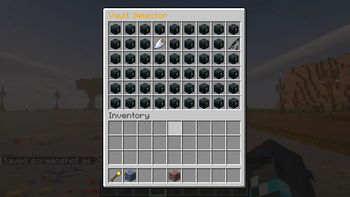
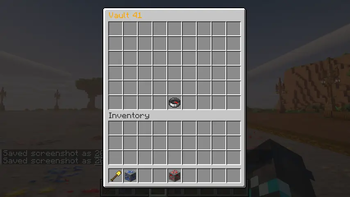
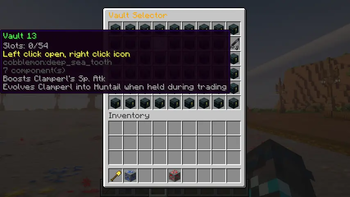
DawnVaults gives players fast /pv storage with a selector menu, numbered vaults, custom vault icons, sign access and permission support
Features
- Fabric + NeoForge - One vault mod for both 1.21.1 server loaders
- Player vault commands -
/pv,/vault,/chest,/playervaults, and/vc - Vault selector - Opens a clean menu for available vaults
- Numbered vaults - Supports vault numbers
1through100 - Vault icons - Players can set per-vault icons with
/pvicon <vault> - Vault signs - Bind signs to the selector or a specific vault with
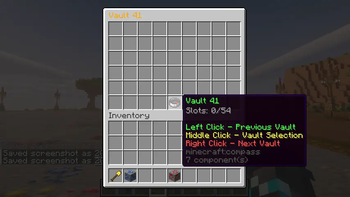
/pvsign - Navigator button - Move between previous vault, selector, and next vault from inside the vault
- Admin basics - Open, delete, delete-all, info, and reload commands
- Storage choices - JSON by default, with SQLite and MySQL options
- PlayerVaultsX import - Bring over
newvaultsflat-file data with/pvconvertor/vaultconvert
Commands
/pv- Open the vault selector/pv <vault>- Open one of your numbered vaults/vault,/chest,/playervaults,/vc- Player-friendly aliases/pvicon <vault>- Change a vault icon/pvsign- Bind the sign you are looking at to the selector/pvsign <vault>- Bind the sign you are looking at to a vault/pvdel <vault>- Delete one of your vaults/vaultdel <vault>- Delete alias for player vaults/pvlist- Show your available vault count/pvconvert playervaultsx <path>- Import PlayerVaultsXnewvaultsdata/vaultconvert playervaultsx <path>- Import alias for PlayerVaultsXnewvaultsdata/pvreload- Reload config and messages/pvadmin open <player> <vault>- Open another player vault/pvadmin delete <player> <vault>- Delete one vault with a backup/pvadmin delete <player> all- Delete discovered vaults with backups/pvadmin info <player>- Show stored vault info
Quick facts
- Edition: Minecraft Java
- File type: .jar
- Minecraft version listed: 1.21.1
- How to install: Install the matching mod loader (Forge, Fabric or NeoForge) for your Minecraft version. → Download the .jar. → Put it in the .minecraft/mods folder and launch that loader profile.
- Where to get it: Opens on Modrinth — not every file is mirrored on our own servers.
Install steps are the general flow for this file type — How to install Minecraft Java mods & modpacks walks through it step by step.
Verified by MCModsHub
- Ships as dawnvaults-neoforge-1.0.jar — drop this file into the mods folder
- Download size: 393 KB
- Download link checked 24 Aug 2026 — working
These come from our own check of the pack file, not from the source page.