
Grinding Station
Java mod listed for Minecraft 1.21. Downloads from the MC Java Mods app on Android.
The Grinding Station brings a vanilla+ way to turn your raw ore into ore dust, that then can be smelted into ingots! Also allows for processing other…
⬇ Download on Modrinth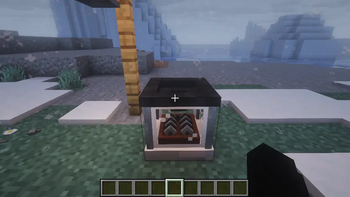
The Grinding Station [fabric]
Welcome to the Grinding Station Mod.
This mod intends to bring a vanilla friendly way to process your raw ore into a more efficient yield. By inserting a raw ore into this machine, once it process it you will be given 2 ore dust. This dust can now be smelted in a furnace or blasting station to generate 1 ingot per dust, making your mining excursions more efficient!
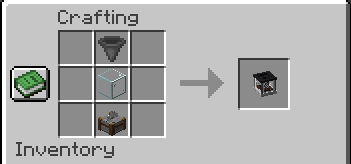
Crafting the Grinding Station
To craft the Grinding Station, you will need is; a hopper, glass block, and a stonecutter.
Using the Grinding Station
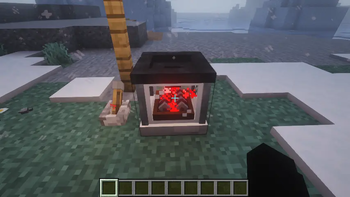
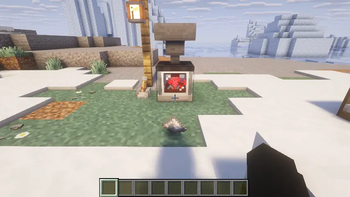
Once you have crafted and placed a Grinding Station in your world, you will need to power the machine in order to start processing raw ores. To do this, you need to provide the Grinding Station with a redstone signal. A redstone signal can be a lever, plate, redstone torch, or redstone block.
Once the Grinding Station is powered, you can begin processing ore by loading the Grinding Station. The Grinding Station can be loaded by hand or by a hopper.
- By hand: Loading ore by hand is done by right clicking on the Grinding Station while an ore is equipped in the player's right hand (manual)
- With Hopper: place a hopper on the top and/or bottom of the Grinding Station, and load ore into the hopper (simple automation)
Once the Ore has been processe, ore dust will be ejected out of the front of the machine. Placing a hopper under the Grinding Station will collect the dust.
Processing Recipes
| Input | Output |
|---|---|
| 1 raw iron | 2 iron dust |
| 1 raw copper | 2 copper dust |
| 1 raw gold | 2 gold dust |
| 1 cobble stone | 1 gravel |
| 1 gravel | 1 dirt |
| 1 dirt | 1 sand |
| 1 wool (any color) | 1 string |
- Edition: Minecraft Java
- File type: .jar
- Minecraft version listed: 1.21.11
- How to install: Install the matching mod loader (Forge, Fabric or NeoForge) for your Minecraft version. → Download the .jar. → Put it in the .minecraft/mods folder and launch that loader profile.
- Where to get it: Opens on Modrinth — not every file is mirrored on our own servers.
Install steps are the general flow for this file type — How to install Minecraft Java mods & modpacks walks through it step by step.
- Ships as grindingstation-1.0.1.jar — drop this file into the mods folder
- Download size: 138 KB
- Download link checked 15 Nov 2026 — working
These come from our own check of the pack file, not from the source page.