
ModsJava
Pretty Hitboxes Updated
mod was made by i only updated it to 1.21.11 & changed 2 default config toggles QOL mod for people who play with hitboxes on. Change the color of…
⬇ Download on Modrinth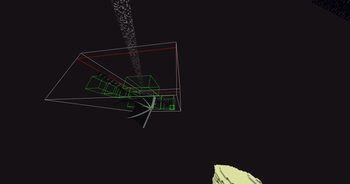
mod was made by https://modrinth.com/user/ErrorGamer2000 i only updated it to 1.21.11 & changed 2 default config toggles
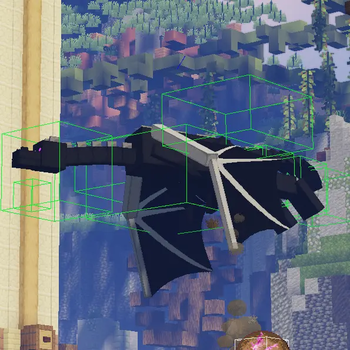
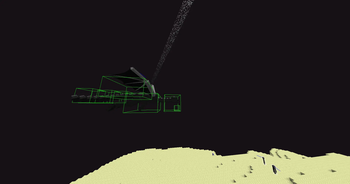
QOL mod for people who play with hitboxes on. Change the color of hitboxes, which parts are shown, remove the annoying hitboxes from item frames, etc. Simple little mod! isnt perfect
Features include:
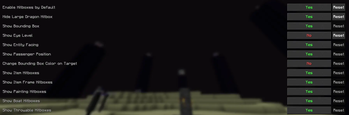
- Toggle hitboxes on by default
- Toggle large hitbox around ender dragon
- Toggle entity bounding box
- Toggle eye level indicator
- Toggle direction indicator
- Change the hitbox color when an entity is targeted (you have your crosshair on it and it is withing your reach)
- Toggle hitboxes on item drops
- Toggle hitboxes on item frames
- Toggle hitboxes on paintings
- Toggle hitboxes on boats
- Toggle hitboxes on thrown items
- Recolor hitboxes (rgba):
Bounding box color
- Dragon segment color
- Eye level indicator color
- Direction indicator color
- Targeted entity bounding box color
- Item hitbox color (useful if you tend to forget where items are or you use an item physics mod where the items tend to hide)
Quick facts
- Edition: Minecraft Java
- File type: .jar
- Minecraft version listed: 1.21.11
- How to install: Install the matching mod loader (Forge, Fabric or NeoForge) for your Minecraft version. → Download the .jar. → Put it in the .minecraft/mods folder and launch that loader profile.
- Where to get it: Opens on Modrinth — not every file is mirrored on our own servers.
Install steps are the general flow for this file type — How to install Minecraft Java mods & modpacks walks through it step by step.
Verified by MCModsHub
- Ships as pretty-hitboxes-1.3.1+1.21.11.jar — drop this file into the mods folder
- Download size: 21 KB
- Download link checked 14 Sept 2026 — working
These come from our own check of the pack file, not from the source page.