
VillagerTradeEditor
Villager Trade Editor is a server-side Fabric mod that lets server operators edit trades of ordinary villagers.
⬇ Download on Modrinth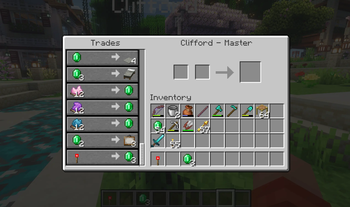
Villager Trade Editor
Villager Trade Editor is a server-side Fabric mod that lets server operators edit trades of ordinary villagers.
Players do not need to install this mod. It only has to be installed on the server.
Features
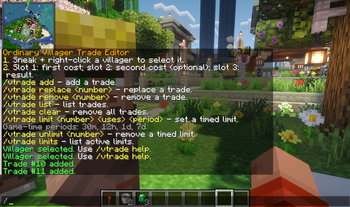
- Sneak + right-click an ordinary villager to select it
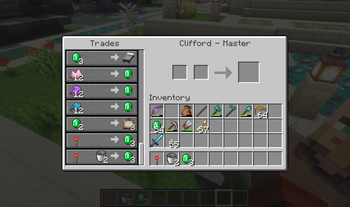
- Add, replace, remove, list, and clear villager trades
- Create trades from hotbar slots
- Restrict trade editing to server operators only
- Add global timed trade limits
- Timed limits use Minecraft in-game time, so sleeping advances timers
Requirements
- Minecraft 1.21.10
- Fabric Loader
- Fabric API
- Java 21
How to select a villager
Sneak + right-click an ordinary villager.
Only players with command permission level 2 or higher can select villagers and use the commands. By default, this means server operators only.
Creating a trade
The mod creates trades from your hotbar:
- Hotbar slot 1: first cost
- Hotbar slot 2: optional second cost
- Hotbar slot 3: result item
Example:
If you want a villager to sell an enchanted diamond sword for 25 emeralds:
- Put 25 emeralds in hotbar slot 1.
- Leave hotbar slot 2 empty.
- Put the enchanted diamond sword in hotbar slot 3.
- Sneak + right-click the villager.
- Run:
/vtrade add
Commands
/vtrade help
Shows the help message.
/vtrade list
Lists all trades of the selected villager.
/vtrade add
Adds a new trade to the selected villager using items from hotbar slots 1, 2, and 3.
/vtrade replace <number>
Replaces an existing trade with a new one using items from hotbar slots 1, 2, and 3.
Example:
/vtrade replace 2
Replaces trade number 2.
/vtrade remove <number>
Removes one trade from the selected villager.
Example:
/vtrade remove 3
Removes trade number 3.
/vtrade clear
Removes all trades from the selected villager.
- Edition: Minecraft Java
- File type: .jar
- Minecraft version listed: 1.21.10
- How to install: Install the matching mod loader (Forge, Fabric or NeoForge) for your Minecraft version. → Download the .jar. → Put it in the .minecraft/mods folder and launch that loader profile.
- Where to get it: Opens on Modrinth — not every file is mirrored on our own servers.
Install steps are the general flow for this file type — How to install Minecraft Java mods & modpacks walks through it step by step.
- Ships as villager-trade-editor-1.1.1.jar — drop this file into the mods folder
- Download size: 21 KB
- Download link checked 14 Sept 2026 — working
These come from our own check of the pack file, not from the source page.