
Mainbrows Online
Mainbrows Online brings real browser displays to Minecraft. You can open and view websites directly inside your Minecraft world and watch them together with other players.
Status: Mainbrows Online is currently in alpha. Bugs, changes, and limitations may still occur.
What is Mainbrows Online?
Mainbrows Online is a browser display project for Minecraft 1.21.11 with Java 21.
It allows you to create display surfaces in the world that work like a real browser.
In singleplayer, the browser runs locally through the Fabric mod. On servers, the Paper plugin renders the website centrally and sends video and audio to players using the Fabric mod.
Project Parts
| Part | Description |
|---|---|
| Fabric mod | Local displays in singleplayer and client support for server displays |
| Paper plugin | Shared server displays, permissions, sessions, and browser controls |
| Sidecar | Invisibly managed Chromium worker |
| Protocol | Shared message formats between the mod and plugin |
Chrome, Node, and FFmpeg do not need to be installed manually. The required runtimes are downloaded and checked automatically on the first start.
Features
Browser Display
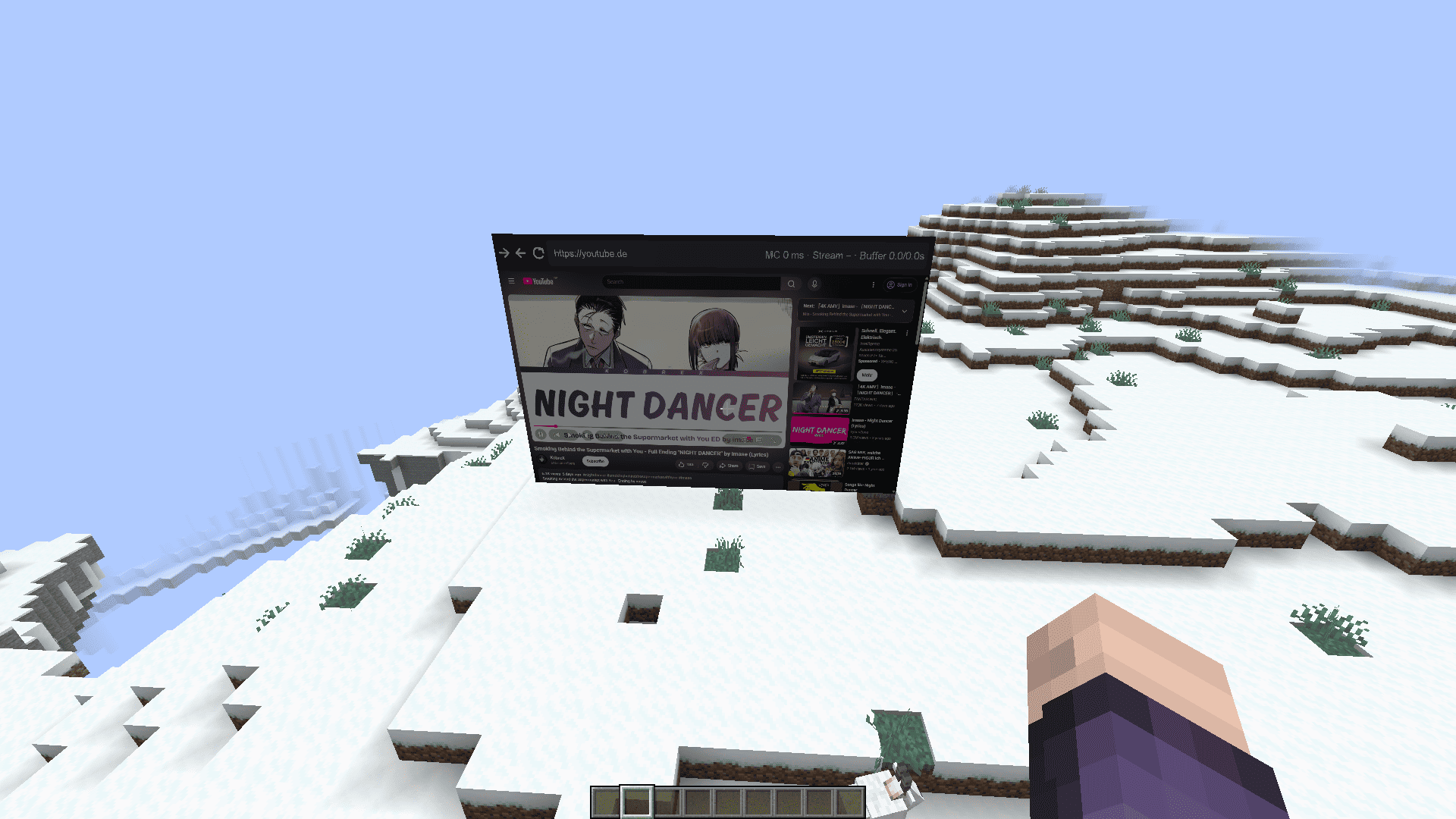
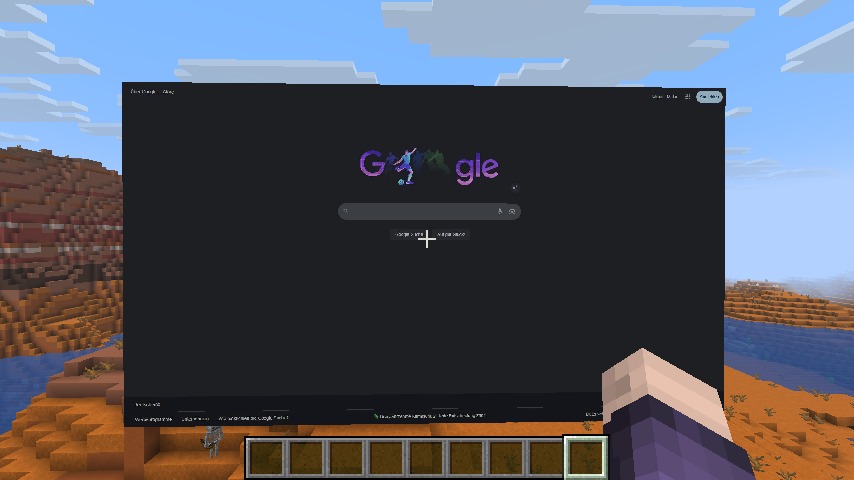
Browser displays directly inside Minecraft
Singleplayer displays through Fabric
Shared server displays through Paper
Open websites by URL
Browser bar with:
- Back
- Forward
- Reload
- URL field
- Ping display
- Buffer status
Quality and Performance
Adjustable display quality
Adjustable FPS:
- 15 FPS
- 30 FPS
- 60 FPS
Configurable viewer range
Buffer system for smoother playback
H.264 / Opus support
JPEG / PCM fallback support
Audio
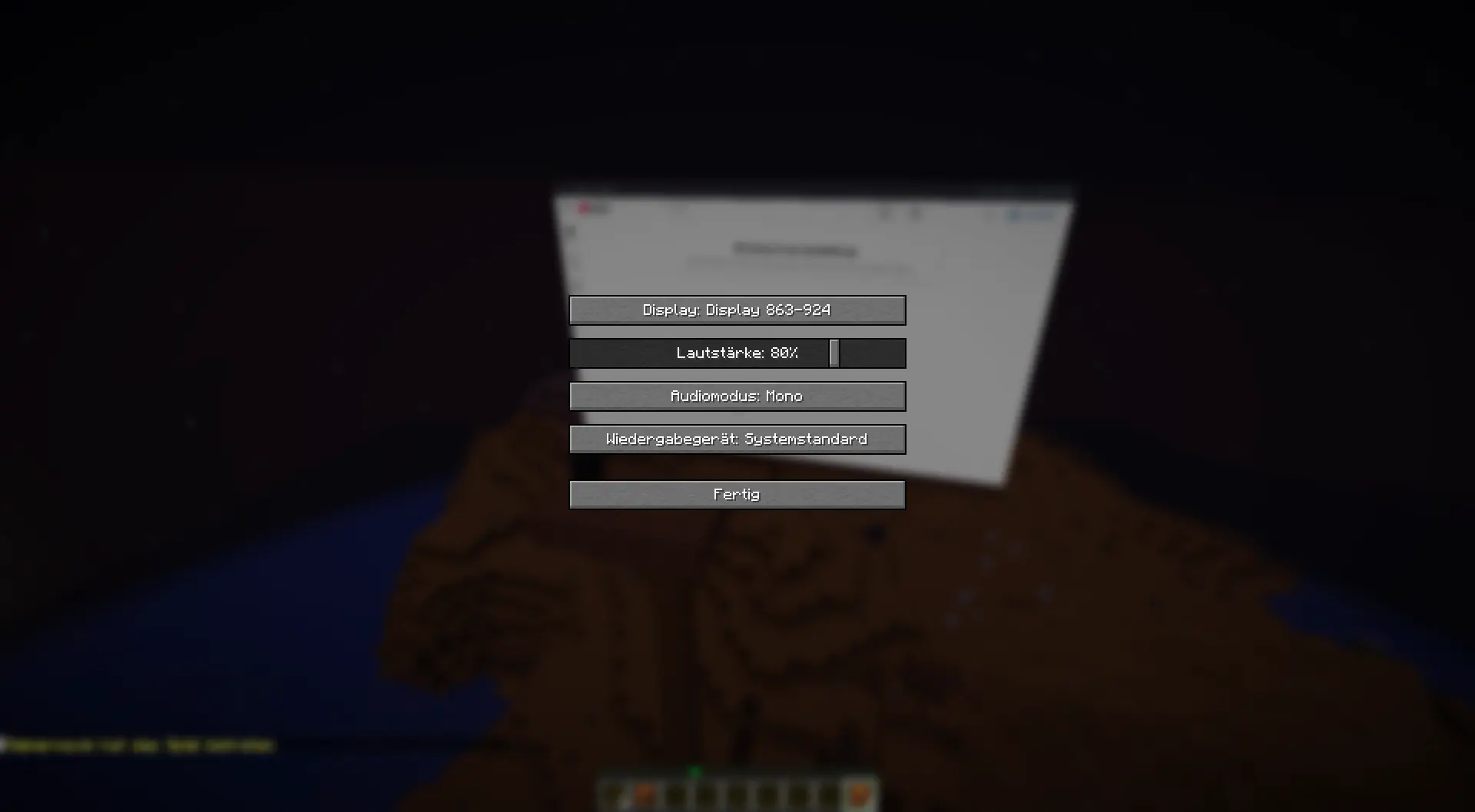
Audio streaming
Volume control
Audio device selection
Audio modes:
- Mono
- Stereo
- Off
Server Features
- Permission system
- Session system
- Owner, controller, and control request system
- Website blacklist for blocked domains
- Automatic runtime installation
- Checksum verification for downloaded runtimes
Requirements
Client
- Minecraft 1.21.11
- Java 21
- Fabric Loader 0.19.3 or newer
- Fabric API
- Mainbrows Online Fabric mod
Server Displays
For shared server displays, the server owner also needs:
- Paper server for Minecraft 1.21.11
- Mainbrows Online Paper plugin
- Mainbrows Online Fabric mod installed on every client
First Start
Internet access is required on the first browser start to download the required runtimes.
Getting Started
1. Install the mod
Install:
- Fabric Loader
- Fabric API
- Mainbrows Online Fabric mod
2. Start Minecraft
Start Minecraft with the Fabric profile.
3. Create a display
Use these commands:
/display wand
/display create <Name>
4. Open a website
/display open <http(s)://URL>
5. Shared server displays
For shared displays, the server owner must also install the Paper plugin.
Important Commands
| Command | Description |
|---|---|
/display wand |
Gives you the display selection tool |
/display create <Name> |
Creates a new display |
/display connect <Code> |
Connects to a server display |
/display open <http(s)://URL> |
Opens a website |
/display quality <360p|HD|FullHD|WidthxHeight> |
Changes display quality |
/display fps <15|30|60> |
Changes display FPS |
/display range <2-128> |
Changes viewer range |
/display buffer <on seconds|off> |
Enables or disables buffering |
/display keyboard |
Opens keyboard input |
/display browserstatus |
Shows browser status |
/display runtime retry |
Retries runtime installation |
/display session clear |
Clears the current session |
Videos
Video 1: Creating a display and opening a website
(Only in German, but I will make an English version too.)
Example: A short clip showing how a display is created and a website is opened.
(Coming soon)
Video 2: Server display with multiple players
(Coming soon)
Example: A short clip showing multiple players viewing and using the same display together.
Images
Singleplayer Display
Website Display
Audio Settings
Security and Privacy
All viewers of a server display see the same browser content and hear the same audio.
Because of this, you should not open the following on public server displays:
- Personal accounts
- Private messages
- Passwords
- Admin panels
- Sensitive data
- Private websites
For security reasons, these features are disabled in the shared server browser:
- Downloads
- File uploads
- Camera access
- Microphone access
Server admins can block websites through this file:
plugins/Mainbrows/blocked-websites.json
In local singleplayer mode, browser data does not leave your own computer.
Limitations
Mainbrows Online is still alpha software. Some websites or systems may work better than others.
The following features are currently best effort:
- DRM / Widevine
- Captchas
- WebGL websites
- Very high resolutions
- Multiple displays at the same time
- 60 FPS on weaker systems
These features may require more CPU, RAM, and bandwidth:
- High resolution
- 60 FPS
- Multiple displays
- Fallback codecs
- Audio streaming
Help and Bug Reports
When reporting bugs, please include:
- Mainbrows Online version
- Minecraft version
- Whether Fabric, Paper, or both are being used
- A short description of what happened
- The last steps before the issue occurred
logs/latest.log
Before sending logs or screenshots, please remove:
- Login data
- Tokens
- Private browser content
- Personal information
License
Mainbrows Online is licensed as:
All rights reserved.
- Edition: Minecraft Java
- File type: .jar
- Minecraft version listed: 1.21.11
- How to install: Install the matching mod loader (Forge, Fabric or NeoForge) for your Minecraft version. → Download the .jar. → Put it in the .minecraft/mods folder and launch that loader profile.
- Where to get it: Opens on Modrinth — not every file is mirrored on our own servers.
Install steps are the general flow for this file type — How to install Minecraft Java mods & modpacks walks through it step by step.
- Ships as mainbrows-fabric-0.6.0-alpha.1.jar — drop this file into the mods folder
- Download size: 3.9 MB
- Download link checked 24 Aug 2026 — working
These come from our own check of the pack file, not from the source page.