Locator Pins
Java mod listed for Minecraft 26.x. Downloads from the MC Java Mods app on Android.
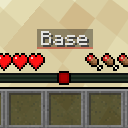
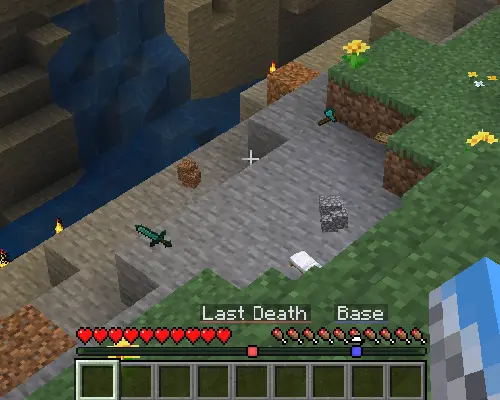
Use Minecraft’s vanilla locator bar as a lightweight waypoint system for bases, death locations, and custom locations.
⬇ Download on ModrinthAdds private custom pins to the vanilla locator bar, Needs to be on the server to work.
Features
Custom waypoint pins
Create a pin at your current location with a simple command, and it will appear on the locator bar.
/pin add Base blue

Last Death waypoint
When you die, your last death location is marked with a pin. The pin clears automatically once you get close to it, or you can remove it manually.
Commands
| Command | What it does |
|---|---|
/pin add <name> [color] |
Adds a pin at your current location. |
/pin remove <name> |
Removes selected pin. |
/pin list |
Shows your pins. |
/pin refresh |
Reloads your saved pins. |
/pin death clear |
Removes your Last Death pin. |
Examples
/pin add Base blue
/pin remove Base
/pin death clear
/pin list
Automatic pins
Bed updates when you set your spawn.
Last Death is created when you die and clears when you return to it, or with /pin death clear.
- Edition: Minecraft Java
- File type: .jar
- Minecraft version listed: 26.1.1
- How to install: Install the matching mod loader (Forge, Fabric or NeoForge) for your Minecraft version. → Download the .jar. → Put it in the .minecraft/mods folder and launch that loader profile.
- Where to get it: Opens on Modrinth — not every file is mirrored on our own servers.
Install steps are the general flow for this file type — How to install Minecraft Java mods & modpacks walks through it step by step.
- Ships as locator-pins-1.0.1+26.1.1.jar — drop this file into the mods folder
- Download size: 48 KB
- Download link checked 25 Oct 2026 — working
These come from our own check of the pack file, not from the source page.