
Spectra
Java modpack listed for Minecraft 26.x. Downloads from the MC Java Mods app on Android.
⬇ Download on Modrinth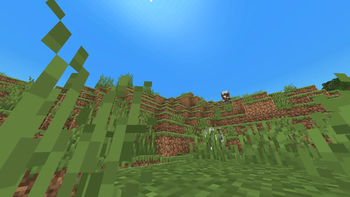
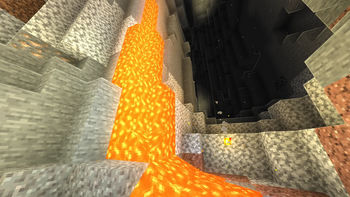
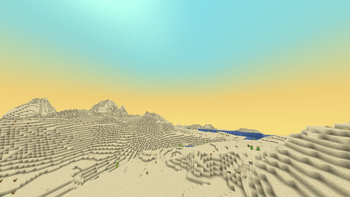
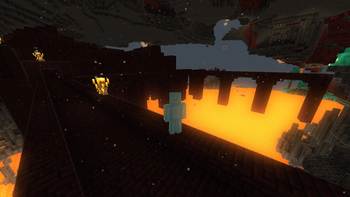
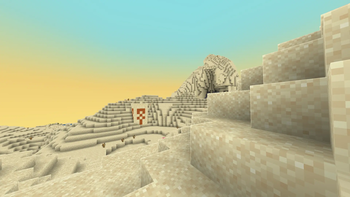
RU:
Что это такое?
Это легкая ванильная сборка, которая делает игру плавнее и красивее. Она создана для тех, кто хочет играть с комфортом, но не хочет перегружать компьютер. Сборка отлично подходит для слабых ПК и ноутбуков, так как приятный визуал здесь достигается за счет легких атмосферных эффектов, а не тяжелой графики.
Основные фичи:
Много FPS: Максимальная оптимизация движка. Игра работает стабильно, без фризов и лагов даже на слабом железе.
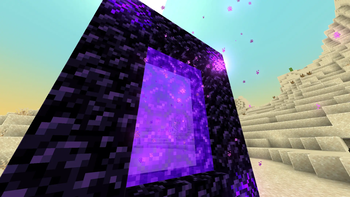
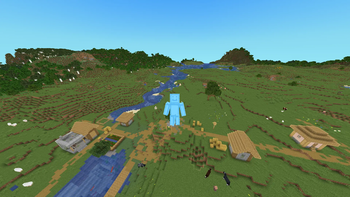
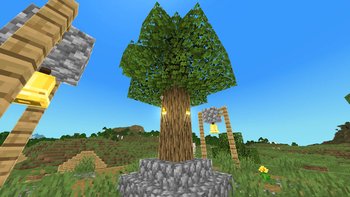
Приятный визуал: Добавлены мягкий туман, пыль в пещерах, улучшенные частицы и мягкий цветной свет от факелов и светящихся блоков. Мир выглядит живым, но система при этом не нагружается. Дальность прорисовки тоже оптимизирована.
Объемный звук: Реалистичное эхо в пещерах и приглушение звуков за стенами. Плюс уникальные звуки шагов для каждого блока.
Стабильность и интерфейс: Исправлены старые баги движка и утечки памяти, благодаря чему игра не фризит при длительных сессиях. Все меню и прокрутка инвентаря стали более плавными и отзывчивыми.
EN:
What is this?
A lightweight vanilla-plus pack focused on performance and clean visuals. It’s designed for a smooth, lag-free experience without overloading your system. It is perfect for low-end PCs and laptops, delivering a great look purely through lightweight atmospheric tweaks rather than heavy graphic setups.
Key Features:
High Performance: Heavily optimized engine. Smooth gameplay with no micro-stutters, even on weak hardware.
Clean Visuals: Atmospheric touches like soft fog, cave dust, better particles, and vibrant colored light from torches and glowing blocks. The game looks immersive out of the box with almost zero impact on performance.
3D Audio: Immersive sound with realistic cavern echoes, audio muffling through walls, and unique footsteps for every surface.
Stability & Smooth UI: Fixed vanilla engine bugs and memory leaks to prevent lag during long sessions. Interface menus and scrolling are now completely smooth and responsive.
- Edition: Minecraft Java
- File type: .jar
- Minecraft version listed: 26.1.2
- How to install: Install the matching mod loader (Forge, Fabric or NeoForge) for your Minecraft version. → Download the .jar. → Put it in the .minecraft/mods folder and launch that loader profile.
- Where to get it: Opens on Modrinth — not every file is mirrored on our own servers.
Install steps are the general flow for this file type — How to install Minecraft Java mods & modpacks walks through it step by step.
- Downloads as Spectra-1.0.0.mrpack
- Download size: 609 KB
- Download link checked 25 Oct 2026 — working
These come from our own check of the pack file, not from the source page.