
ItMod: IT Life - Mod for programmers
Bring the IT lifestyle into Minecraft: laptops, MacBooks, coffee machines with 4 drinks, gaming chairs, pizza you can eat slice by slice, a debug duck, a…
⬇ Download on Modrinth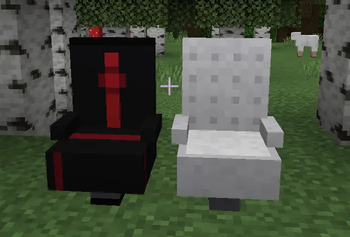
IT Mod — Life of a Developer in Minecraft
IT Mod — is a cozy thematic mod for developers, geeks and coffee lovers, which brings to the world of Minecraft everything that no programmer can live without: freshly brewed coffee, a powerful laptop with a hacker terminal, a gaming chair, a pizza box and even a rubber duck for debugging. Your base will no longer look like a miner's shack — now it is a real IT hub.
Who is this mod for For?
Those who want to build an IT office, coffee shop or co-working in Minecraft For streamers and YouTubers who need a thematic entourage of a programmer For those who just love coffee, pizza and cozy details in the game Put a bush, brew an espresso, sit in a gaming chair, open a terminal on a poppy, say "hello" to the duck and close the ticket. This is IT Mod.
Coffee farm from scratch
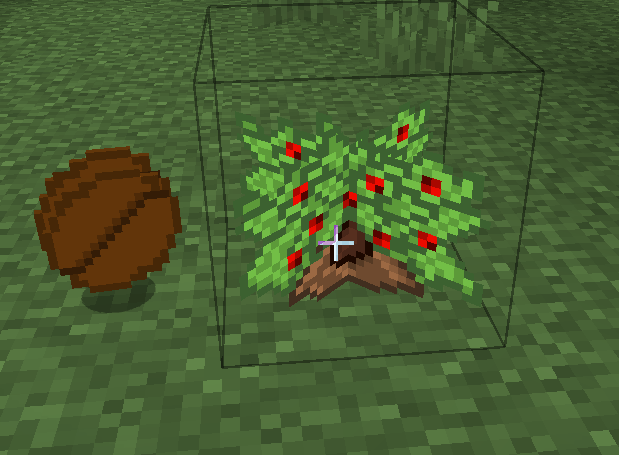
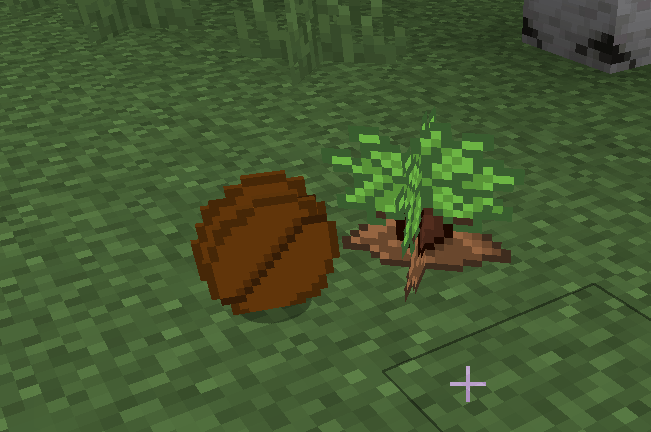
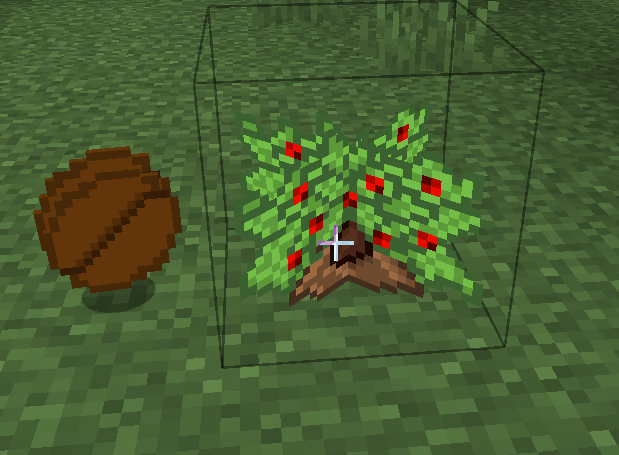
Coffee Bush — grows like sweet berries, has four stages of growth. Collect ripe Coffee Beans and sow new beds. You can also eat the beans if they are really roasted. This is the base of the entire coffee industry of your island.
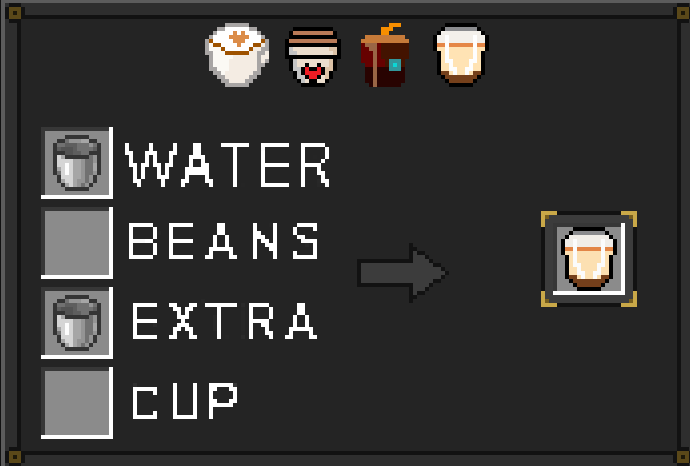
Coffee Machine — a full-fledged coffee maker with GUI
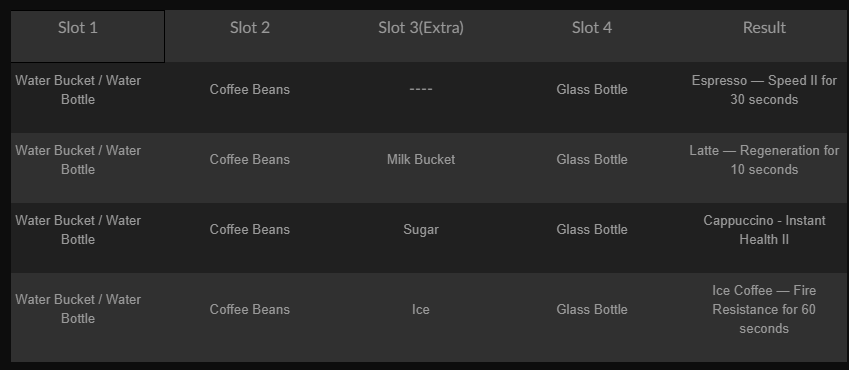
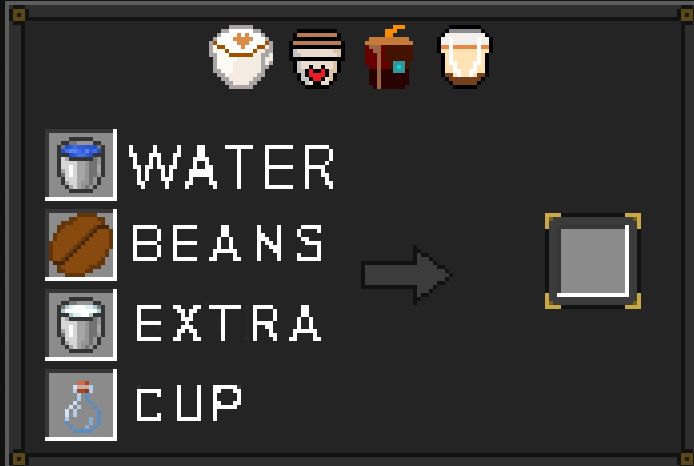
You put the Coffee Machine block, open the custom interface for 3 slots and brew coffee like a barista:
Laptop & MacBook — not just a decor
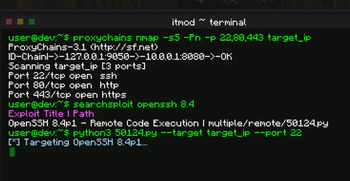
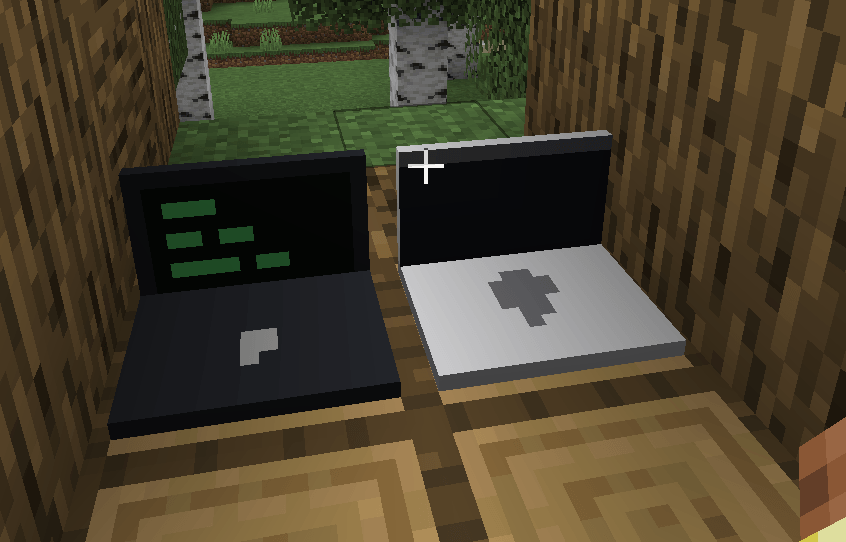
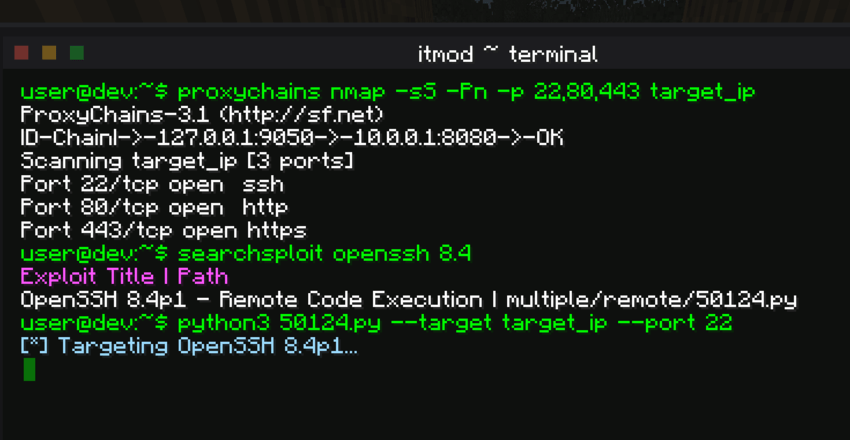
Two options for equipment: classic Laptop and stylish MacBook. Right-click on the laptop — and a real hacker terminal opens in the style of a Linux console: Animated command flow — looks like a scene from a cyberpunk movie Ideal for role-playing IT streams, screenshots for thumbnails and the atmosphere of a developer's room
Gamer Chair — sit down and code
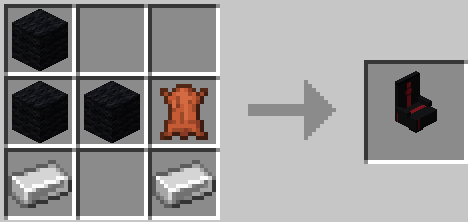
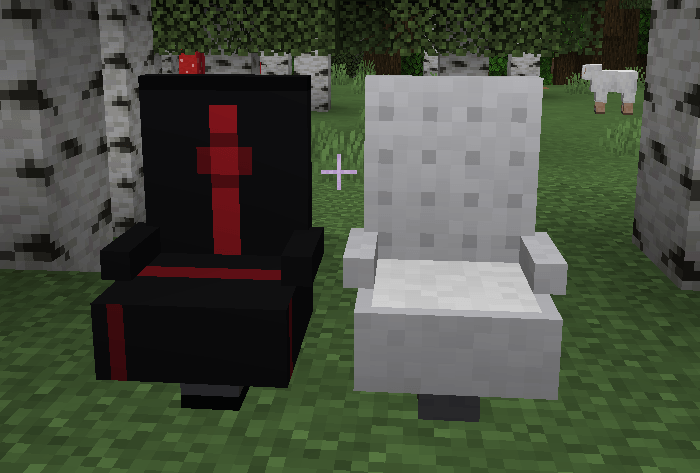
Gamer Chair in black and white. This is not just a model — you can actually sit on it: Right-click puts the player in a chair, tilt it back — you can get off. Place it in front of the laptop and you will get the perfect workplace.
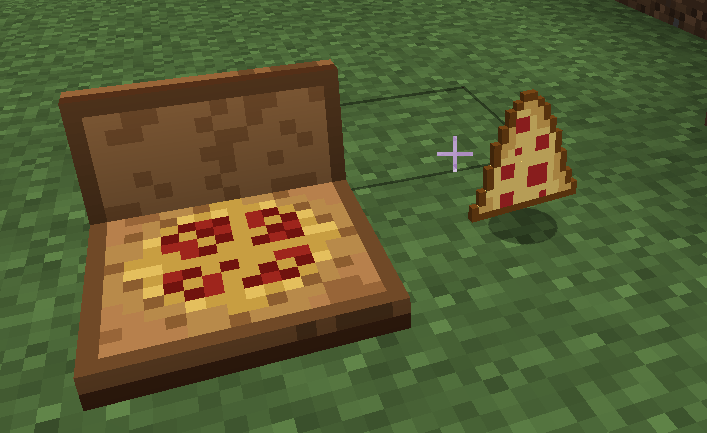
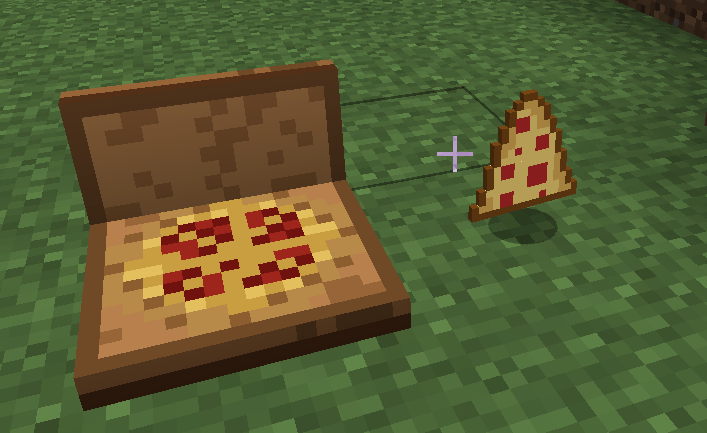
Pizza Box — eight slices of the deadline
- RMB to open the lid
- Then each RMB eats one of the 8 slices, restoring hunger and satiety
- Or get a separate Pizza Slice as an item — portable fuel for night commits
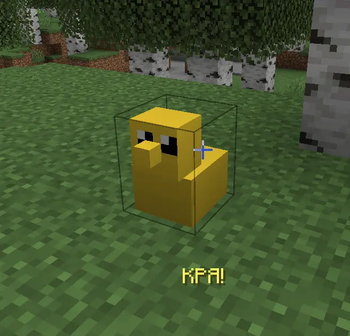
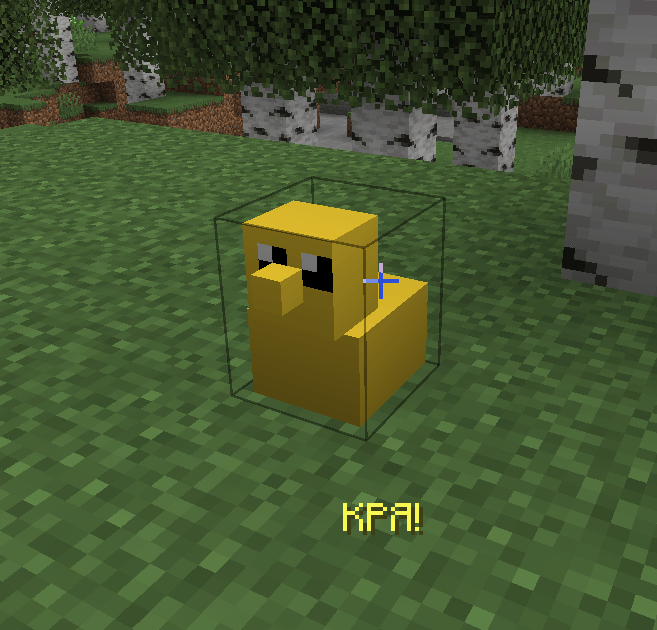
Debug Duck — the programmer's sacred animal
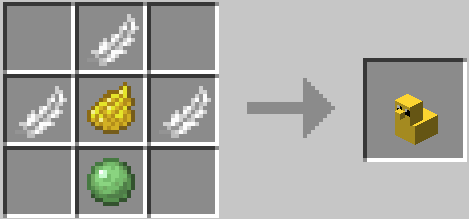
The legendary rubber duck for debugging. Put it on the table, tell it your problem — and the code will magically start working (tested by every real developer). Stacks up to 16, takes up little space, brings maximum satisfaction.
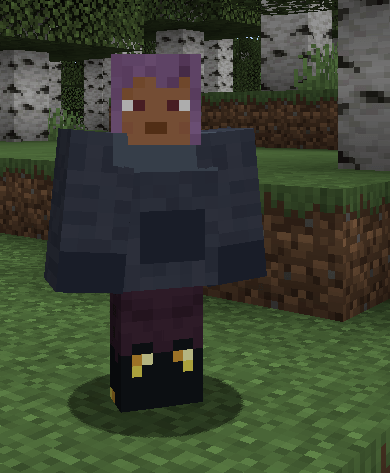
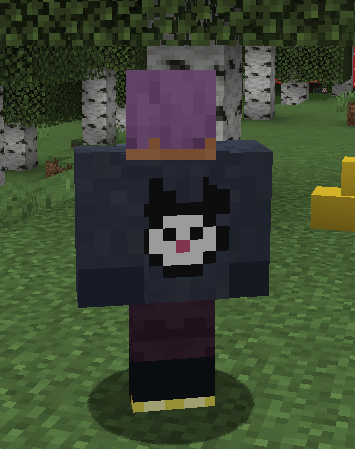
Programmer Hoodie
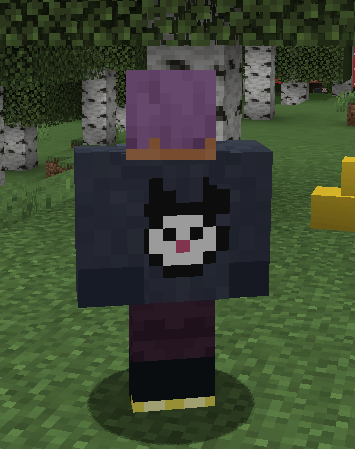
Crafted programmer hoodie — fun programmer armor with a cute cat on the back. Wear it and look like a team leader at a Friday stand-up. Protects from creepers and code reviews.
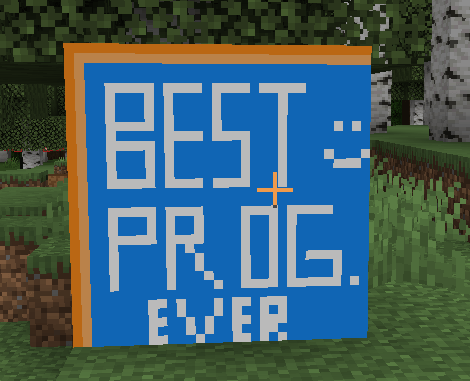
Painting – Programmer of the Year
A fun picture that every significant programmer should have at home:
Languages
- 🇬🇧 English
- 🇺🇦 Ukrainian
Requirements
- Minecraft: 1.21
- Mod Loader: Forge (Tested on Forge 1.21-51.0.33+)
- Java: 21
Installation
- Install Forge for Minecraft 1.21.
- Drop the downloaded
.jarfile into your game'smodsfolder. - Boot up the game and launch your Minecraft IT career!
Crafting Recipes
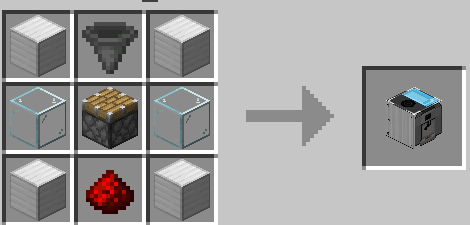
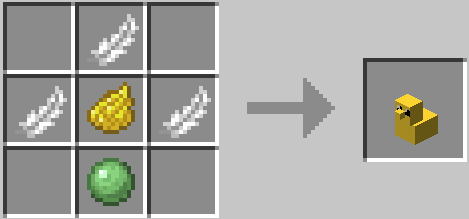
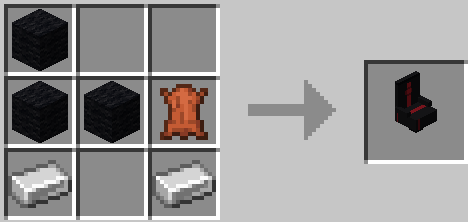
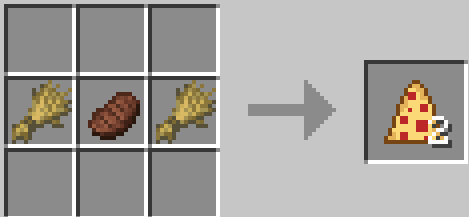
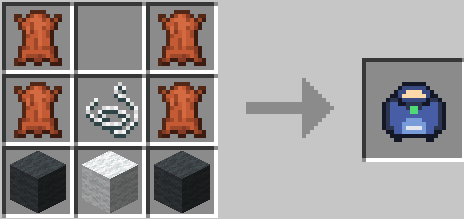
All items are fully obtainable in Survival mode with fair, vanilla-friendly recipes. Gather materials and check your in-game Recipe Book to unlock them!
Recipes:
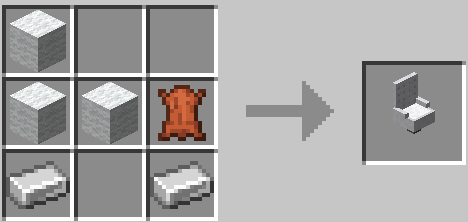
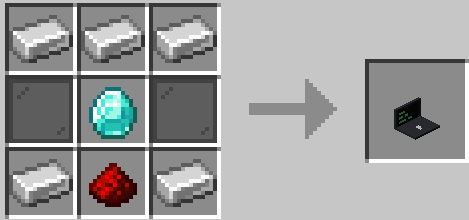
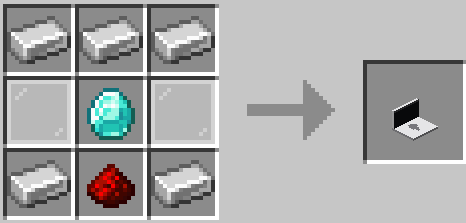
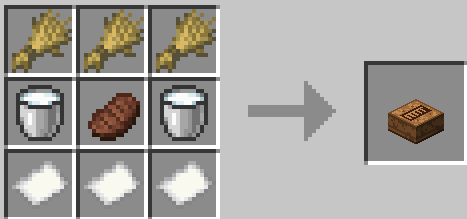
Technical details
- Minecraft Forge, Java
- Custom BlockEntity + custom MenuType and Screen for coffee maker
- Custom SeatEntity for seat mechanics
- Custom LaptopTerminalScreen with animated console
- Clean registration via DeferredRegister - compatible with other Forge mods
- All items have full food-properties, effects, localization and models
License
MIT License — You are totally free to include ItMod in any of your modpacks!
- Edition: Minecraft Java
- File type: .jar
- Minecraft version listed: 1.19.2
- How to install: Install the matching mod loader (Forge, Fabric or NeoForge) for your Minecraft version. → Download the .jar. → Put it in the .minecraft/mods folder and launch that loader profile.
- Where to get it: Opens on Modrinth — not every file is mirrored on our own servers.
Install steps are the general flow for this file type — How to install Minecraft Java mods & modpacks walks through it step by step.
- Ships as itmodminecraft-1.0.0.jar — drop this file into the mods folder
- Download size: 1.5 MB
- Download link checked 24 Aug 2026 — working
These come from our own check of the pack file, not from the source page.