Config Search
Search every installed mod's config options from one bar in Mod Menu. Type a word, jump straight to the setting. Reads YACL, Cloth, MidnightLib, Forge…
⬇ Download on Modrinth


Fabric only, client side. Requires Mod Menu and Fabric API.
ABOUT
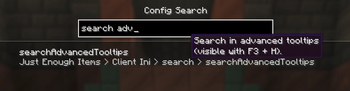
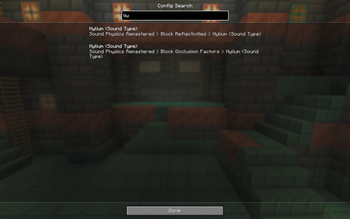
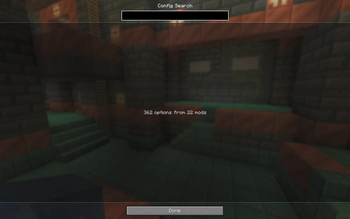
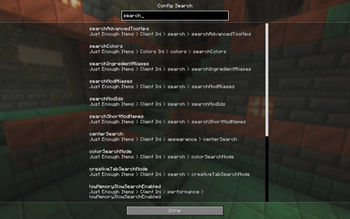
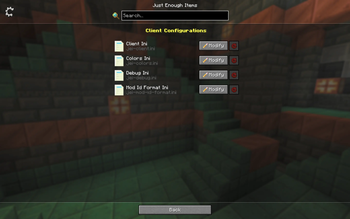
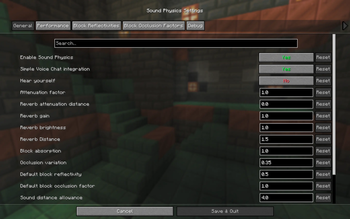
Ever known a mod has a setting for something but not which screen its buried in? Config Search adds a small search button next to the search field on Mod Menu's Mods screen. Here you can search through all configs, results match against option names, tooltips, categories and mod names in your selected language. Clicking a result opens that mod's config screen, jumping straight to the right category where the config library supports it.
HOW IT WORKS
- A magnifier button appears next to Mod Menu's search field.
- Search runs across every installed mod at once, in your language.
- Results show the full breadcrumb so you know exactly where a setting lives.
- Clicking a result opens that mod's config screen, deep linked to the right page where the config library allows it.
- The index is built the first time you open it and cached, so searching stays snappy.
SUPPORTED CONFIG LIBRARIES
Config Search reads options directly from the common config libraries:
- YetAnotherConfigLib (YACL) 3.x
- Cloth Config
- MidnightLib
- Forge Config API Port (1.21.1+)
- Configured by MrCrayfish (1.20.1 to 1.21.11)
Mods using other config libraries or hand written config screens still show up as a single result that opens their config screen, so nothing is left out.
FOR MOD DEVELOPERS
Your mod can feed its options straight into the search index with the configsearch entrypoint, which is handy if you use a custom config screen. Config library authors can register one extractor to cover every mod using their library. Full details and a code sample are in the README.
SUPPORT
The best and fastest way to get replies is to join the Discord server. Bug reports and suggestions are welcome on the issue tracker.
- Edition: Minecraft Java
- File type: .jar
- Minecraft version listed: 1.21.1
- How to install: Install the matching mod loader (Forge, Fabric or NeoForge) for your Minecraft version. → Download the .jar. → Put it in the .minecraft/mods folder and launch that loader profile.
- Where to get it: Opens on Modrinth — not every file is mirrored on our own servers.
Install steps are the general flow for this file type — How to install Minecraft Java mods & modpacks walks through it step by step.
- Ships as configsearch-forge-1.21.1-1.0.0.jar — drop this file into the mods folder
- Download size: 46 KB
- Download link checked 24 Aug 2026 — working
These come from our own check of the pack file, not from the source page.