
Bedrock Obfuscator
Hides the bottom bedrock layers in the Overworld so people can't use the pattern against you.
At the very bottom of every Minecraft world there's a layer of bedrock with a random bumpy pattern. That pattern is different in every spot, so people watching your videos or streams can find your coordinates using the server seed and figure out where you are. This mod hides that pattern so they can't.
It only changes what you see client side.
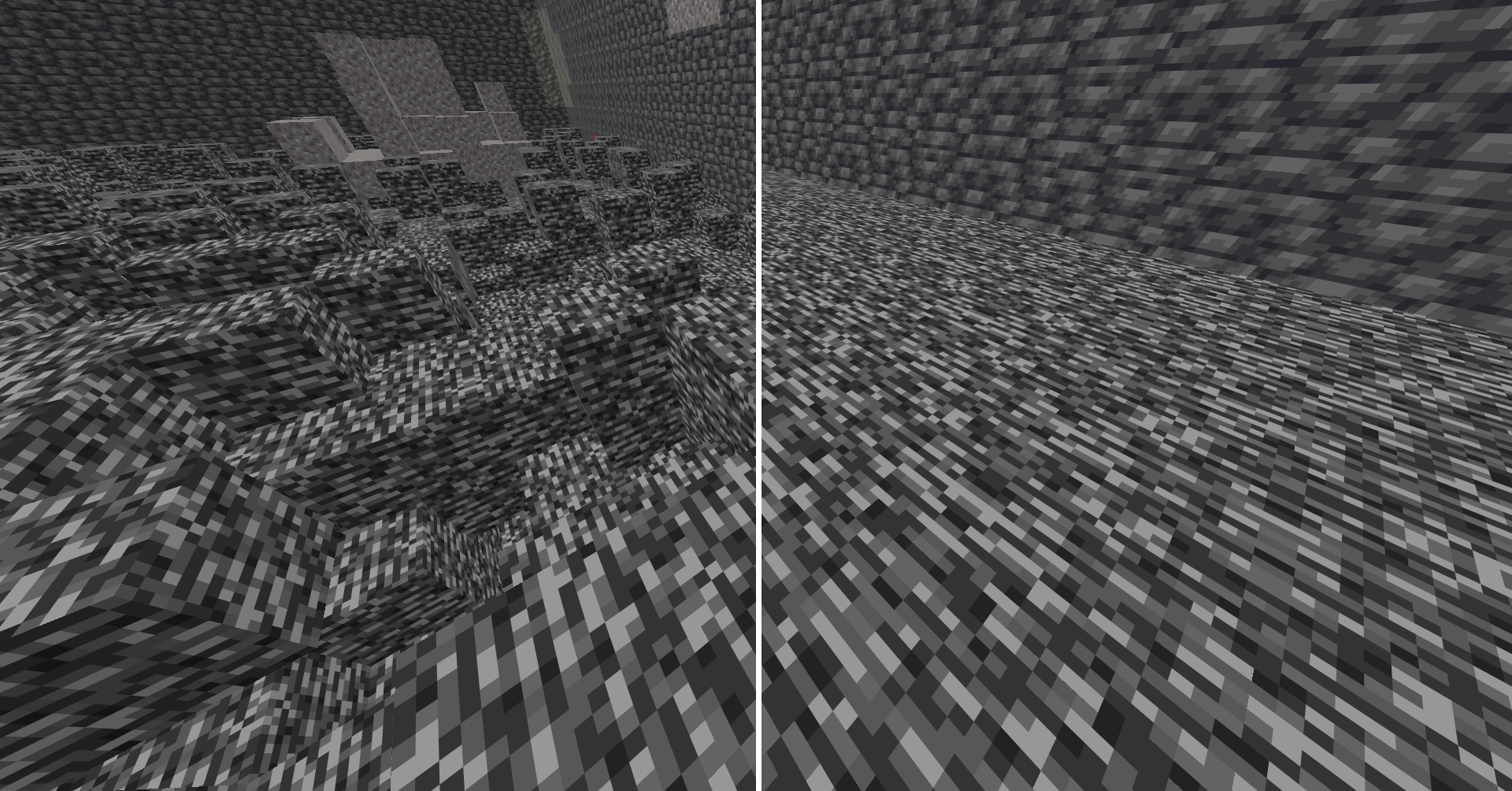
Features
- Hides bedrock from Y -64 to -60
- Pick any block to show instead (bedrock by default)
- Leaves real holes down to the void alone, so it won't cover a gap you could fall through
- Won't replace a block you're standing inside, so you never look stuck in the floor
- Turn it on and off with a hotkey
How it works
The mod only changes the picture drawn on your screen. The real blocks never change, so mining, walking, falling, and multiplayer all work exactly like normal. Turn the mod off and the real bedrock shows again right away.
Requirements
- Minecraft 1.21.11
- Fabric Loader
- Fabric API
- MaLiLib
Controls
Default hotkeys:
- Toggle on/off:
Left Shift + B - Open settings:
U + I
Both can be changed in the mod's settings screen or in Minecraft controls menu.
Source
- Edition: Minecraft Java
- File type: .jar
- Minecraft version listed: 26.2
- How to install: Install the matching mod loader (Forge, Fabric or NeoForge) for your Minecraft version. → Download the .jar. → Put it in the .minecraft/mods folder and launch that loader profile.
- Where to get it: Opens on Modrinth — not every file is mirrored on our own servers.
Install steps are the general flow for this file type — How to install Minecraft Java mods & modpacks walks through it step by step.
- Ships as bedrockobfuscator-1.1.1-mc26.2.jar — drop this file into the mods folder
- Download size: 333 KB
- Download link checked 14 Sept 2026 — working
These come from our own check of the pack file, not from the source page.